Huawei Proprietary and Confidential
Copyright © Huawei Technologies Co., Ltd.
3.2.2 Unpacking
To avoid damage during the transportation, remove the wooden case and pallets after the
NetCol5000-C is moved most close to the installation position.
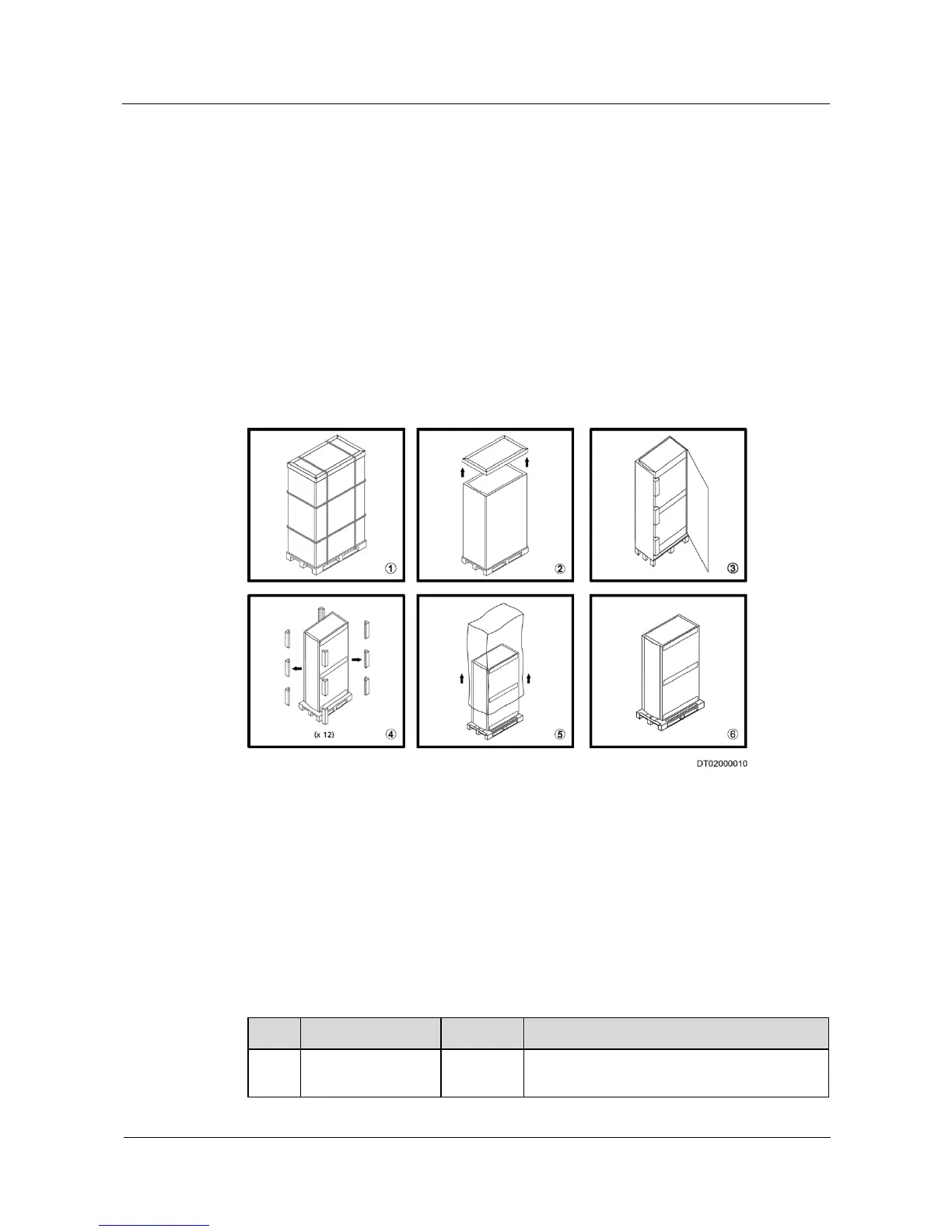
Figure 3-4 shows the process of unpacking.
1. Remove the straps.
2. Remove the top cover.
3. Remove external packing materials.
4. Remove cushioning materials.
5. Remove plastic materials.
6. Remove the pallets.
Figure 3-4 Unpacking
After you remove the packing materials, check that:
The cabinet exterior is in good condition and free of collision and scratch.
The number of cabinets and fittings are correct. The fittings include supports and bolts
for fastening the cabinet.
3.2.3 Checking Fittings
Table 3-2 shows the standard fittings of the NetCol5000-C.
Table 3-2 Standard fittings







 To Next Page