Log in as the Engineer user or other types of users that have higher permission.
Monitor mode defines the mode used by the EMS to monitor the NetCol5000-C. The preset mode is
Single monitor.
Single Start delay defines the delay required by a NetCol5000-C to respond to the operating status
delivered by the controller after the NetCol5000-C is started. The value range of Single Start delay
is from 1s to 60s. The preset delay is 10s.
If EMS Start/off forbid is set to Yes, you cannot use the EMS to start or shut down the
NetCol5000-C.
T/H Sensor
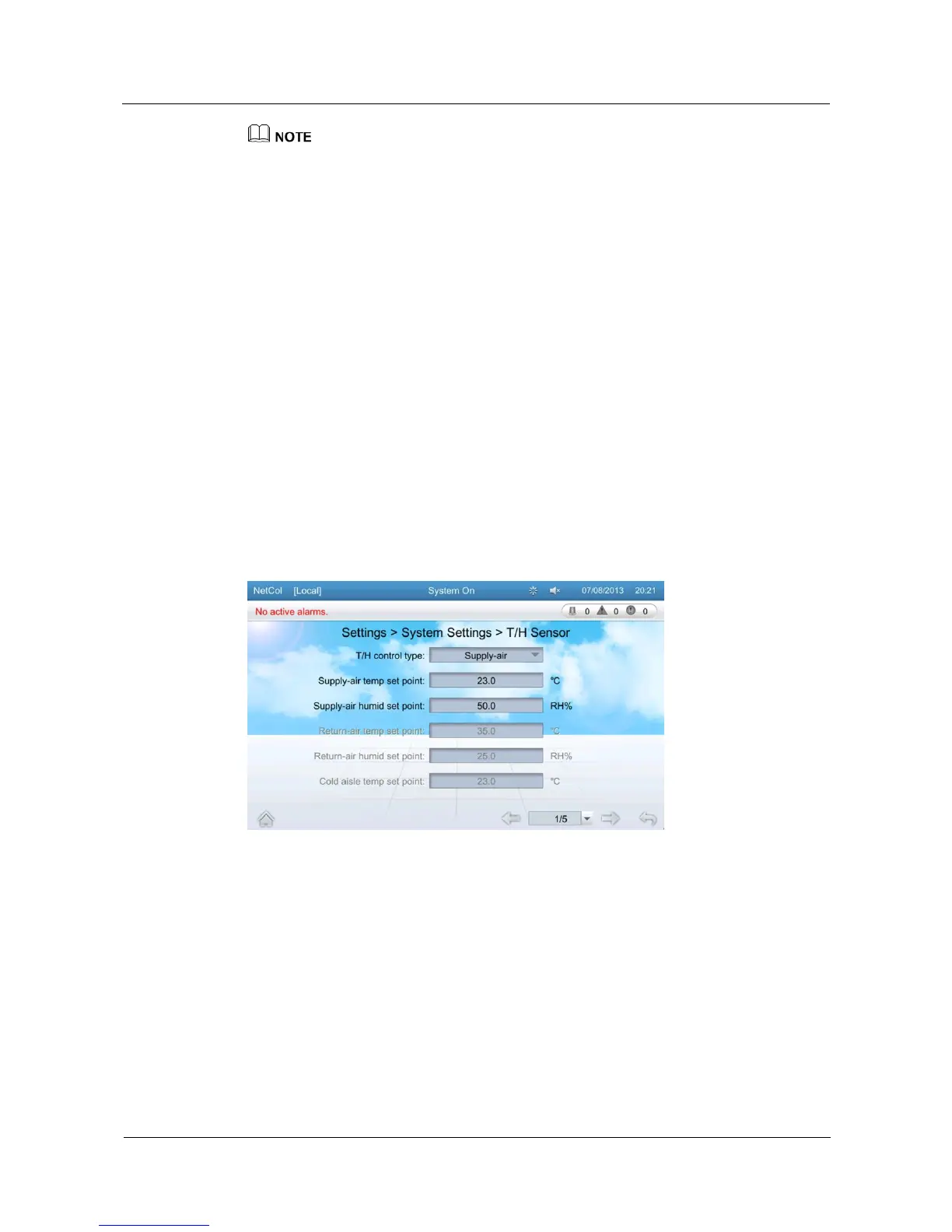
On the T/H sensor screen, you can configure T/H control type, supply-air temp set point,
supply-air humid set point, return-air temp set point, return-air humid set point, cold aisle
temp set point, cold aisle humid set point, hot aisle temp set point, hot aisle humid set point,
temp sampling period, temp p-band, temp deadband, temp p-coefficient, temp integ time
constant, temp diff time constant, humid sampling period, humid p-band, humid deadband,
humid p-coefficient, humid integ time constant, humid diff time constant, cold aisle sensor 1,
cold aisle sensor 2, cold aisle sensor 3, hot aisle sensor 1, hot aisle sensor 2, and hot aisle
sensor 3.
Tap Settings > System Settings > T/H Sensor on the home screen to enter the T/H sensor
screen, as shown in Figure 5-30.
Figure 5-30 T/H Sensor
On the T/H sensor screen, the value range of parameters are displayed on the screen when you
click the corresponding items to set a parameter, take the cold aisle of T/H sensor as an
example, T/H control type select Cold aisle, cold aisle sensor select enable, as shown in
Figure 5-31.







 To Next Page