Huawei Proprietary and Confidential
Copyright © Huawei Technologies Co., Ltd.
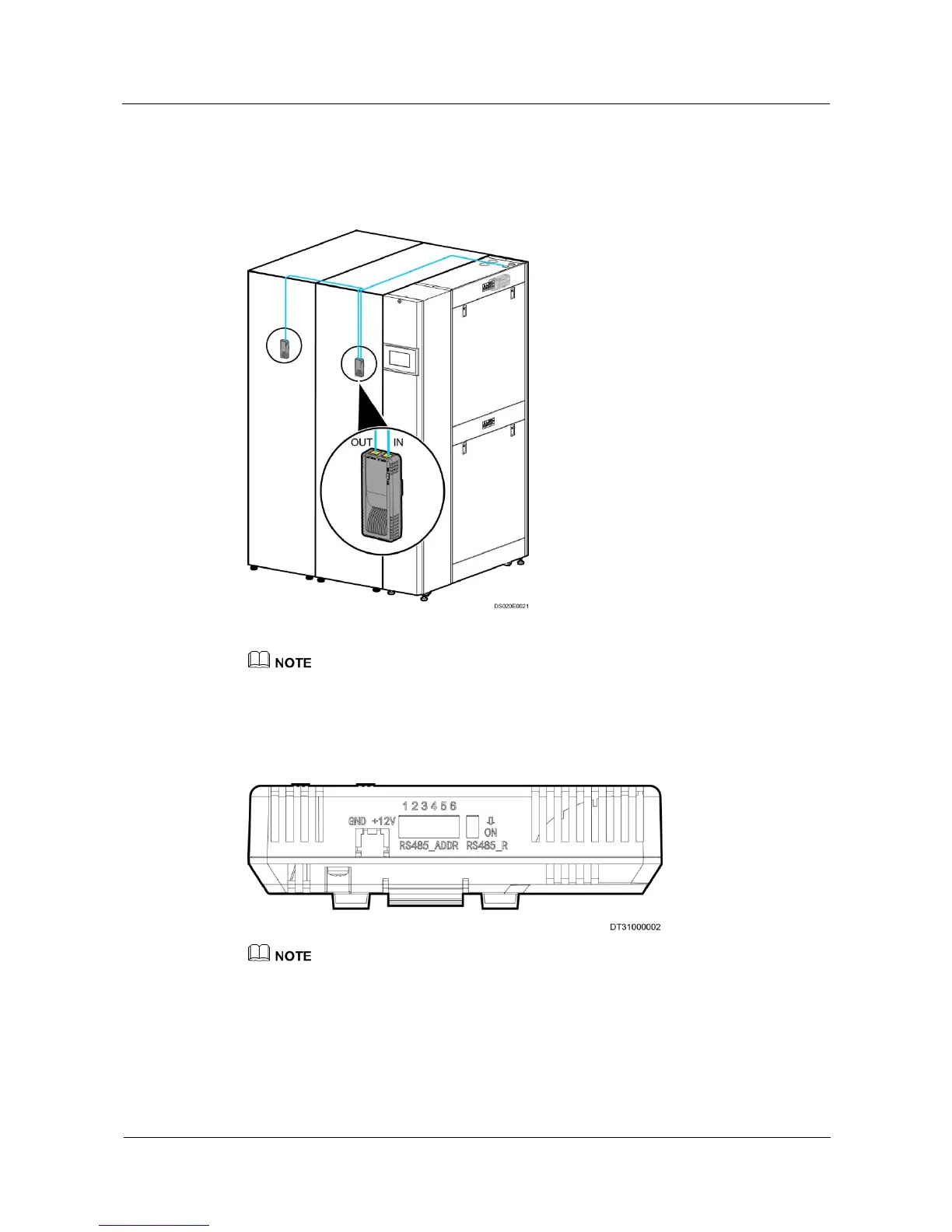
Remove the signal cable from the signal cable output port at the cabinet top and fix the
humidity and temperature sensor to the temperature and humidity measurement point, as
shown in Figure 3-28.
Figure 3-28 Connecting the humidity and temperature sensors
The cable between the main control board and the humidity and temperature sensor is 10 m long, which
is tied with cable tie and installed at the server air intake vent and about 1.5 m above the ground.
Figure 3-29 shows the DIP switches of the humidity and temperature sensor.
Figure 3-29 DIP switches
Keep the number 7 DIP switch to “OFF”, set the corresponding aisle to enable, or the sensor will not
work.
Table 3-3 describes the DIP switches of the humidity and temperature sensor.







 To Next Page