Huawei Proprietary and Confidential
Copyright © Huawei Technologies Co., Ltd.
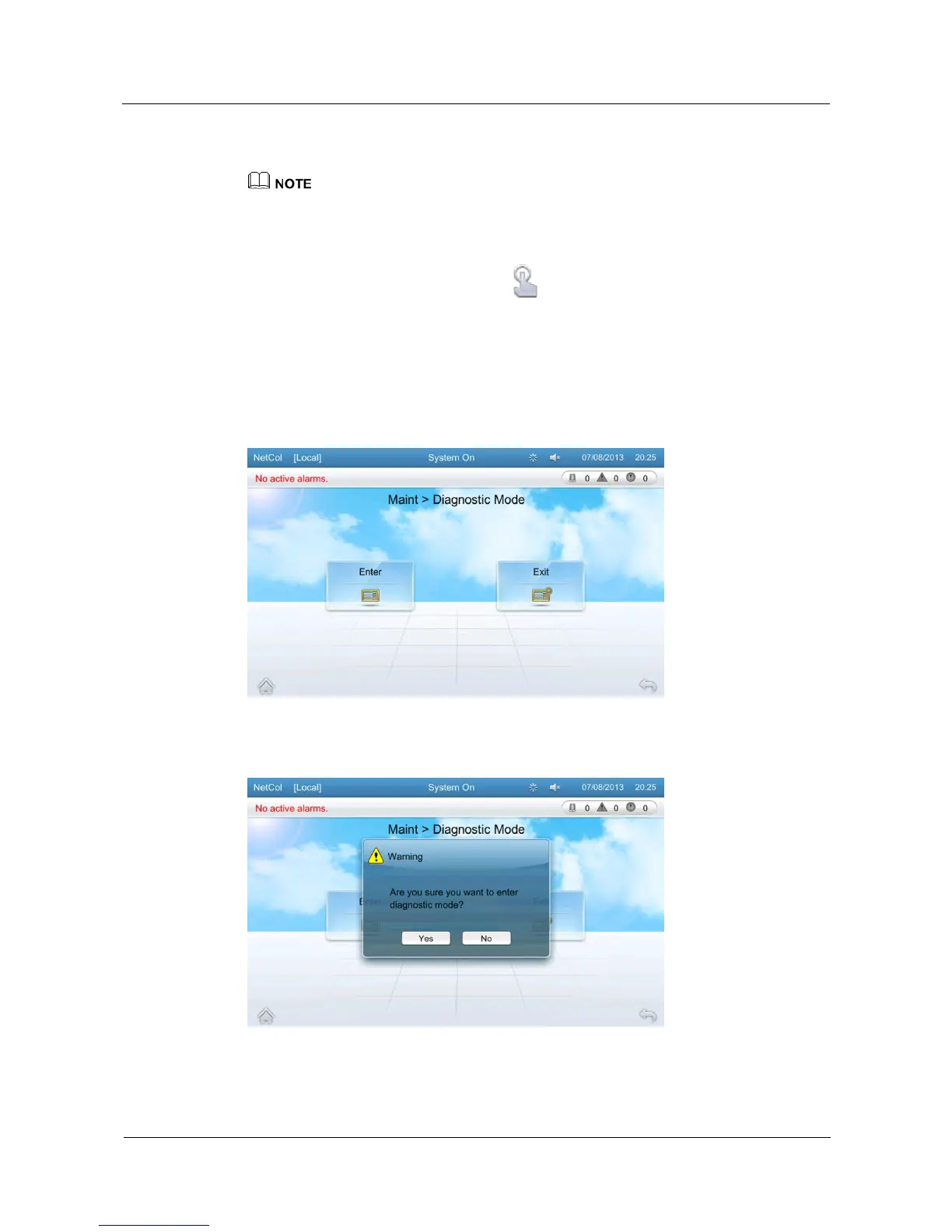
Tap Maint > Diagnostic Mode on the home screen to enter the diagnostic mode screen, as
shown in Figure 5-45.
If you need to manually power on or off system components in diagnostic mode, log in as the
Operator user or users that have higher permission. Ensure that the NetCol5000-C is powered on
before operation.
You cannot enter the diagnostic mode if the NetCol5000-C is shut down.
After entering the diagnostic mode, tap on the status bar to exit the diagnostic mode.
Tap Enter on the diagnostic mode screen and then tap Yes to enter the diagnostic mode, as shown in
Figure 5-46 and Figure 5-47.
Tap Exit on the diagnostic mode screen and then tap Yes to exit the diagnostic mode, as shown in
Figure 5-48.
The system automatically exits the diagnostic mode after cumulative 60 minutes.
Figure 5-45 Diagnostic mode screen
Figure 5-46 Confirming the diagnostic mode







 To Next Page