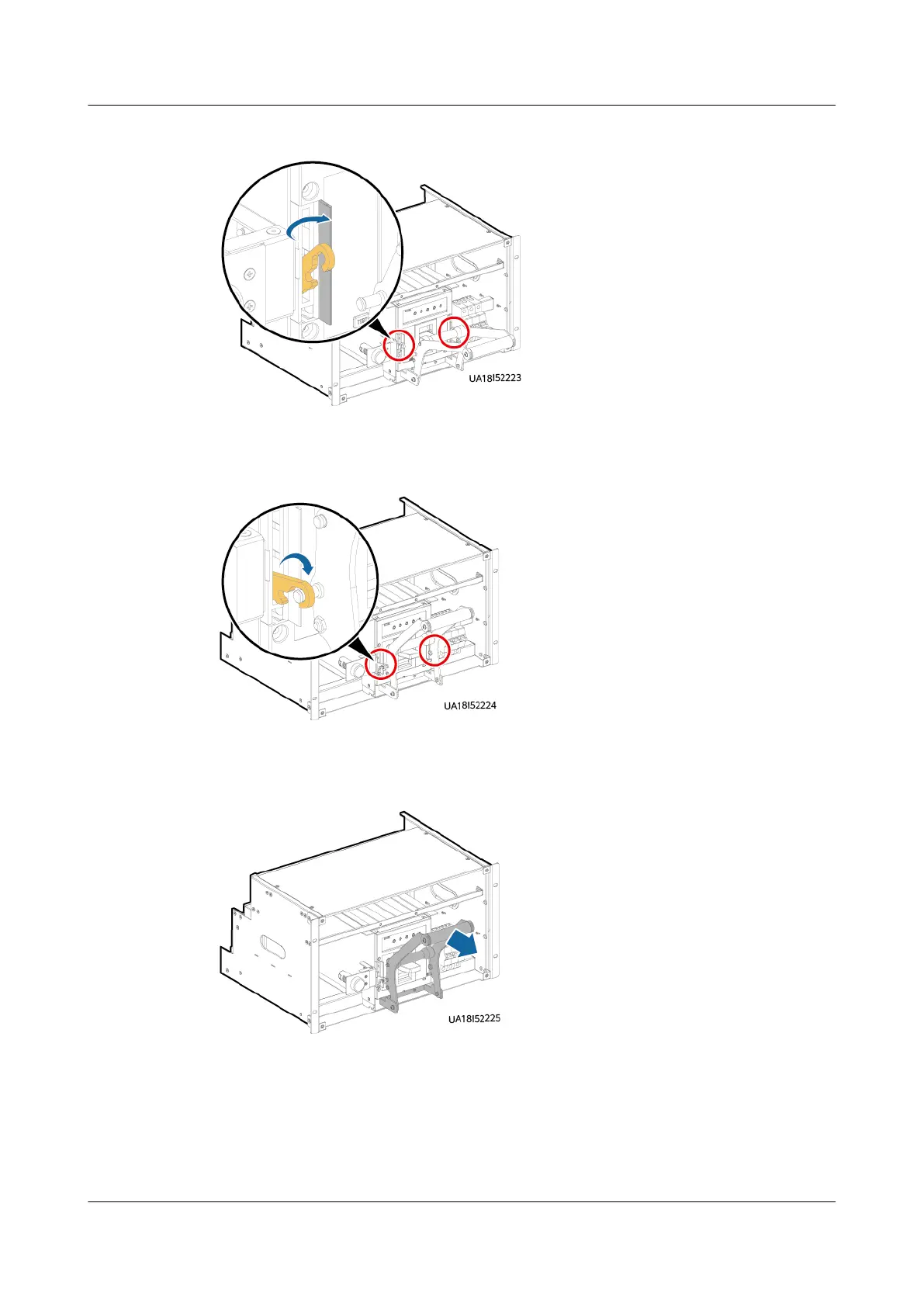
Figure 8-8 Removing the hook
Step 8 Hang the hook on the crossbar of the assisting tool.
Figure 8-9 Hanging the hook
Step 9 Hold the handle of the assisting tool and pull out the switch downwards obliquely.
Figure 8-10 Pulling out the switch
Step 10 Press the TEST button on the new switch to trip the switch, place the switch on
the slot of the subrack, and push the switch inwards until it cannot move forward.
Step 11 Insert the assisting tool into the big positioning holes in the subrack.
Step 12 Slide the assisting tool horizontally to the bottom of the small holes and ensure
that the tool is clamped.
UPS5000-E-(30 kVA–180 kVA)
User Manual (Integrated UPS) 8 Parts Replacement
Issue 02 (2022-12-30) Copyright © Huawei Digital Power Technologies Co., Ltd. 160












 To Next Page