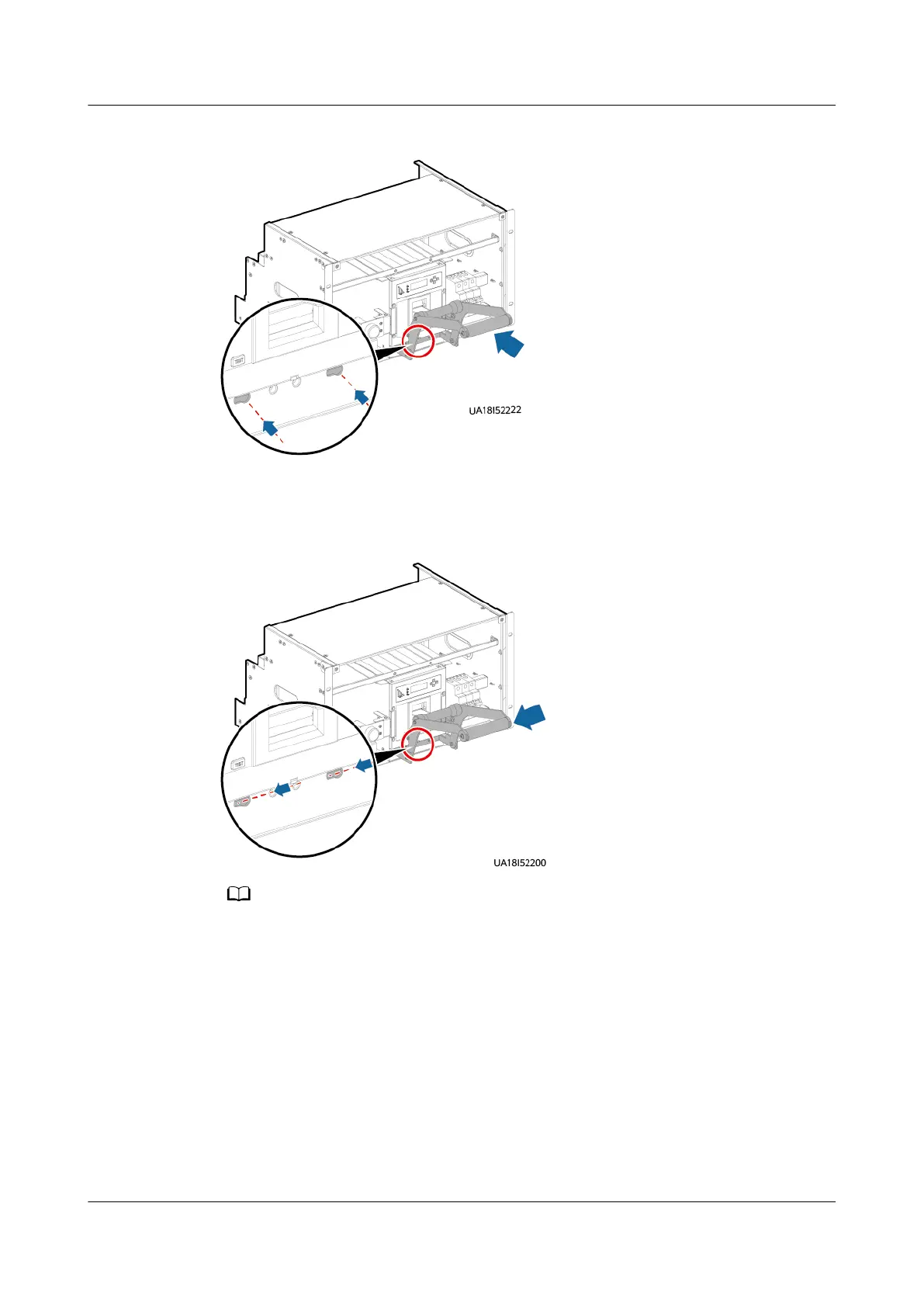
Figure 8-6 Inserting the assisting tool
Step 6 Slide the assisting tool horizontally to the bottom of the small holes and ensure
that the tool is clamped.
Figure 8-7 Clamping the assisting tool
The gure is for reference only. Slide the tool horizontally to the bottom of the small holes
based on the site requirements.
Step 7 Place the assisting tool against the switch, remove the small covers on both sides
of the switch, and pull out the hook.
UPS5000-E-(30 kVA–180 kVA)
User Manual (Integrated UPS) 8 Parts Replacement
Issue 02 (2022-12-30) Copyright © Huawei Digital Power Technologies Co., Ltd. 159












 To Next Page