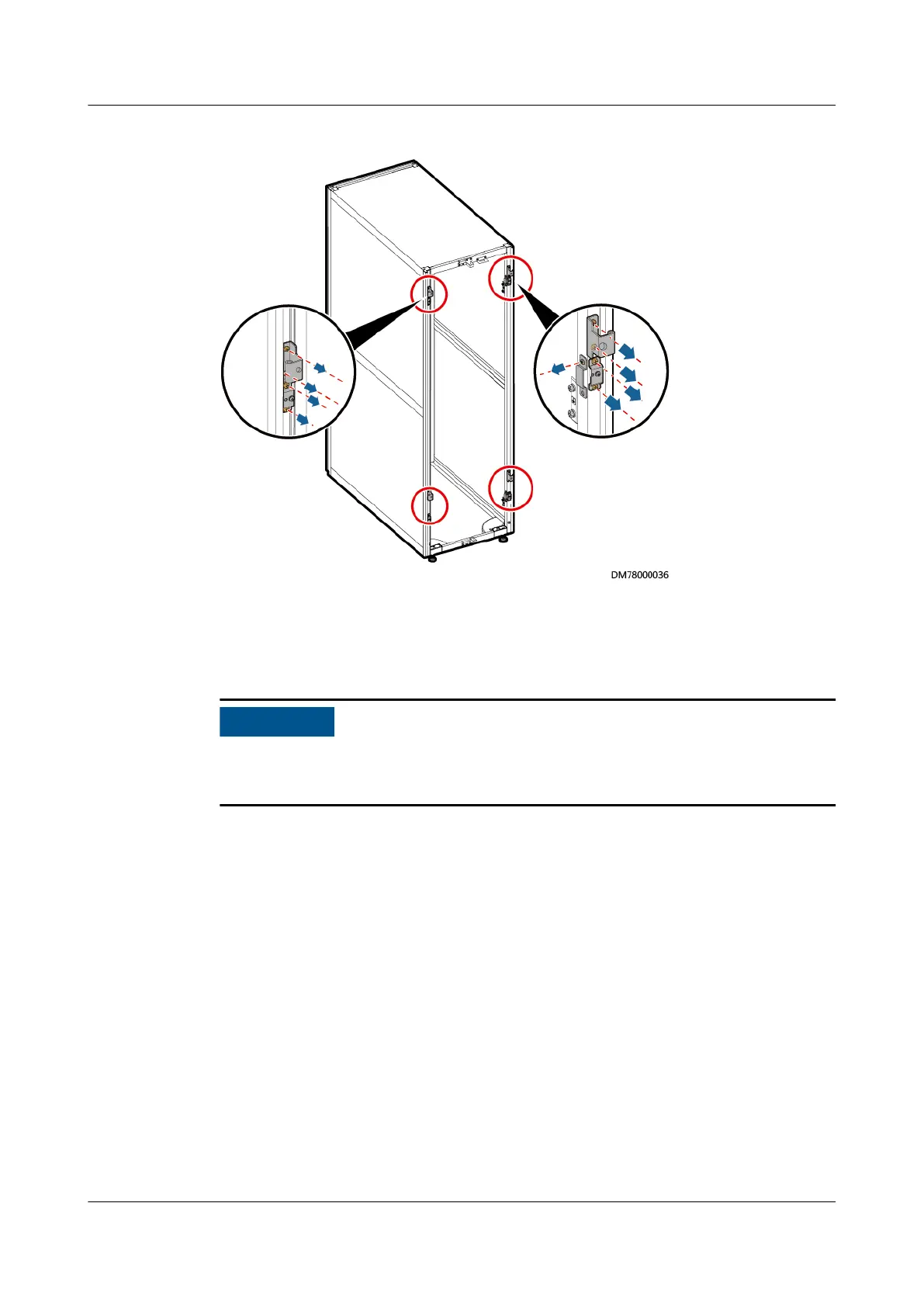
Figure 3-17 Removing the rear door mounting kits
Step 5 Move the tail frame to the rear door of the cabinet and adjust the height of the
tail frame to be the same as that of the cabinet.
Step 6 Secure the tail frame to the UPS using eight M5 tapping screws.
● Align the upper and lower holes of the tail frame before tightening screws.
● The tail frame side with anchor bolts should face the cabinet bottom.
UPS5000-E-(30 kVA–180 kVA)
User Manual (Integrated UPS) 3 Installation
Issue 02 (2022-12-30) Copyright © Huawei Digital Power Technologies Co., Ltd. 64












 To Next Page