No. Item Expected Result
18 Foreign matter cleaning
inside the cabinet
The inside and outside of the cabinet are
free from conductive dust or other
sundries.
1. There is no foreign matter (such as
copper wires and screws) on the top
of the cabinet.
2. There is no foreign matter on the
copper bar terminals.
3. There is no foreign matter around
switch terminals.
4. There is no foreign matter on the
bottom plates of the cabinet.
5. There is no foreign matter on the rear
module subrack.
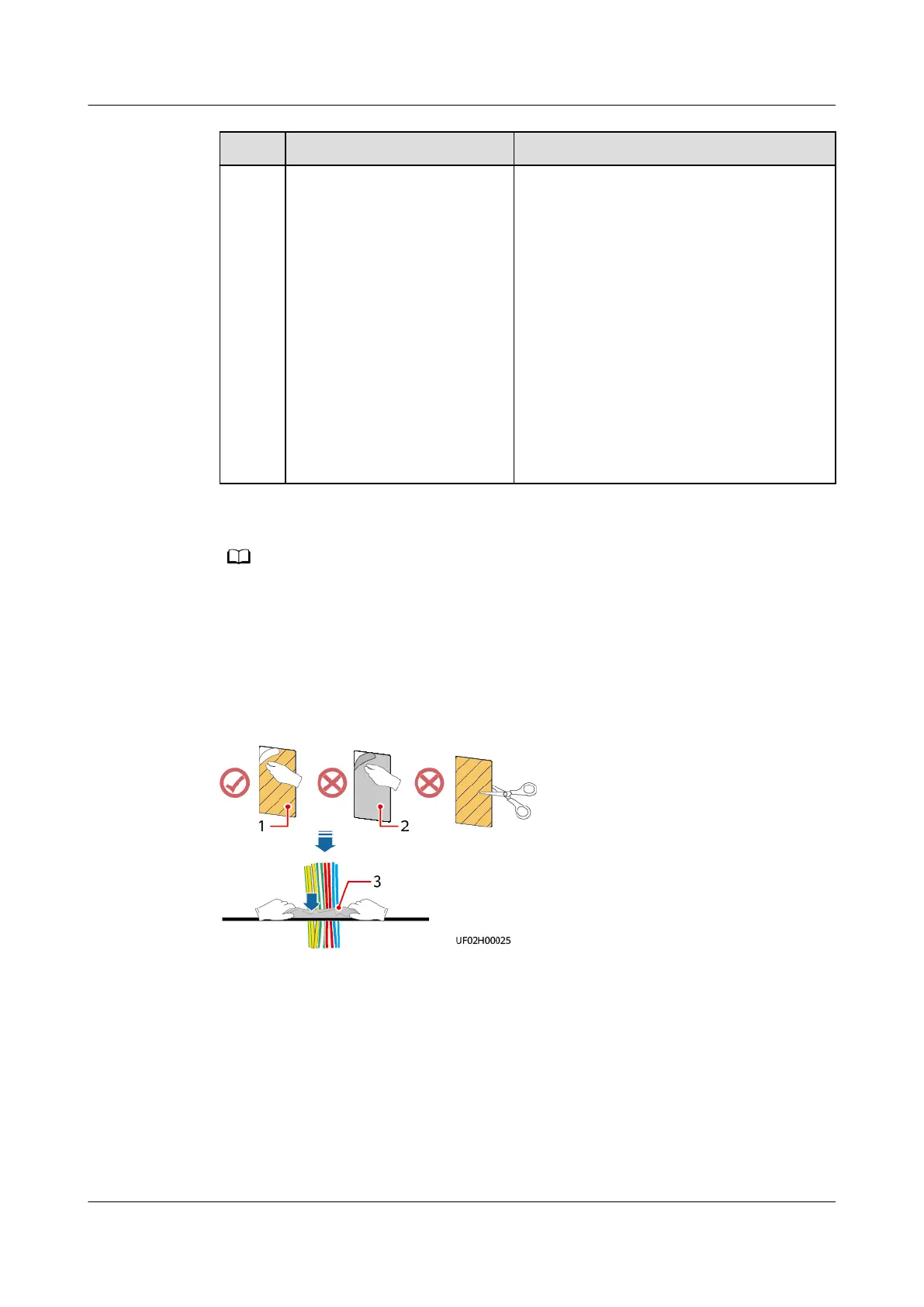
● In the scenarios where holes are drilled or covers are removed for routing cables, use
sealing putty to ll in the gaps between the cables and the cabinet after routing cables
and checking cable connections.
● After verifying the installation, reinstall all the covers.
● Do not remove the dustproof cover before power-on to prevent dust from entering the
cabinet.
Figure 3-37 Filling a hole with sealing putty
(1) Paper protective
lm (2) Transparent lm (3) Sealing putty (with the
transparent lm facing
upward)
UPS5000-E-(30 kVA–180 kVA)
User Manual (Integrated UPS) 3 Installation
Issue 02 (2022-12-30) Copyright © Huawei Digital Power Technologies Co., Ltd. 78












 To Next Page