Page 18 Manual
A.5 Device Location
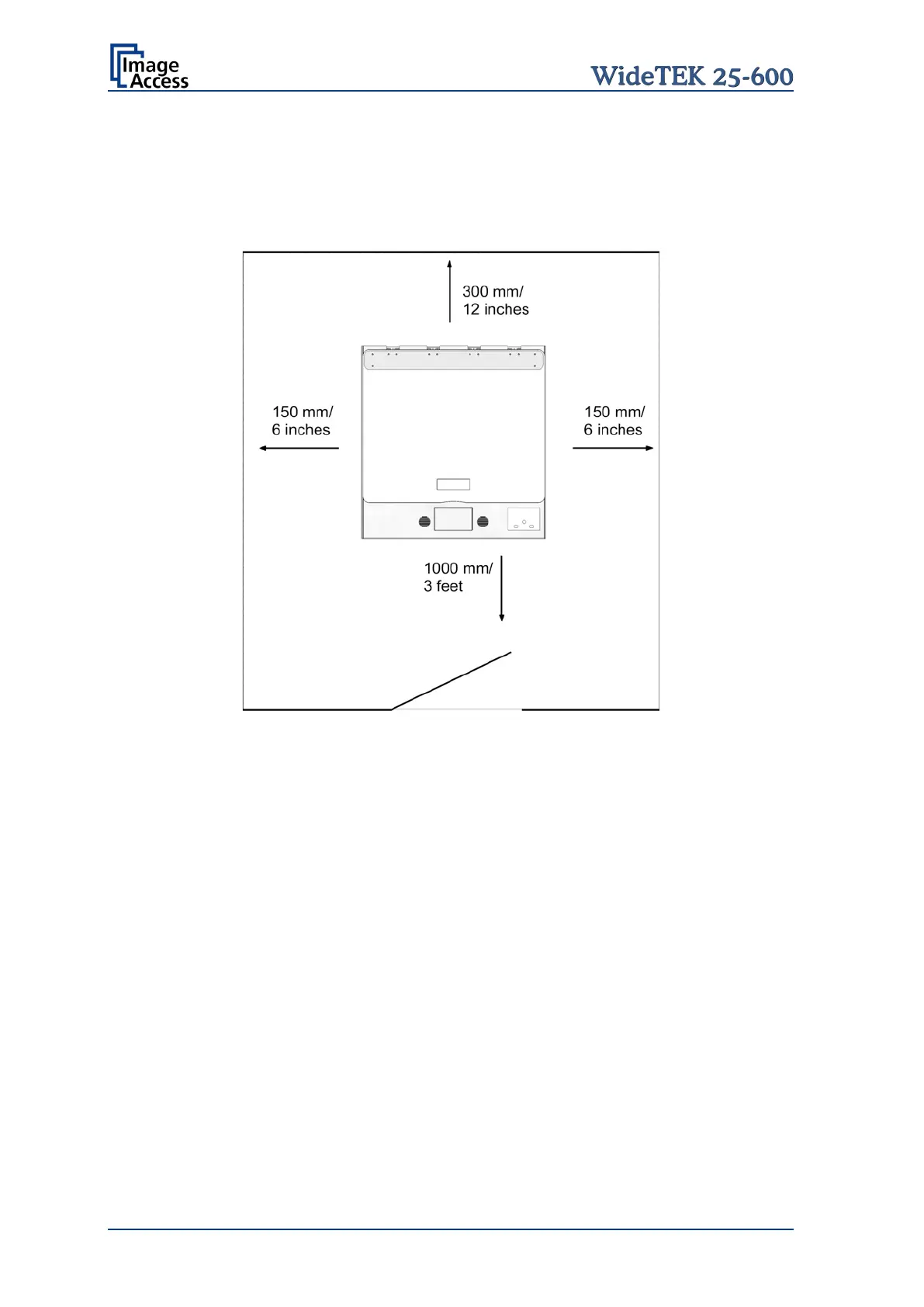
Please allow a minimum of 150 mm (6 inch) from any side walls and 300 mm (12 inch)
from a back wall. Leave one meter (3 feet) minimum distance from any door or entrance
way. Use the illustration below as a guide.
Picture 1: Minimum distances
Do not operate the scanner in an area that has poor air circulation and/or that is non-
ventilated.
Place the WideTEK 25-600 on a flat and solid base. The load bearing capacity of the base
must correspond to the device weight.
Choose a location that complies with the limits of temperature and humidity. Refer to the
technical specification.
Important: Before using the WideTEK 25-600 scanner in the new environment allow at
least one hour for temperature adaptation.
Temperature adaptation means:
A fast change from cold to warm environmental conditions can build up
condensation inside the housing. This will result in unfavorable scanned
images and could cause permanent damages to the unit.










 To Next Page