Page 34 Manual
B.3.1.4 DIN
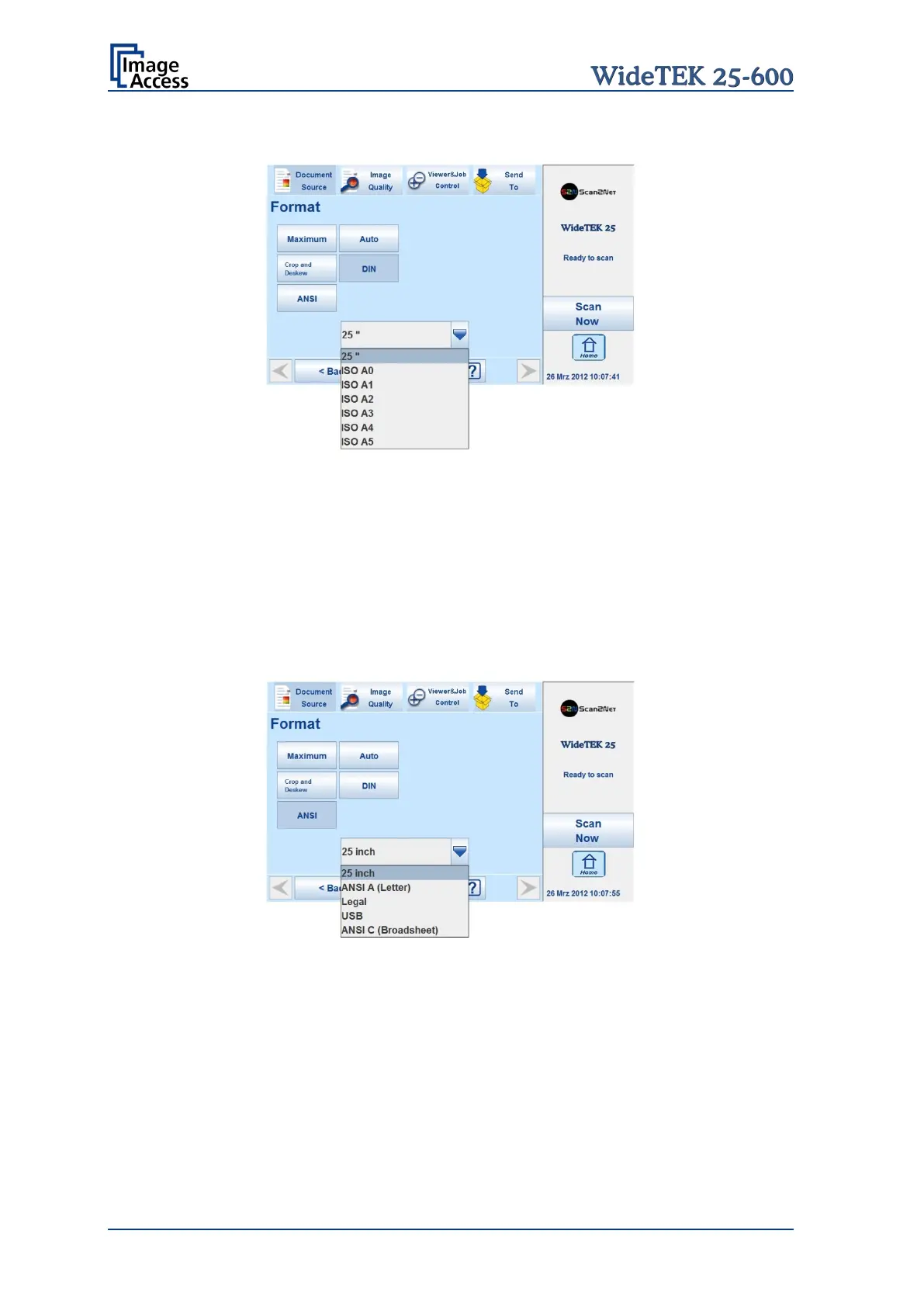
Picture 16: Format mode DIN
When selecting DIN, an additional small window opens.
It shows the available DIN (=ISO) document sizes as well as 25 inch width as scan area
dimension.
All formats are positioned symmetrically to the horizontal middle of the glass plate. Some
markings at the margin of the glass plate help to find the right position for the document.
B.3.1.5 ANSI
Picture 17: Format mode ANSI
When selecting ANSI, an additional small window opens.
It shows the available ANSI document sizes as scan area dimension.
All formats are positioned symmetrically to the horizontal middle of the glass plate. Some
markings at the margin of the glass plate help to find the right position for the document.










 To Next Page