Manual Page 47
B.5 Touchscreen – Viewer&Job Control
The Viewer Control screen allows the operator to control and modify the image on an
external TFT flat screen. The external screen can be connected to the scanner at the
connectors at the backside (see Picture 7, detail 6).
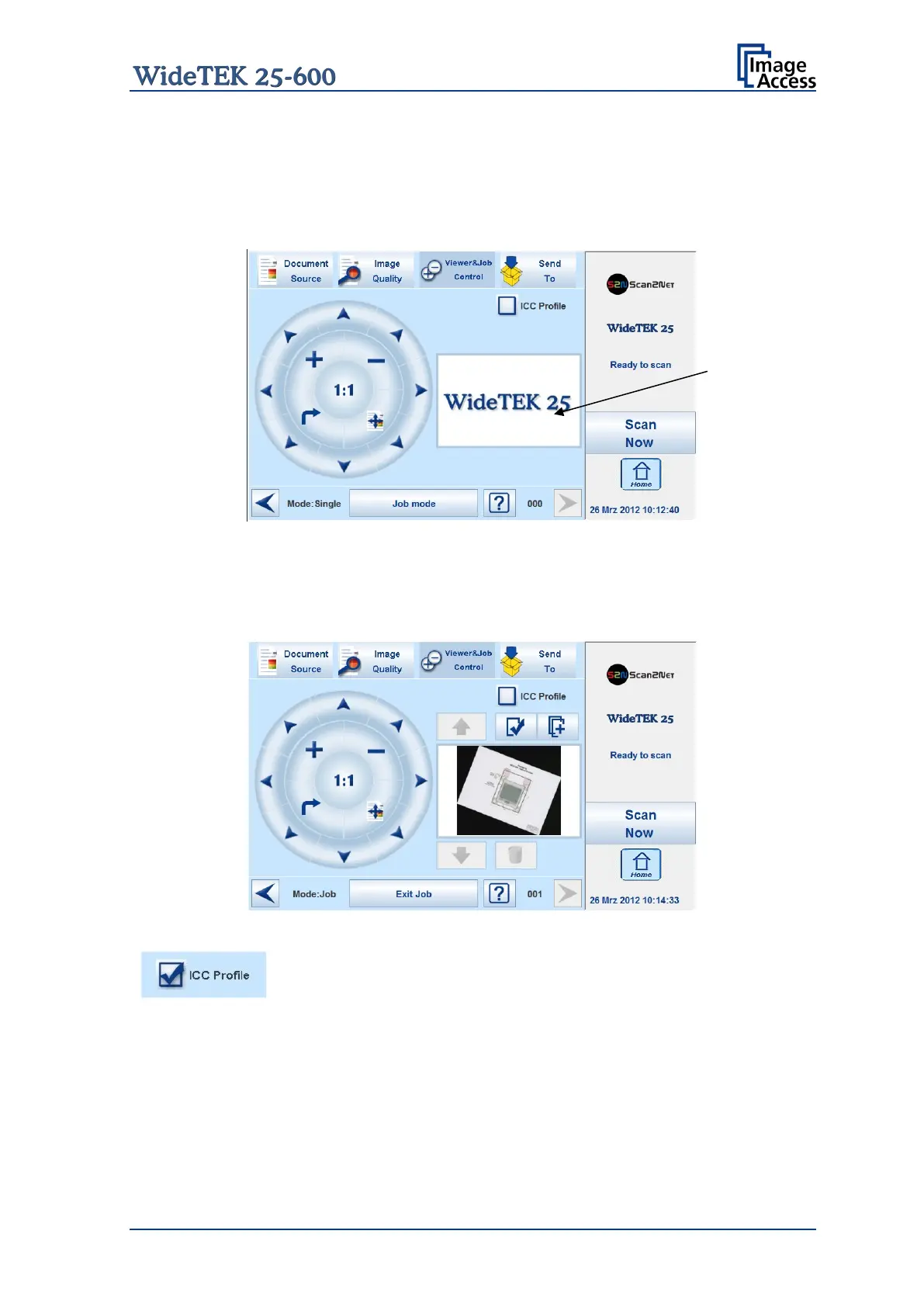
Picture 42: Viewer&Job Control screen
The preview section (1) represents the TFT flat screen.
The scanned image is displayed on the optional TFT flat screen and with reduced quality
in the preview section right beside the controller elements.
Picture 43: Scanned image in preview area
The ICC Profile checkbox activates the ICC profile for the external
monitor.
An ICC file
must be uploaded to the scanner previously. Uploading
of an ICC profile can be done in the Scan2Net user interface, setup
level Poweruser.










 To Next Page