Page 58 Manual
B.6.4 FTP Options
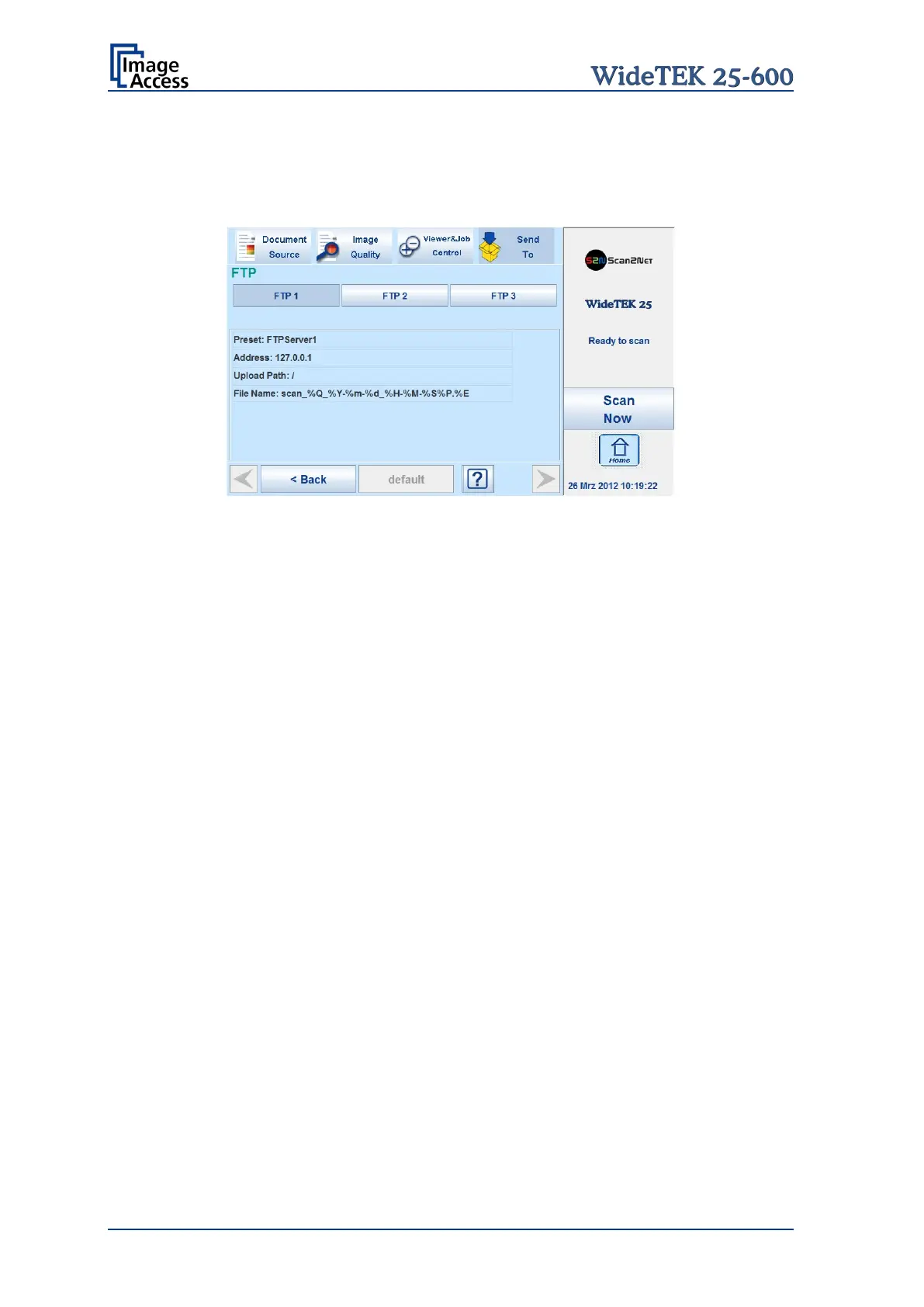
Touch FTP Options to switch to the screen with the preset FTP server configurations.
Three preset FTP servers can be stored and activated with the buttons FTP 1 to FTP 3.
Picture 57: Parameters of FTP Options
From the touchscreen, only the entry for File Name can be changed.
To change the entry, touch the respective line.
Chapter B.6.1 describes how the entry can be changed.
All other parameters must be changed from the Scan2Net user interface.
More information about the use of the Scan2Net interface can be found in chapter C.3.6.
and its sub-chapter.










 To Next Page