Manual Page 93
C.3.7 Output Option Mail
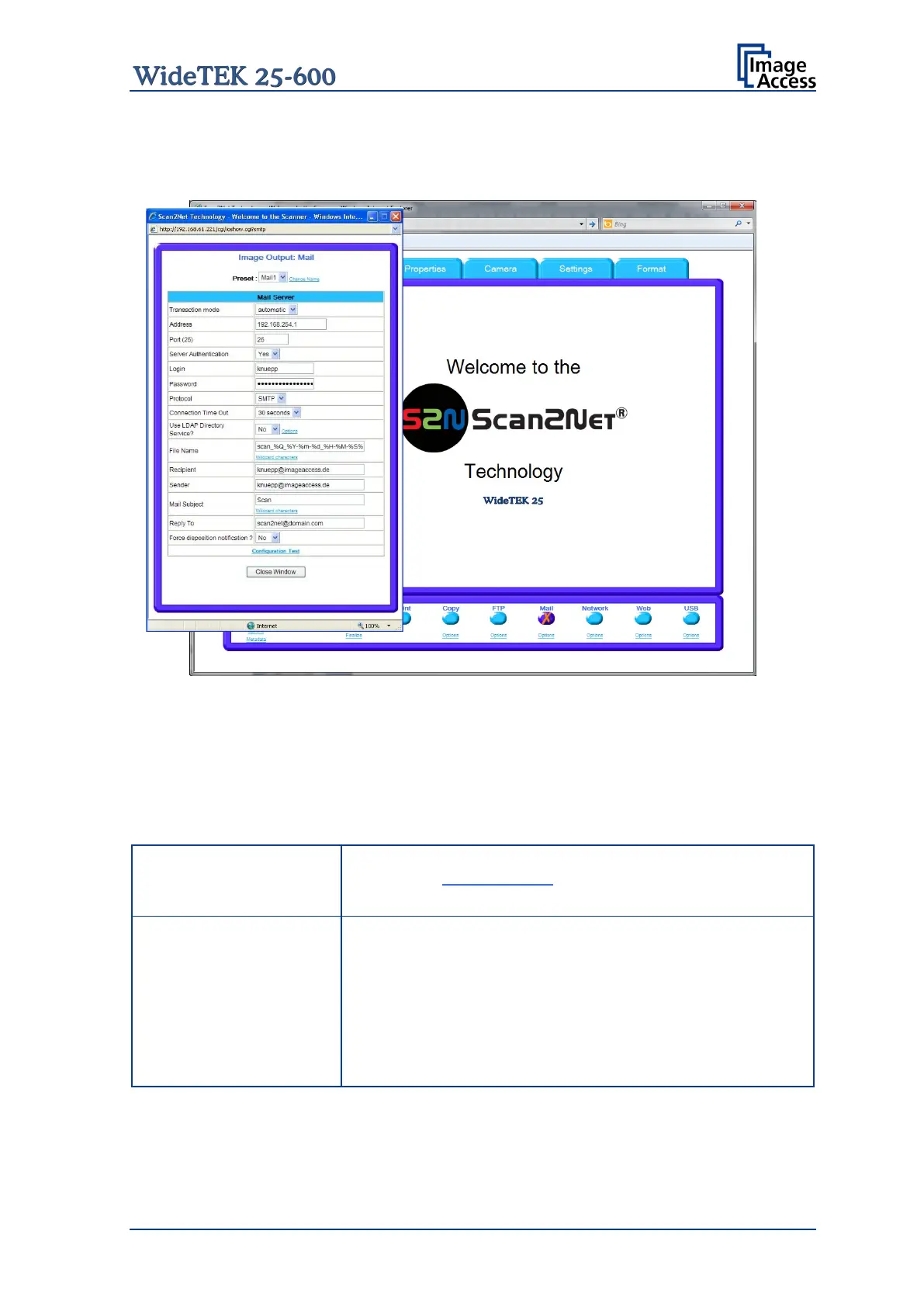
The scanner can directly send each scan via e-mail.
Picture 89: Output Option Mail
Go to Options to configure the mail interface. The above configuration window will pop
up.
C.3.7.1 Mail Server
Parameter Description
Choose a preset out of five possible sets of parameters. If
you click on Change Name
you can change the name of this
set.
automatic: All scanned documents will be sent to the same
rec
ipient. All settings relating the mail transfer will be defined
in the section starting with File Name.
interactive:
After every scan an additional window opens
where the recipient can be entered. For details see chapter
C.3.7.2
Select the appropriate transaction mode.










 To Next Page