Manual Page 43
B.4.1 Color Mode
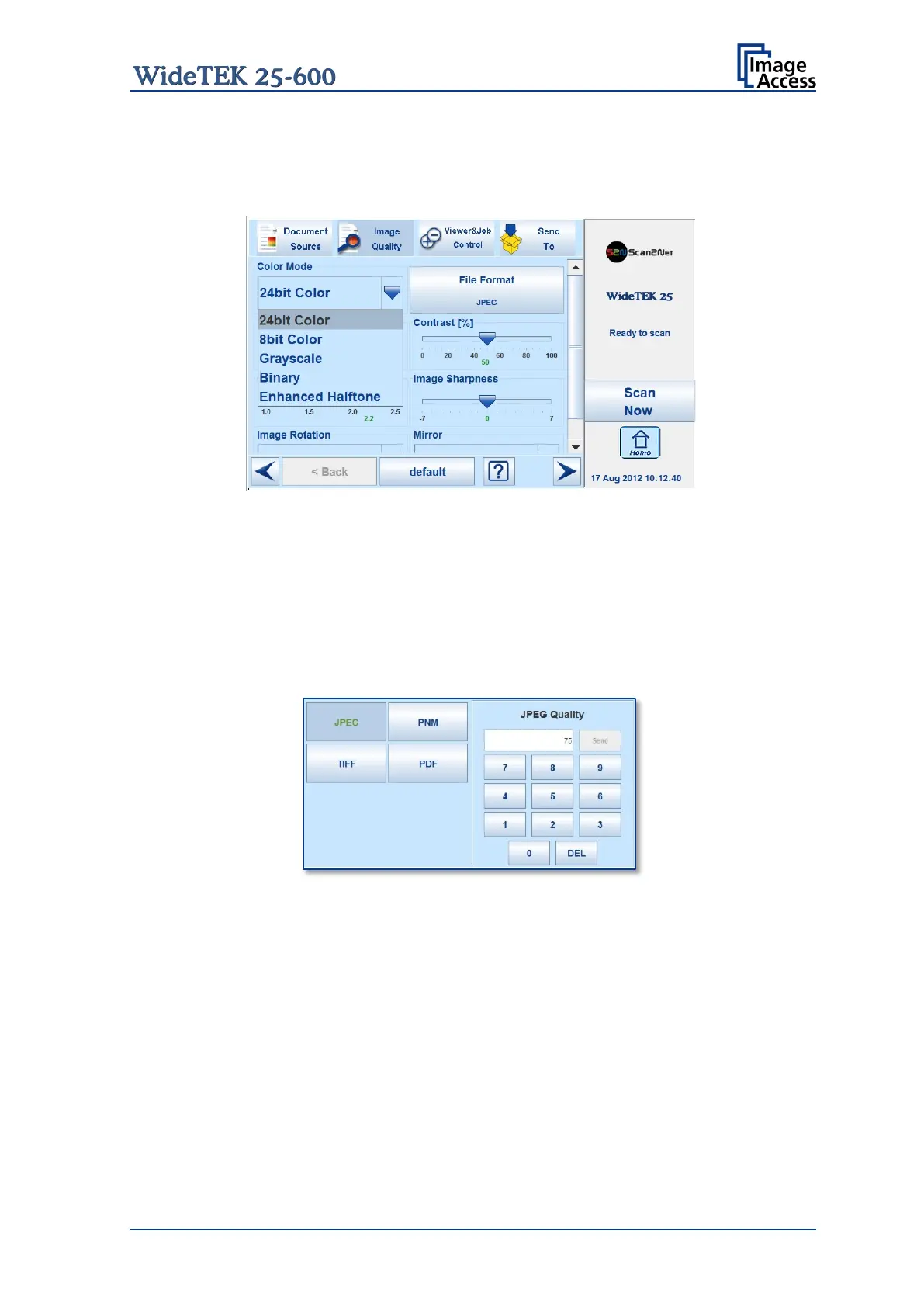
By touching the selection arrow of the Color Mode section the list of available color
modes opens.
Picture 30: List of Color Modes
Touch the title of the desired color mode to select the mode. The list closes subsequently.
Picture 30 shows the available color modes.
B.4.2 File Format
Press the File Format button to select a file format for the images.
B.4.2.1 JPEG
Picture 31: Submenu File Format JPEG
Depending on the file format selected, some additional parameters will be displayed.
With the JPEG file format, a value for the image quality can be entered by the numeric
key pad.
This value determines the compromise between quality and compression rate. A higher
quality factor produces larger files. The default setting of 75 is a good compromise for
most documents.










 To Next Page