Manual Page 65
C.2.1 The Options Screen
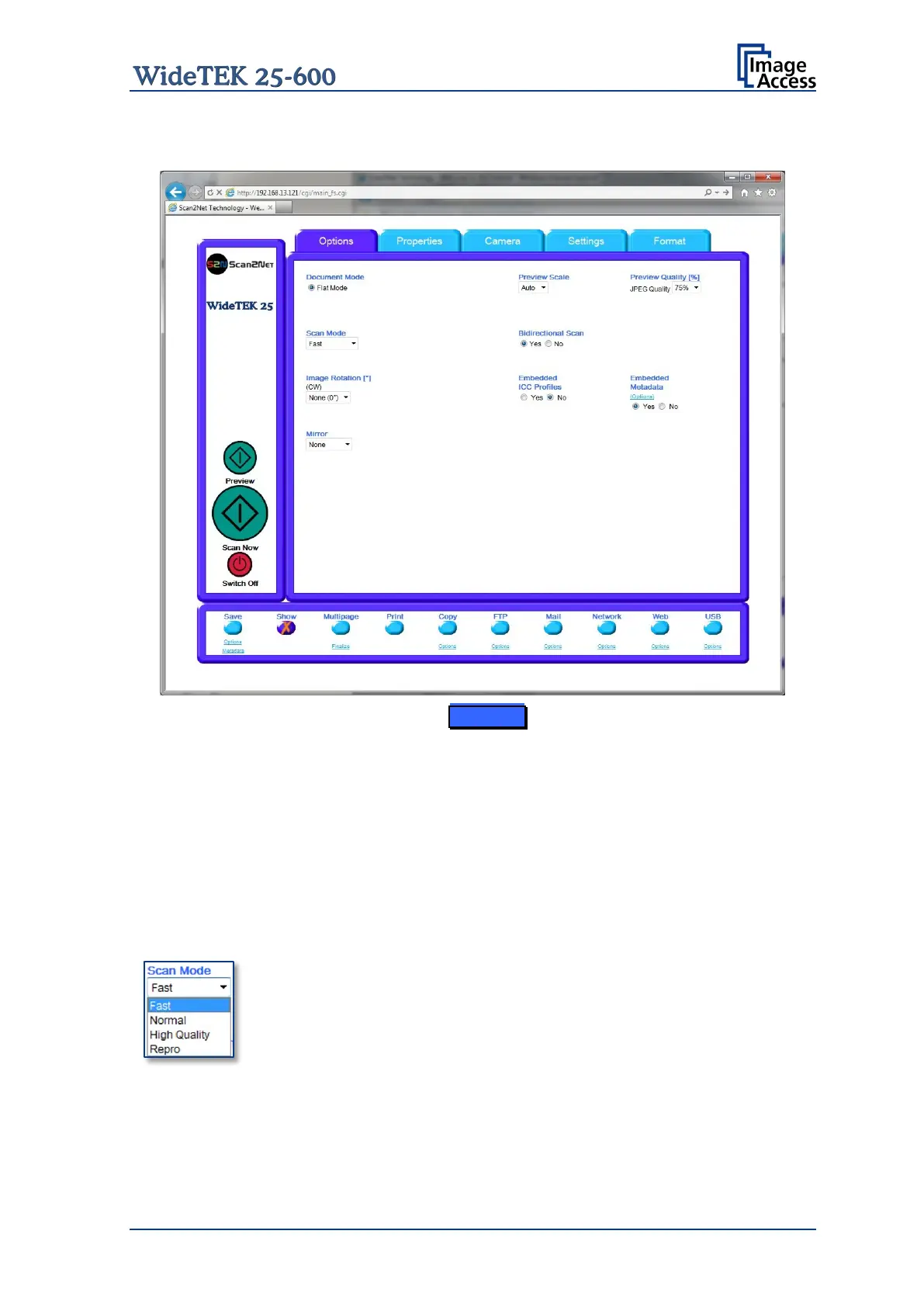
Picture 64: Options screen
Document Mode Defines the document type to be scanned. Currently only
Flat Mode is available. In this mode the scanner works with a fixed
focus setting, regardless of the actual shape of the document.
Preview Scale Allows setting the preview relation. If set to Auto, the function will
perform a best fit before the image is displayed on the screen.
Preview Quality [%] Determines the compromise between quality and compression
rate. A higher quality factor produces larger files. The default
setting is a good compromise for most documents.
Scan Mode Fast scans with standard scan speed, depending at the selected
resolution.
Normal scans with the half of the standard scan speed.
High Quality scans with a quarter of the standard scan speed.
Repro scans with an eighth of the standard scan speed.
Please note: The standard scan speed depends on the selected resolution and
decreases with increasing resolution.










 To Next Page