Manual Page 49
B.5.1 Job Mode
The bottom line of the Viewer&Job Control screen is different to the bottom line of the
other screens.
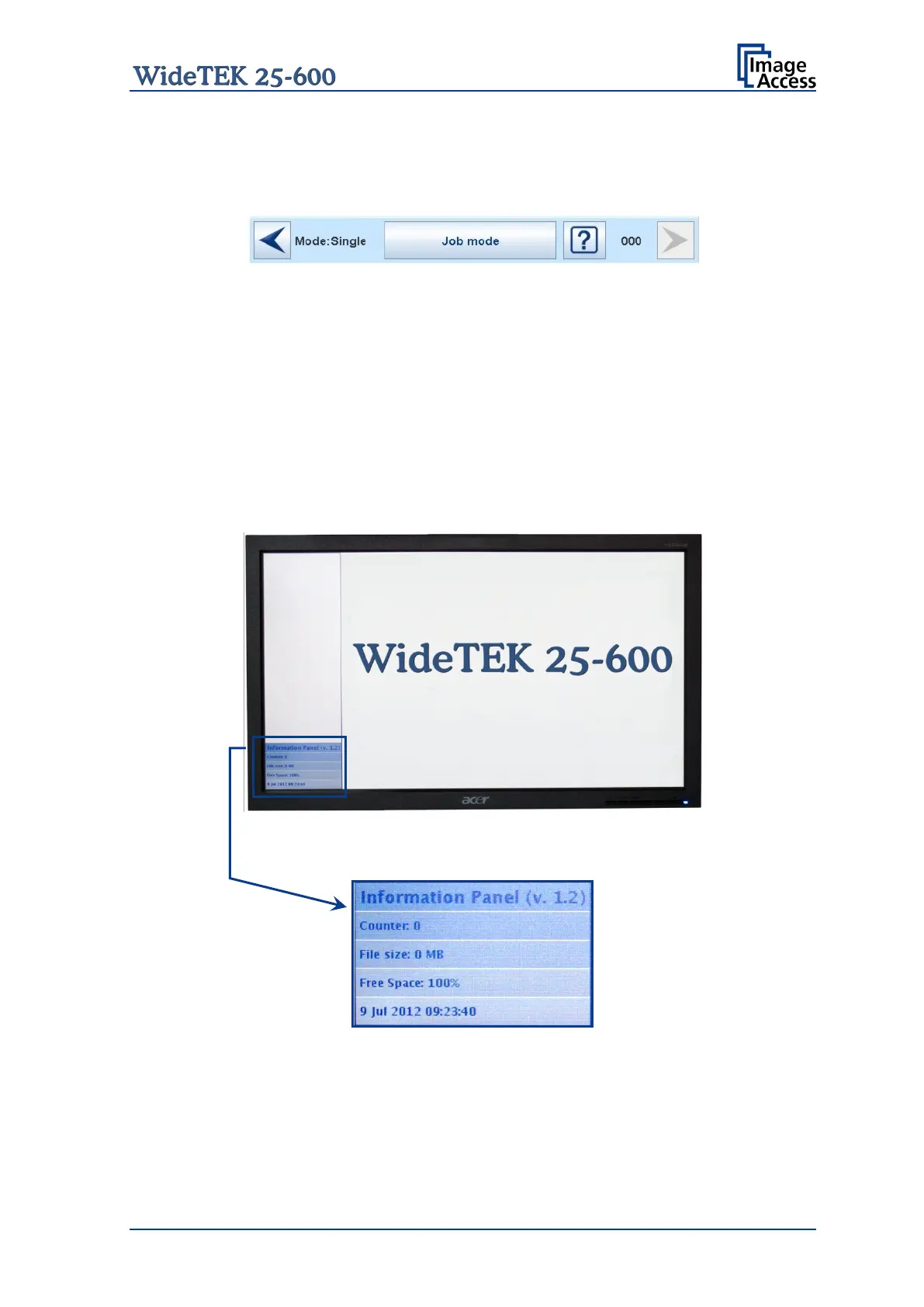
Picture 44: Bottom line with status
The bottom line shows
• the current scan mode status,
• the button to switch the job mode between Single and Job mode
• a scan counter between the question mark symbol and the “arrow right” symbol.
The default scan mode is Single. The button shows the selectable scan mode.
After selecting Job mode the external TFT flat screen (available as option) displays an
“Information Panel” at the left margin.
Picture 45: TFT flat screen after selecting “Job mode”
The information panel contains:
Counter: Number of images since starting Job mode.
File size: Size of all scanned images since starting Job mode.
Free Space: Shows the remaining space to store the images.
<Date Time>: Displays the current date and time










 To Next Page