Page 48 Manual
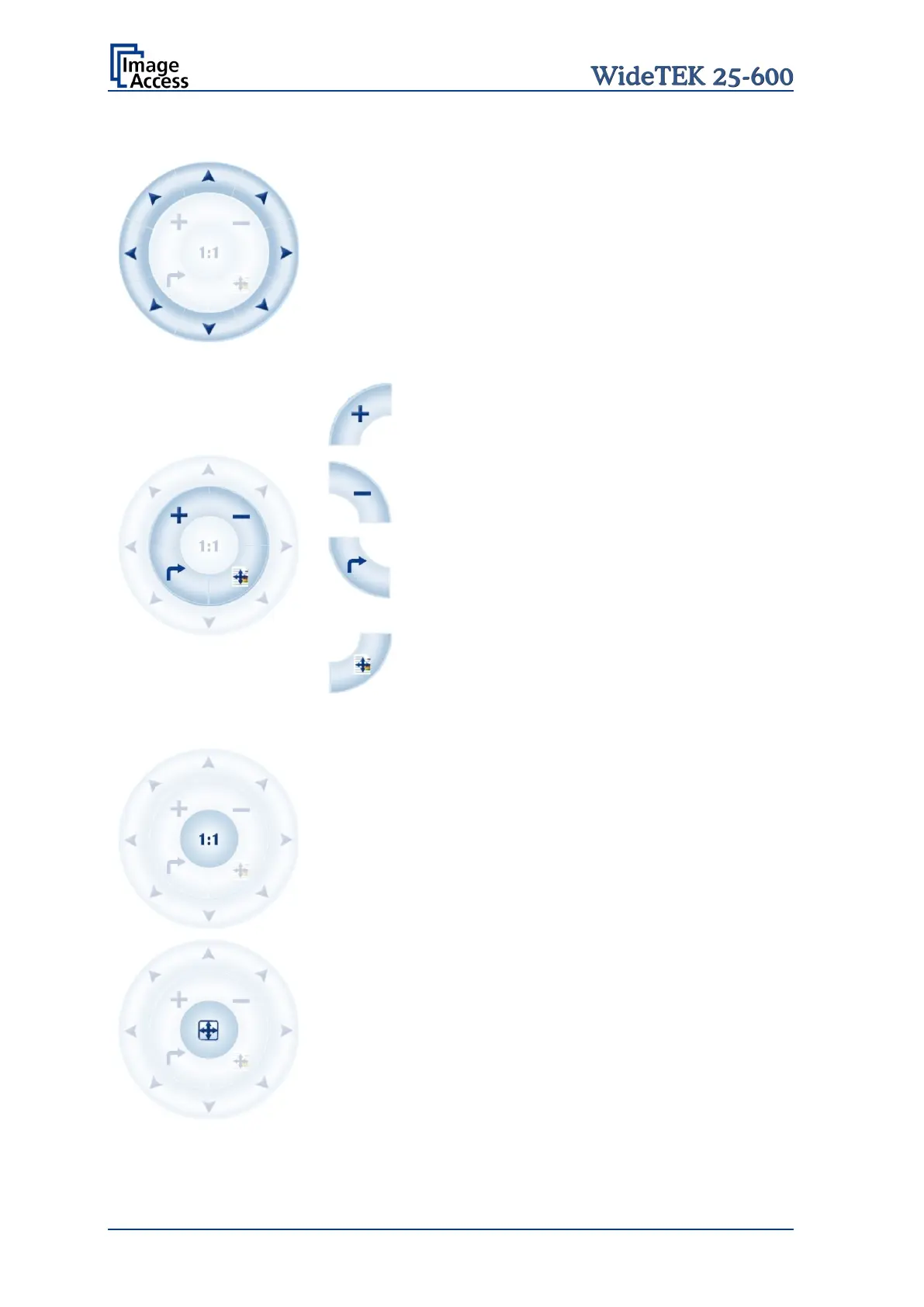
The controller is structured in three round elements (circles).
The outer circle contains the keys to move the zoomed area
across the image.
The middle circle contains the keys to
zoom in
zoom out
rotate the image in clockwise direction in steps
of 90 degrees
scale the image to the real size of the source
document. A centered cutout of the image is
displayed on the TFT flat screen.
The inner circle symbol allows selecting between two
settings. It shows the selectable setting, not the selected
setting.
Touching this symbol displays the image with its genuine
dimensions (100%), depending on the resolution selected
for scanning.
Touching this symbol displays the complete image on the
TFT flat screen. The image will be scaled to a size that
matches the screen size.
Table 1: Controller circles and their functions










 To Next Page