Appendix B — EA20X Imager
96 ED40 Decode Board Integration Guide
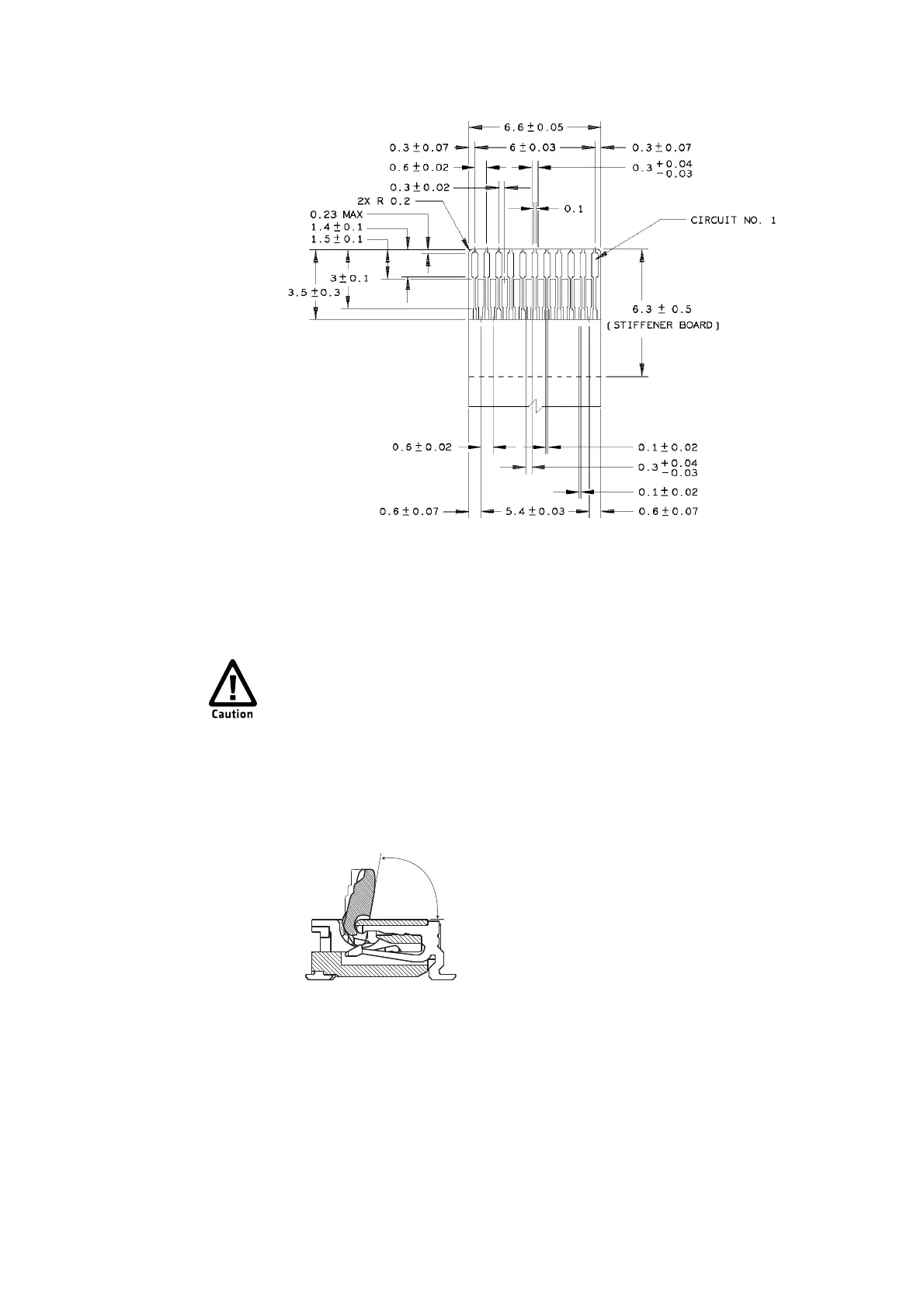
21-Pin Imager to ED40 Ribbon Cable
Connecting the Ribbon Cable
Follow this procedure to connect the imager connector.
To connect the imager connector
1 Open the connector cover. Use the tip of your finger to open the cover in the
direction shown. Be careful not to force open the cover or open it more than
80° or it will break.
2 Pull gently on the ribbon cable along the axis of the cable, and remove the
ribbon cable.
3 Connect a new ribbon cable to the imager connector. Make sure that the
contacts are facing the board.
The connectors are very fragile. Open and close the connectors very
carefully.



 To Next Page