Chapter 4 — ED40 Setup
30 ED40 Decode Board Integration Guide
Advanced Setup with Configuration Bar Codes
This section provides a selection of configuration bar codes that may help to
optimize decoding in specific situations and environments.
Damaged 1-Dimensional Bar Codes
If you are reading 1D bar codes that are damaged or badly printed, enable this
setting to enhance the ability to read these types of bar codes.
Extensive Bar Code Search
The extensive bar code search uses advanced techniques to search the entire image
to find the bar code (1D and 2D). This setting is especially useful in a fixed mount
situation where the bar code is not always in the same spot (or in the center of the
image). In some situations enabling this setting is absolutely necessary to be able
to decode the bar code in the image.
DPM Mode
Direct Product Marking (DPM) is when the bar code is marked directly on the
product. Enabling DPM Mode when scanning DPM bar codes optimizes reading
this type of code.
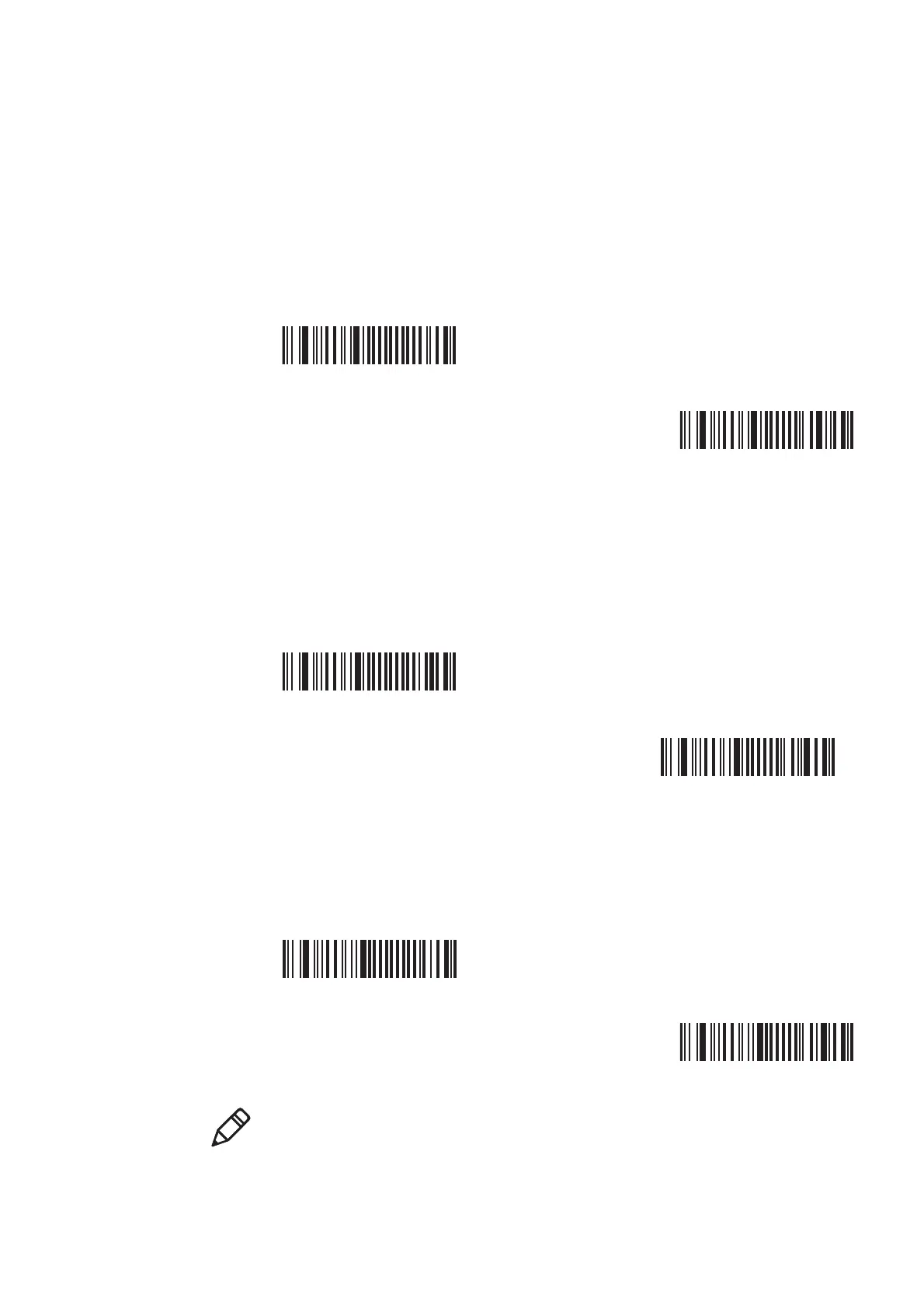
Damaged 1D Codes disabled (*)
SW 7B 53 00
Damaged 1D codes enabled
SW 7B 53 01
Extensive bar code search disabled (*)
SW 7B 54 00
Extensive bar code search enabled
SW 7B 54 01
DPM mode disabled (*)
SW 7B 52 00
DPM mode enabled
SW 7B 52 01
Note: DPM mode is not required to be able to read DPM bar codes but may be
necessary when scanning hard to read DPM bar codes.



 To Next Page