36
4.4.3.3 LCA/QD Fiber Receivers
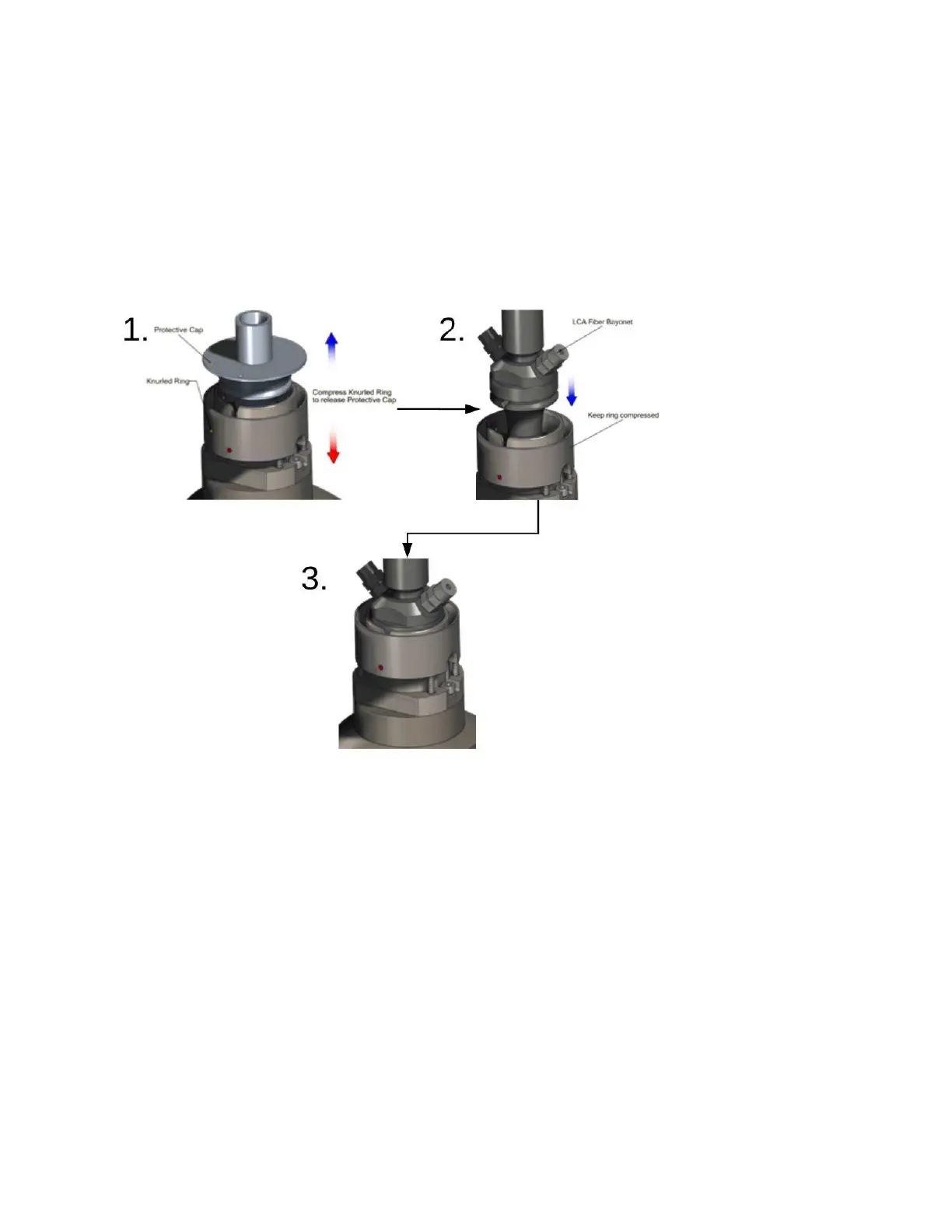
The following steps outline the procedure to connect a LCA/QD fiber and receiver. See Figure 4-11.
1. Compress the knurled ring to release the protective cap.
2. While keeping the ring compressed, insert the LCA fiber bayonet. Be sure the pin on the bayonet
aligns with the red dot on the receiver.
3. Release the ring and double check to make sure it is securely locked in place.
Figure 4-11 LCA/QD Fiber Receiver Connection
To remove the fiber, reverse the order of steps 1-3.



 To Next Page