4.4.3.2 HLC-8, HLC-16, or QBH Fiber Receivers
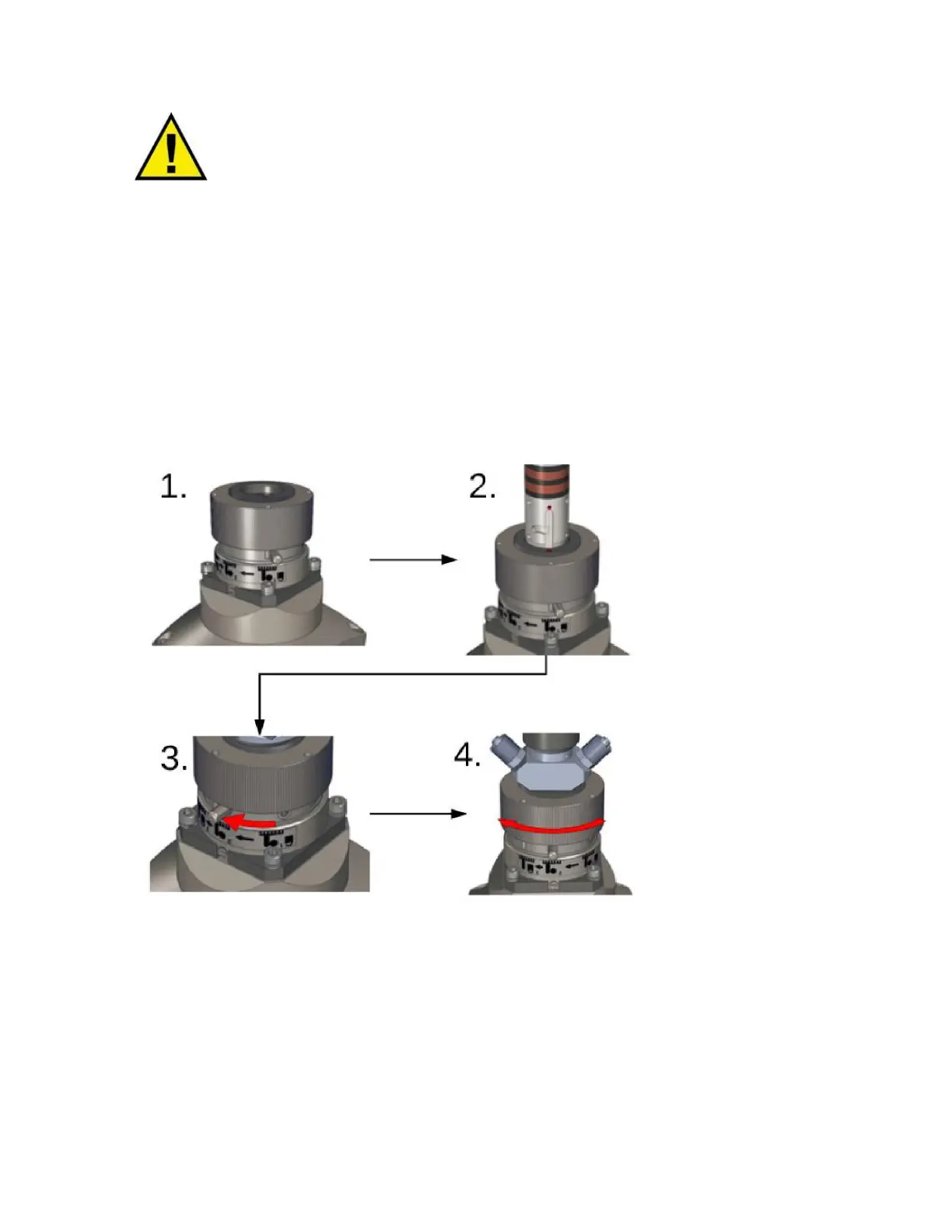
The following steps outline the procedure to connect a FCH-8/HLC-8 or HLC-16 fiber and receiver. See
Figure 4-10.
1. Rotate the knurled knob on the fiber receiver so the pins are aligned with the graphic on the
receiver.
2. Align the red dot on the fiber and receiver and insert the bayonet.
3. Rotate the large pin on the receiver until it stops (the smaller pin will also rotate).
4. Rotate the knurled knob on the receiver until it no longer moves.
Figure 4-10 HLC-8/QBH Fiber Receiver Connection
To remove the fiber, reverse the order of steps 1-4.



 To Next Page