34
5. Remove the fiber from the fiber receiver.
a. Be sure to put a protective cover on the fiber and also put the protective plug into the
collimator.
b. Refer to sections 4.4.3.2 or 4.4.3.3 for details concerning specific fiber receiver
operation.
6. Retract the debris tray.
7. If the head is to be removed from the machine for a period of time, drain all water lines.
4.4.3.1 Debris Tray Operation
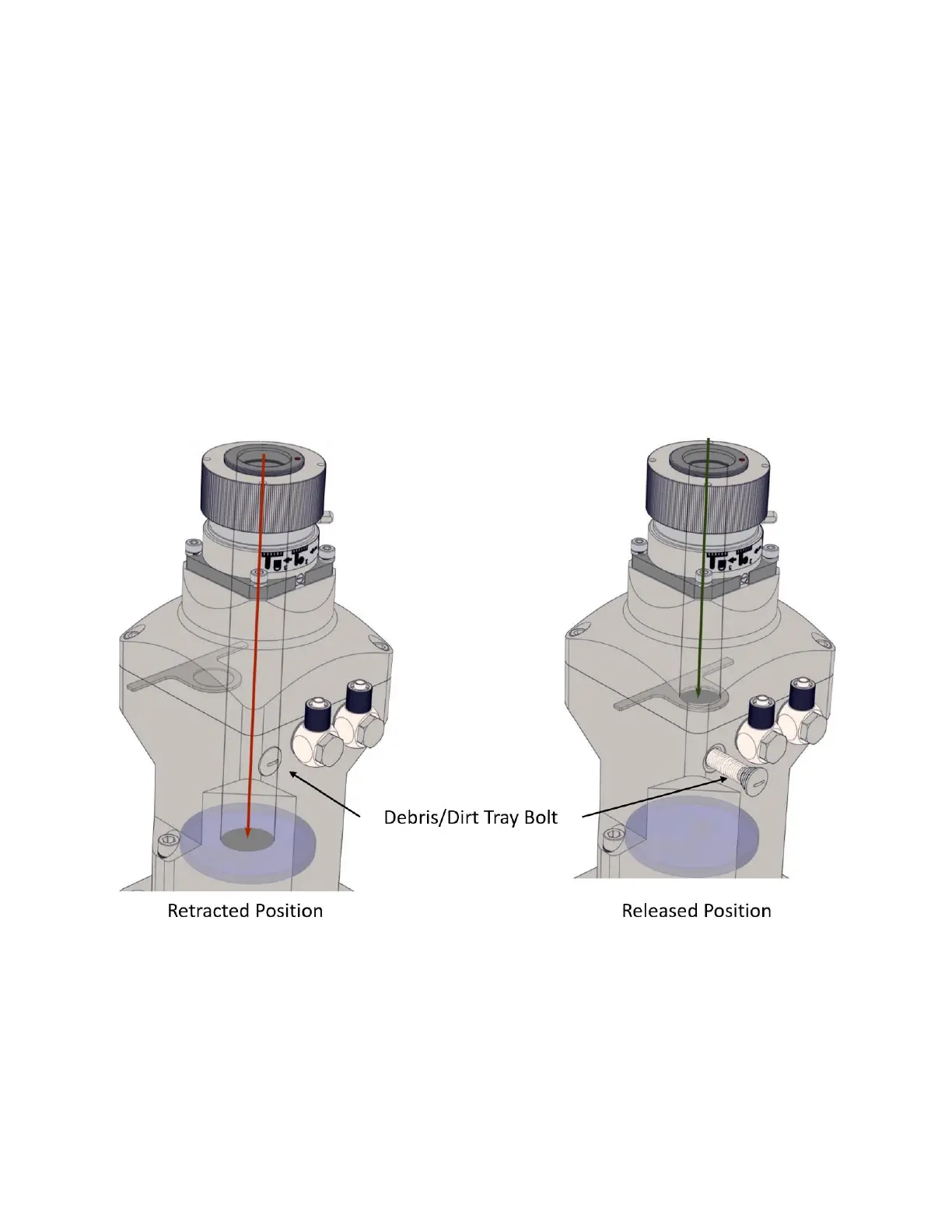
The debris tray helps to prevent the introduction of contamination to the collimator during fiber
installation and removal. Figure 4-9 details the debris tray in both the retracted and released positions.
Figure 4-9 Debris/Dirt Tray on the 2D High-Power Scanner
To release or retract the debris tray, simply turn the debris tray bolt accordingly.
For Fiber Installation/Removal (Release): Turn the bolt anti-clockwise. The laser cannot be fired
when the tray is released (a fiber interlock is broken).
For Laser Operation (Retract): Push the bolt in and turn it clockwise until it is fully retracted.



 To Next Page