42
5. Tighten the four set screws.
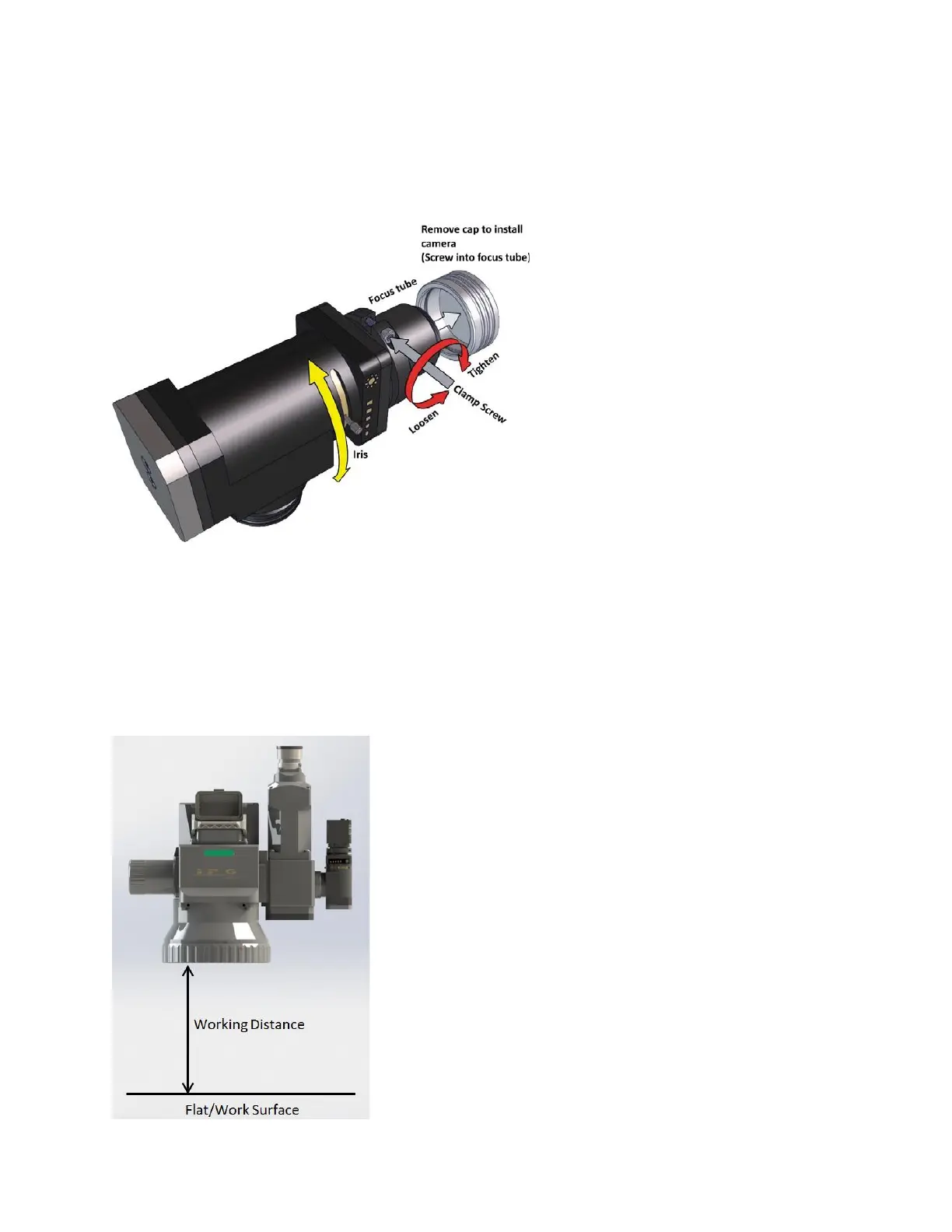
6. Remove the white cap on the camera arm and screw on any C-mount style camera to the focus
tube. Figure 5-7 shows the Camera Arm Module and the removal of the white cap.
Figure 5-7 Camera Arm Module (Horizontal)
7. With the Camera Arm Module and Camera installed, rotate the head so it is perpendicular to the
ground and/or work surface.
8. Set the head to the proper Working Distance.
a. Working distances can be found in the section, Product Specifications, for each scanner
and lens combination.
b. Figure 5-8 details steps 7 and 8.
Figure 5-8 Setting the Working Distance



 To Next Page