Chapter 7 SETUP MODE
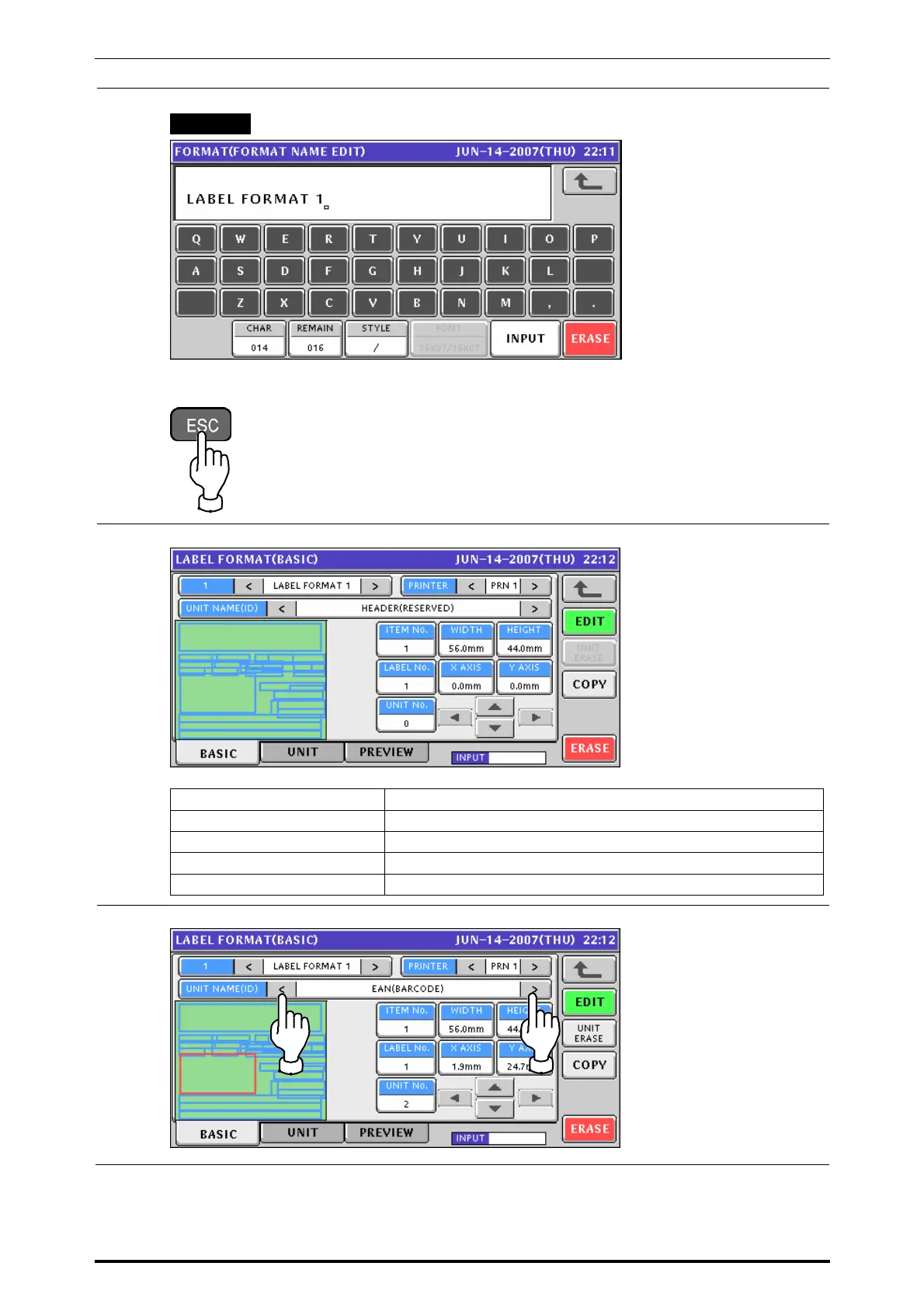
Enter a desired text according to the procedure described in Appendix “Text Editing”.
EXAMPLE “LABEL FORMAT 1”
Press the [ESC] key on the key sheet.
8.
The edited name is shown on the screen.
ITEM NO. Enter a numeric value and press this field.
WIDTH Enter a numeric value and press this field.
HEIGHT Enter a numeric value and press this field.
LABEL NO. Enter a numeric value and press this field.
UNIT NO. Enter a numeric value and press this field.
9.
Select a desired print unit data by using the [<] or [>] button.
UNI-7 Service Manual 7-5



 To Next Page