Chapter 7 SETUP MODE
10.
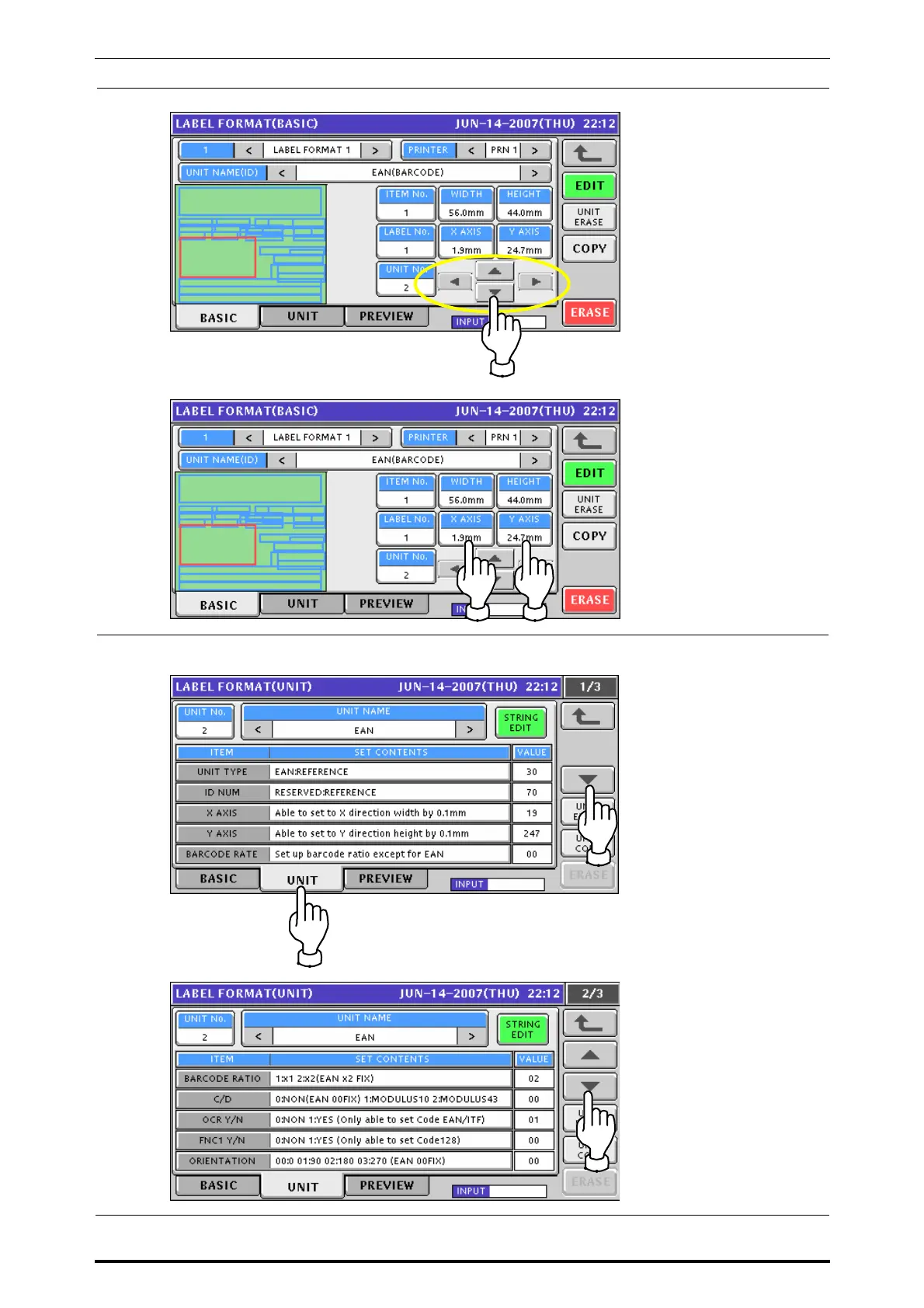
To move the designated area to a desired direction, press the [c] [d] [e] [f] buttons,
or, enter desired numeric values and press the “X-Axis” and ”Y-Axis” fields.
11.
To display the Label Format (Unit) screen, press the [UNIT] tab.
To change the pages, press the [
b] or [
a
] button.
7-6 UNI-7 Service Manual



 To Next Page