Chapter 8 ADJUSTMENT MODE
7.
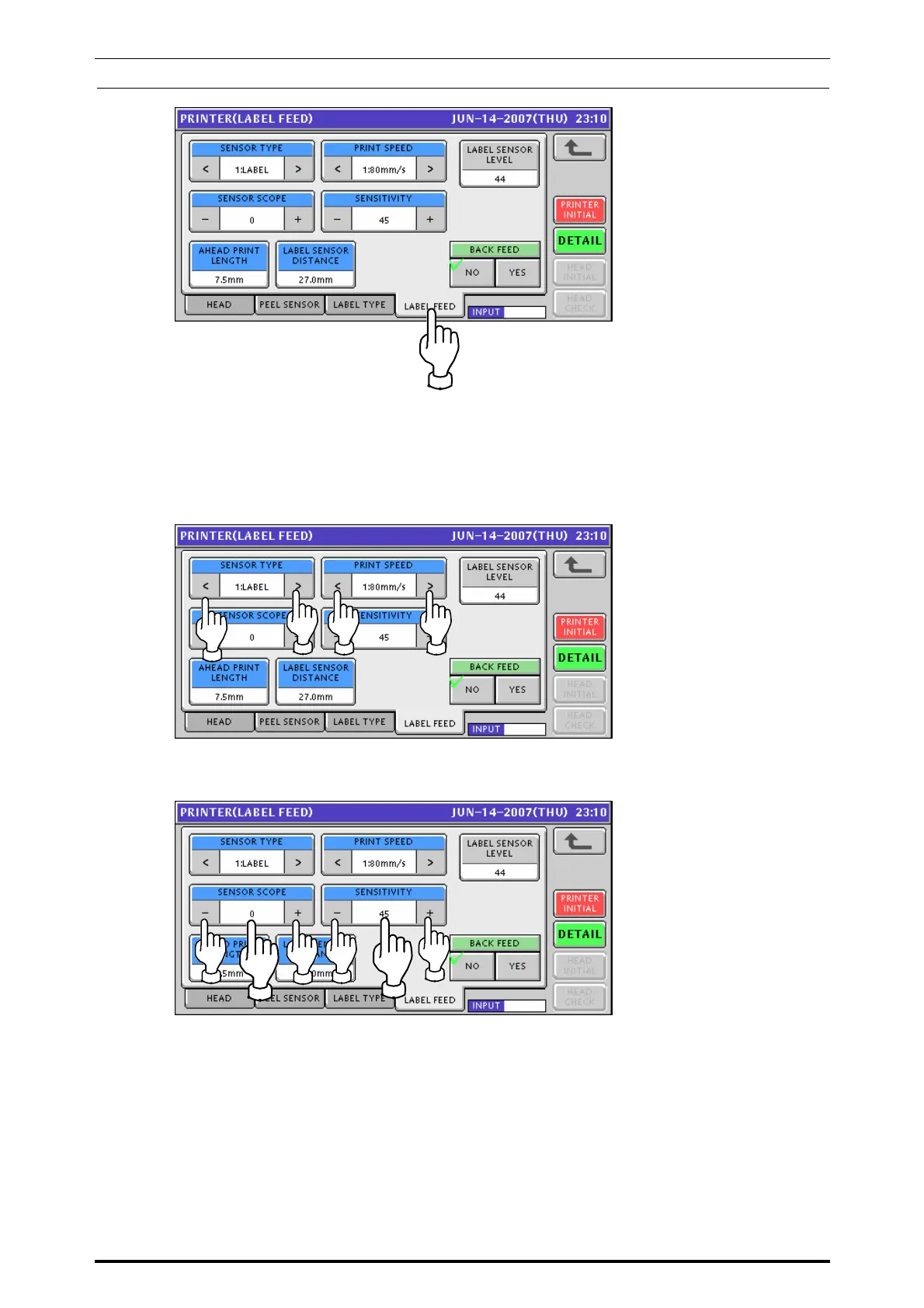
Press the [LABEL FEED] tab to display the Printer (Label Feed) screen.
Select a desired sensor type and print speed by using either [<] or [>] button.
<Sensor Type>
0: None
1: Label
<Print Speed>
1: 80mm/sec
2: 100mm/sec
Select a desired numeric value for sensor scope and sensitivity levels by using either [-] or
[+] button, or, pressing the corresponding field after numeric data entry.
8-14 UNI-7 Service Manual



 To Next Page