3.2.3 S etting m easurem ent param eters
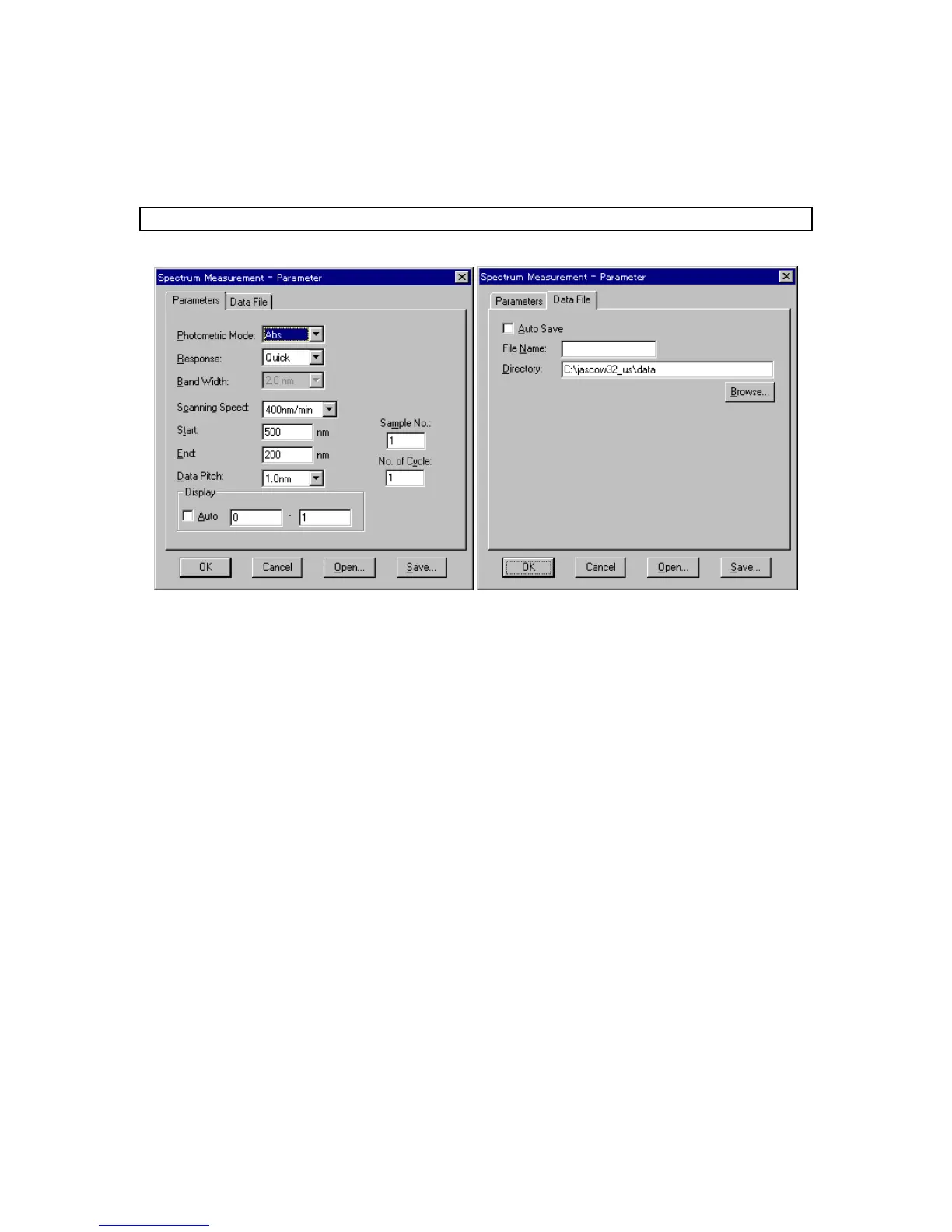
(1) C lick [M easurem ent] - [P aram eter...]. T he follow ing dialog box appears. The dialog box consists of
tw o pages, [P aram eter] and [D ata F ile]. C lick the [D ata F ile] tab to activate the [D ata F ile] dialog box.
C lick the [P aram eters] tab to reactivate the [P aram eters] dialog box.
N ote: T he [D ata F ile] function is necessary for saving data autom atically to disk.
F igure 3.16 [P aram eters] dialog box F igure 3.17 [D ata F ile] dialog box
(2) C hanging m easurem ent param eters procedure
T he default param eters for the instrum ent appear in the [P aram eters] dialog box. The param eters
can be changed, according to the exam ples below .
P hotom etric M ode: T %
M easuring w avelength range: 600 to 400
1) C hanging photom etric m ode
T he [P hotom etric M ode] is a drop-dow n list box. C lick the arrow to the right of the box to display the
available m odes. C lick [% T ] to set that photom etric m ode.
2) C hanging w avelength range
Input the longer w avelength end into the [S tart] text box and the shorter w avelength end into the
[E nd] text box.
F or exam ple, to input the starting w avelength, click the appropriate text box. T he cursor appears in
the [S tart] text box. The starting w avelength can be input using the num ber keys.
C hange other param eters, as required
(3) A fter changing the necessary param eters, click <O K > to transfer the param eters to the
spectrophotom eter.



 To Next Page