3.2.4 S etting the baseline(or M easurem ent)
T he baseline defines the
“
0
”
absorbance (100% for transm ittance) level. T he baseline value is subtracted
from the m easured data (divided for transm ittance) in order to determ ine the correct spectrum of a sam ple.
T he baseline is inherent to each instrum ent. W hen the baseline is m easured, it varies according to the set of
param eters such as the response setting and scanning speed. In order to m axim ize the accuracy of the
spectra, the baseline m ust be m easured under the sam e conditions as those used for m easuring the
spectra.
T he m easured baseline is saved, even w hen the pow er is turned off. Therefore, it can be used again w hen
the S pectrum M easurem ent program is started.
N ote: W hen an optional accessory is installed in the sam ple cham ber, the optical path changes. Thus, the
baseline m ust be re-m easured.
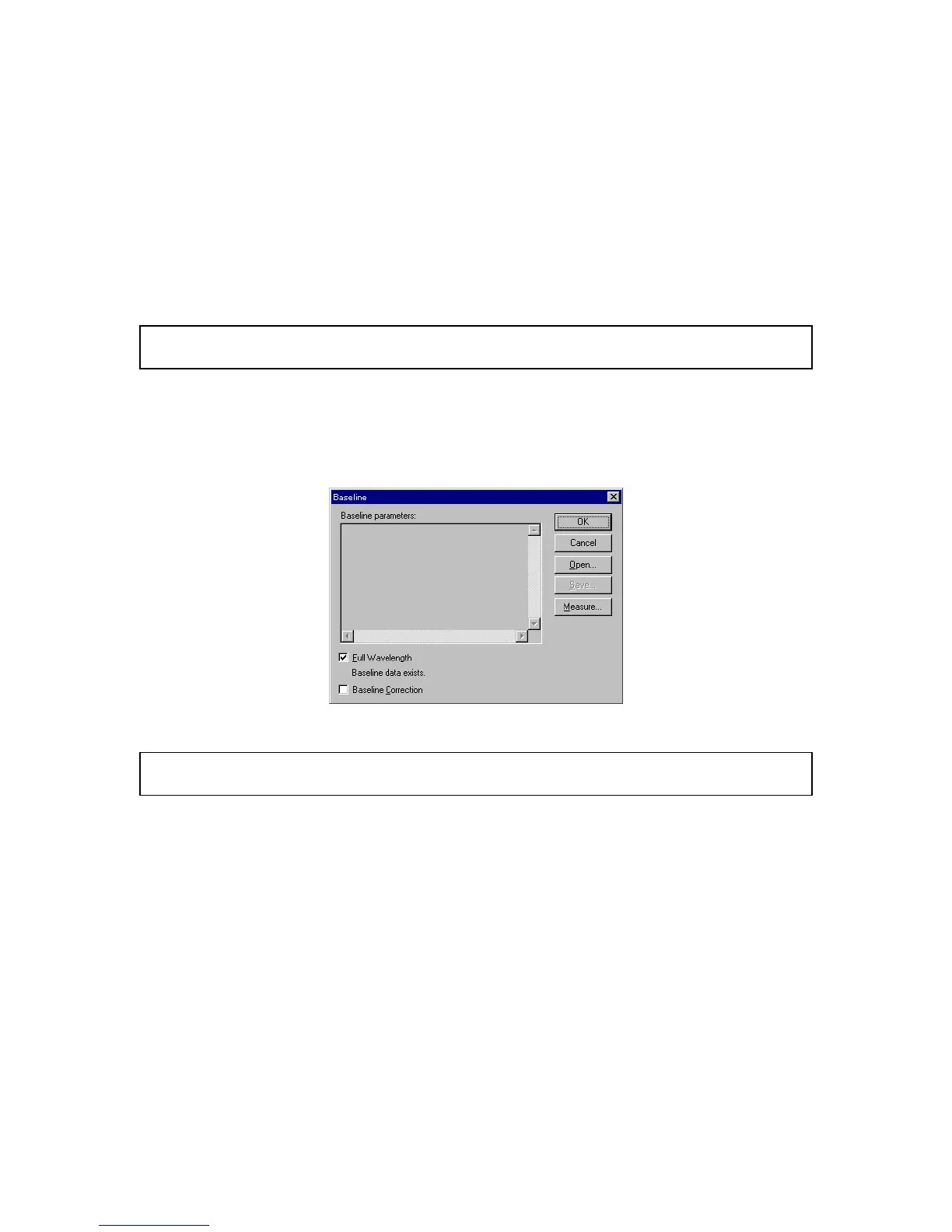
(1) C lick [M easurem ent] - [B aseline...] . The follow ing dialog box appears. A m essage in the dialog box
asks the operator w hether a baseline exists.
F igure 3.18 [B aseline C orrection] dialog box
N ote: W hen a partial baseline exists, m easurem ent param eters are displayed in the [B aseline param eters]
display field.
W hen [B aseline data exist.] is displayed:
P reviously m easured baseline data exist in m em ory. D o step (2) to use that baseline or step
(3) to re-m easure the baseline.
W hen [B aseline data not exist.] is displayed:
P roceed to step (3) to m easure the baseline.
(2) S elect the [B aseline C orrection] checkbox, and then click <O K >. T his com pletes baseline setting.
(3) S elect the [F ull W avelength] checkbox, and then click <M easure...> to display the follow ing dialog
box.



 To Next Page