[E nable C alib. D ata] D ata in the standard data display field can be used for the calibration
curve by selecting the [E nable C alib. D ata] checkbox. S elect the checkbox
(x), then click <A ppend>. T he colum n w ith [---] in the standard data
display field is rew ritten to [U se].
<A ppend> C lick <A ppend> to w rite into the standard data display field the
concentration and absorbance input in the [C alibrate D ata S etting] group.
If the [E nable C alib. D ata] checkbox is selected, [---] in the standard data
display field is rew ritten to [U se].
S tandard data display field S how s the input or m easured standard data (concentration, absorbance).
D ata of the selected line can be input or m easured.
<P aram eter...> C lick <P aram eter...> to returns to the [Q uantitative M easurem ent
P aram eters] dialog box.
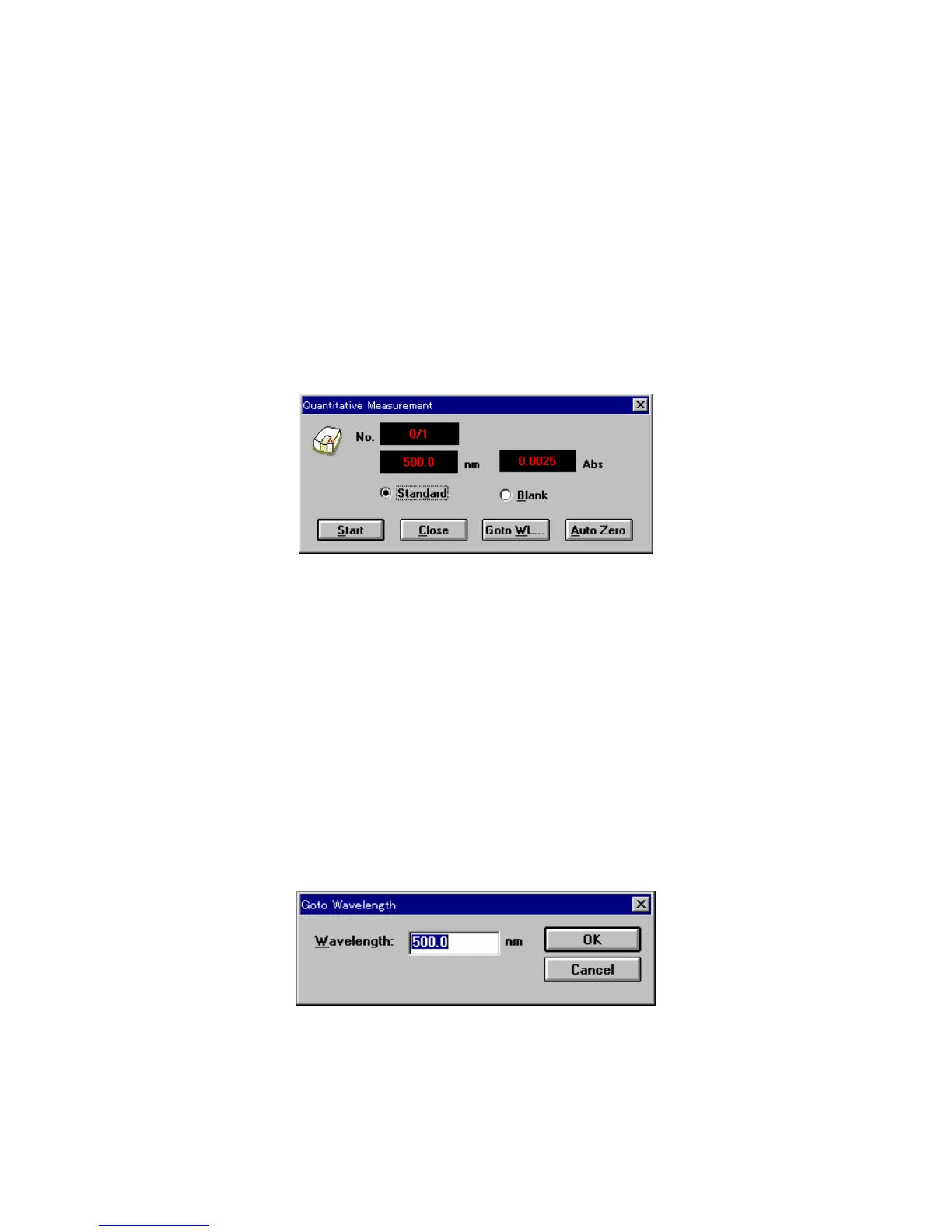
<S tart...> C lick <S tart...> to open the [Q uantitative M easurem ent] dialog box. T he
standard blank and standard sam ple are m easured from this dialog box.
F igure 4.15 [Q uantitative M easurem ent] dialog box
[S tandard] S elect the [S tandard] option button to m easure a standard sam ple.
[B lank] S elect the [B lank] option button to m easure a standard blank.
<S tart> S tarts m easurem ent.
W hen a standard sam ple is m easured, the m easurem ent value is w ritten
to the [A bs] colum n of the standard sam ple data display field in the
[C alibrate C urve P aram eters] dialog box. A t the sam e tim e, [---] is
rew ritten to [U se].
W hen a standard blank is m easured, the m easurem ent value is w ritten to
the [S tandard B lank] text box and the [E nable B lank] checkbox is
selected.
<C lose> C loses the [Q uantitative M easurem ent] dialog box and returns to the
[C alibrate C urve P aram eters] dialog box.
<G oto W L...> M oves the w avelength of the spectrophotom eter to a set w avelength.
W hen <G oto W L...> is clicked, the follow ing dialog box appears.
F igure 4.16 [G oto W avelength] dialog box
[W avelength]: T ext box for inputting w avelength.
<O K >: C lick <O K > to accept and m ove the w avelength of the spectrophotom eter to
the set w avelength.



 To Next Page