1. Aach an electrostac discharge (ESD) grounding strap to your bare wrist and connect the strap to
one of the ESD points on the chassis.
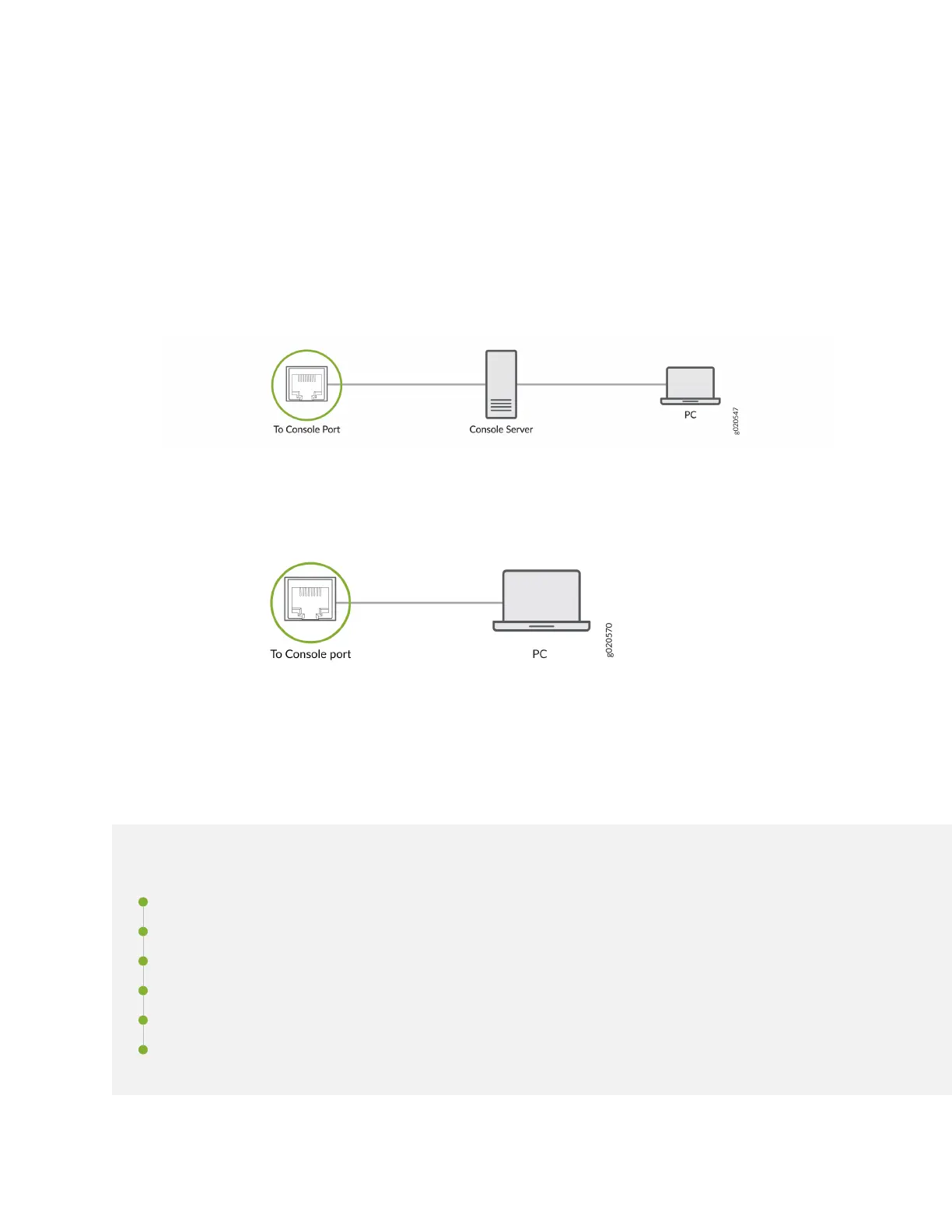
2. Connect one end of the Ethernet cable to the console port on the device.
3. Connect the other end of the cable to the console server (see Figure 38 on page 64 ) or
management console (see Figure 39 on page 64 ).
Figure 38: Connecng Your Device to a Management Console through a Console Server
Figure 39: Connecng the Your Device directly to a Management Console
Congure Junos OS on the SRX1600
IN THIS SECTION
Congure the SRX1600 Using J-Web | 65
Congure the SRX1600 using Juniper Security Director Cloud | 66
Access the CLI on the SRX1600 | 66
Congure Root Authencaon and Management Interface from the CLI | 67
Factory-Default Conguraon of the SRX1600 | 68
View the SRX1600 Factory-Default Conguraon | 69
64












 To Next Page