Remove the Fan Module from the SRX1600
CAUTION: Do not remove a fan unless a replacement fan is available.
To remove a fan:
1. Wrap and fasten one end of the ESD grounding strap around your bare wrist, and connect the other
end of the strap to one of the ESD points on the chassis.
2. Place the anstac bag or the anstac mat on a at, stable surface.
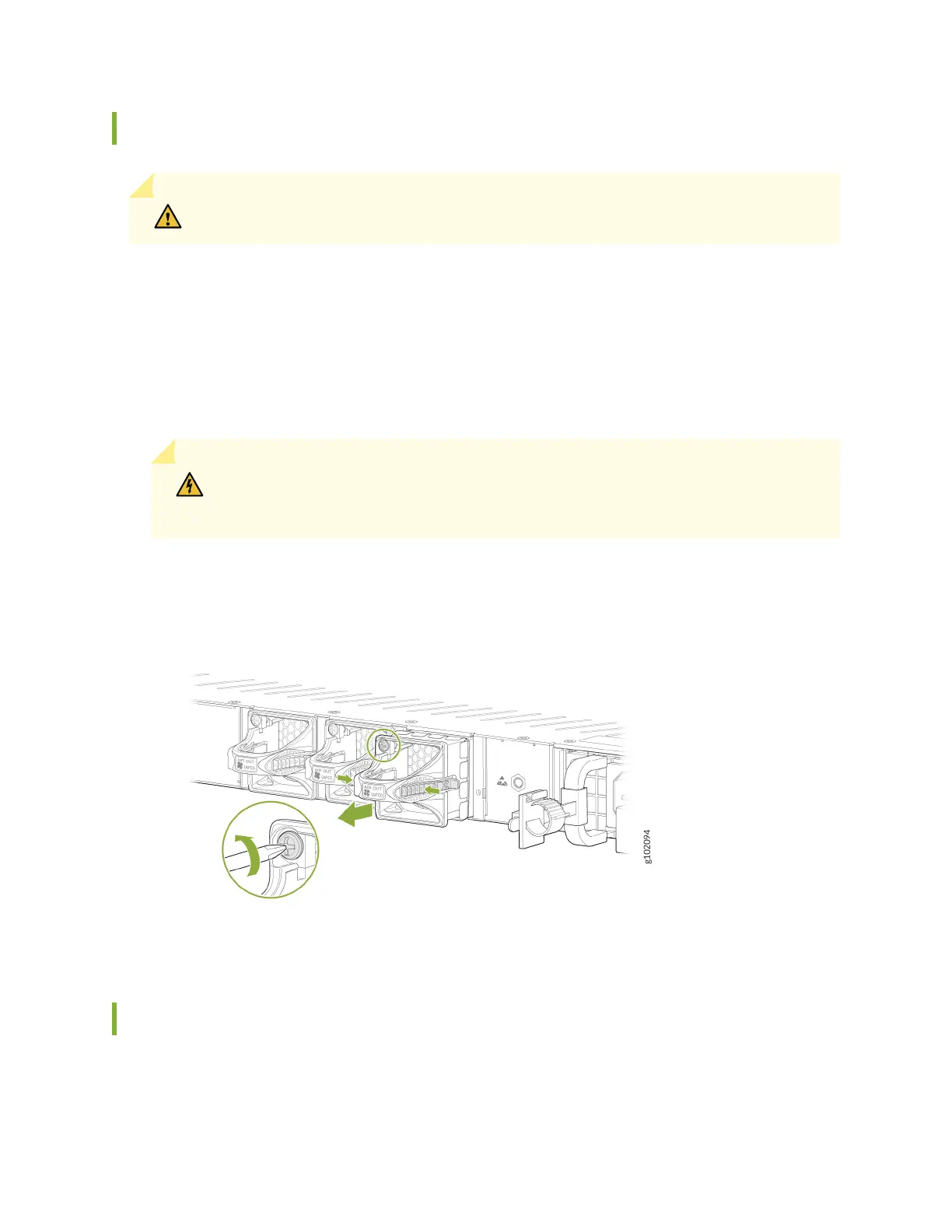
3. Loosen the capve screws on the front faceplate of the fan module by using your ngers. If you can't
loosen the capve screws by using your ngers, use the screwdriver.
WARNING: To prevent injury, do not touch the fan with your hands or any tools when
you slide the fan module out of the chassis—the fan might sll be running.
4. Grasp the handle on the fan module and pull it rmly to slide the fan out of the chassis.
Figure 40: Remove the Fan Module from the SRX1600
5. Place the fan module in the anstac bag or on the anstac mat.
Install the Fan Module in the SRX1600
To install a fan:
72












 To Next Page