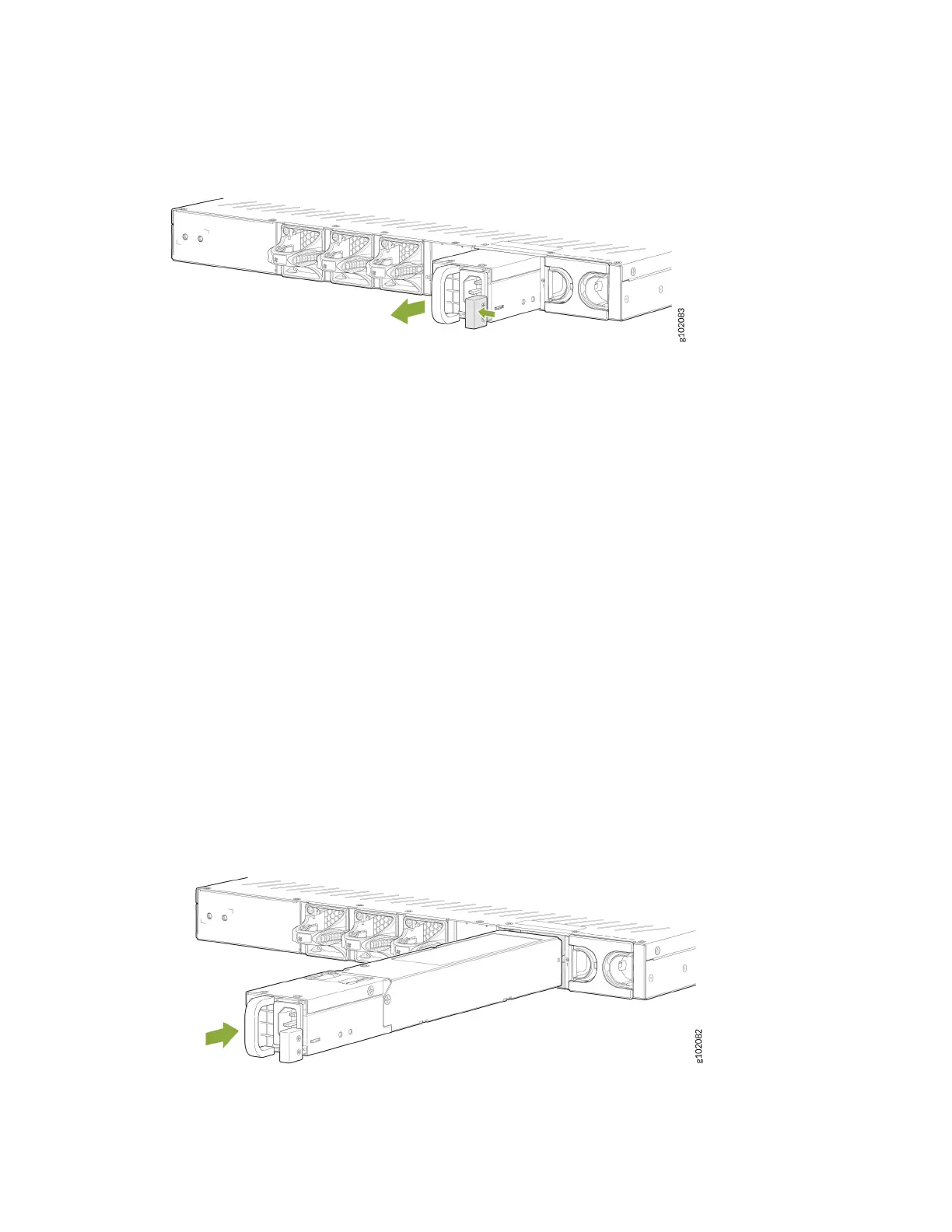
Figure 42: Remove an SRX1600 AC PSU
8. Place the PSU in the anstac bag or on the anstac mat that you've placed on a at, stable
surface.
9. If you're not replacing the power supply, install the cover panel over the PSU slot.
Install the AC PSU in the SRX1600
To install an AC PSU (see Figure 43 on page 75 ):
1. Aach the ESD grounding strap to your bare wrist, and connect the strap to the ESD point on the
chassis.
2. If the PSU slot has a cover panel on it, remove the cover panel. Save the cover panel for subsequent
use.
3. Taking care not to touch power supply pins, leads, or solder connecons on the PSU, remove the PSU
from the bag.
4. Using both hands, place the PSU in the PSU slot on the rear panel of the SRX1600. Slide the PSU
straight into the chassis unl the PSU is fully seated in the chassis slot. Ensure that the PSU faceplate
is ush with the adjacent PSU faceplate.
Figure 43: Install an SRX1600 AC PSU
5. Connect the power cord (see "Connect the SRX1600 to Power" on page 55 ).
75












 To Next Page