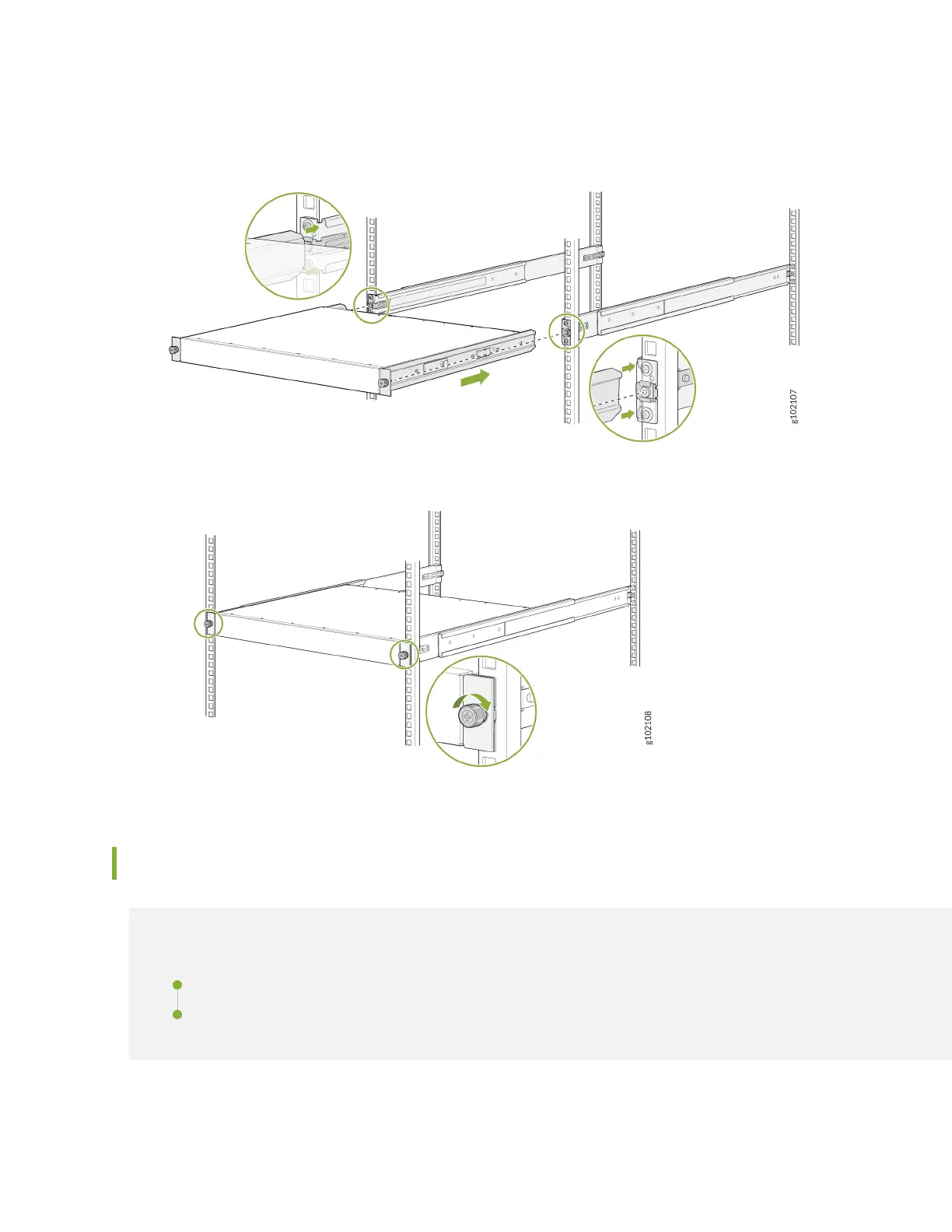
7. Li the device and posion it in the rack, aligning the side-mounng brackets with the mounng rails.
Slide the device into the channels of the mounng rails.
8. Tighten the two thumbscrews to secure the device.
Connect to Power
IN THIS SECTION
Ground the SRX1600 Firewall | 5
Connect the Power Cord and Power On the Firewall | 5
4












 To Next Page