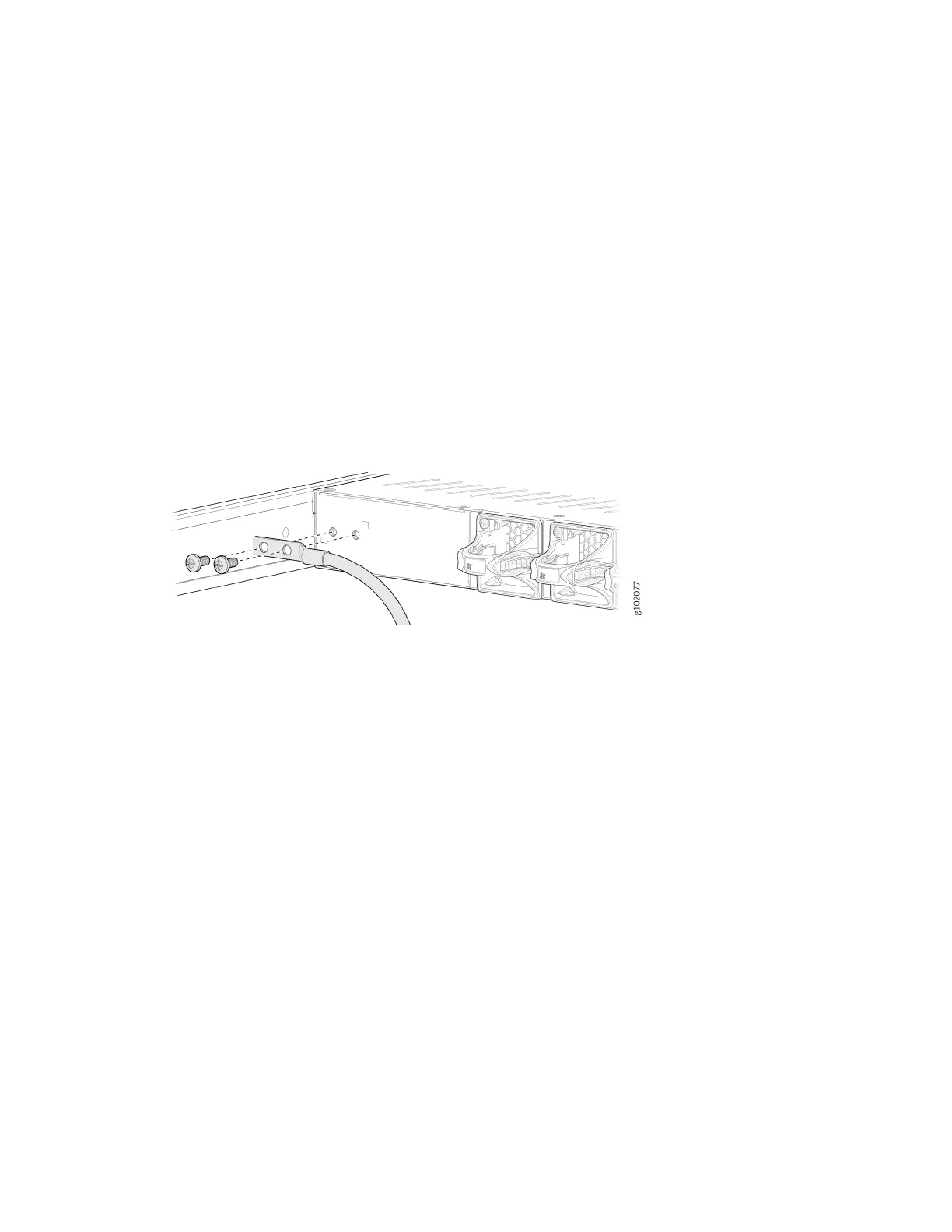
To connect the SRX1600 Firewall to AC power, you must do the following:
Ground the SRX1600 Firewall
To ground the SRX1600 Firewall, do the following:
1. Wrap and fasten one end of the electrostac discharge (ESD) cable grounding strap around your bare
wrist, and connect the other end to a site ESD point.
2. Connect the grounding cable to a proper earth ground, such as the rack in which you mount the
device.
3. Place the grounding cable terminal aached to the grounding cable over the grounding point.
4. Secure the grounding cable terminal to the grounding point using the M5 screws.
5. Dress the grounding cable. Ensure that the cable doesn’t block access to or come in contact with
other device components, and that it doesn’t drape where people could trip over it.
Connect the Power Cord and Power On the Firewall
For informaon about the supported AC power cord specicaons, see "Supported AC Power Cords" on
page 25 .
To connect the power cord, do the following:
1. Ensure that the power supply is fully inserted in the rear panel of the rewall.
2. Insert the coupler end of the power cord into the AC power cord socket on the rear panel.
3. Push the power cord retainer on to the power cord.
5












 To Next Page