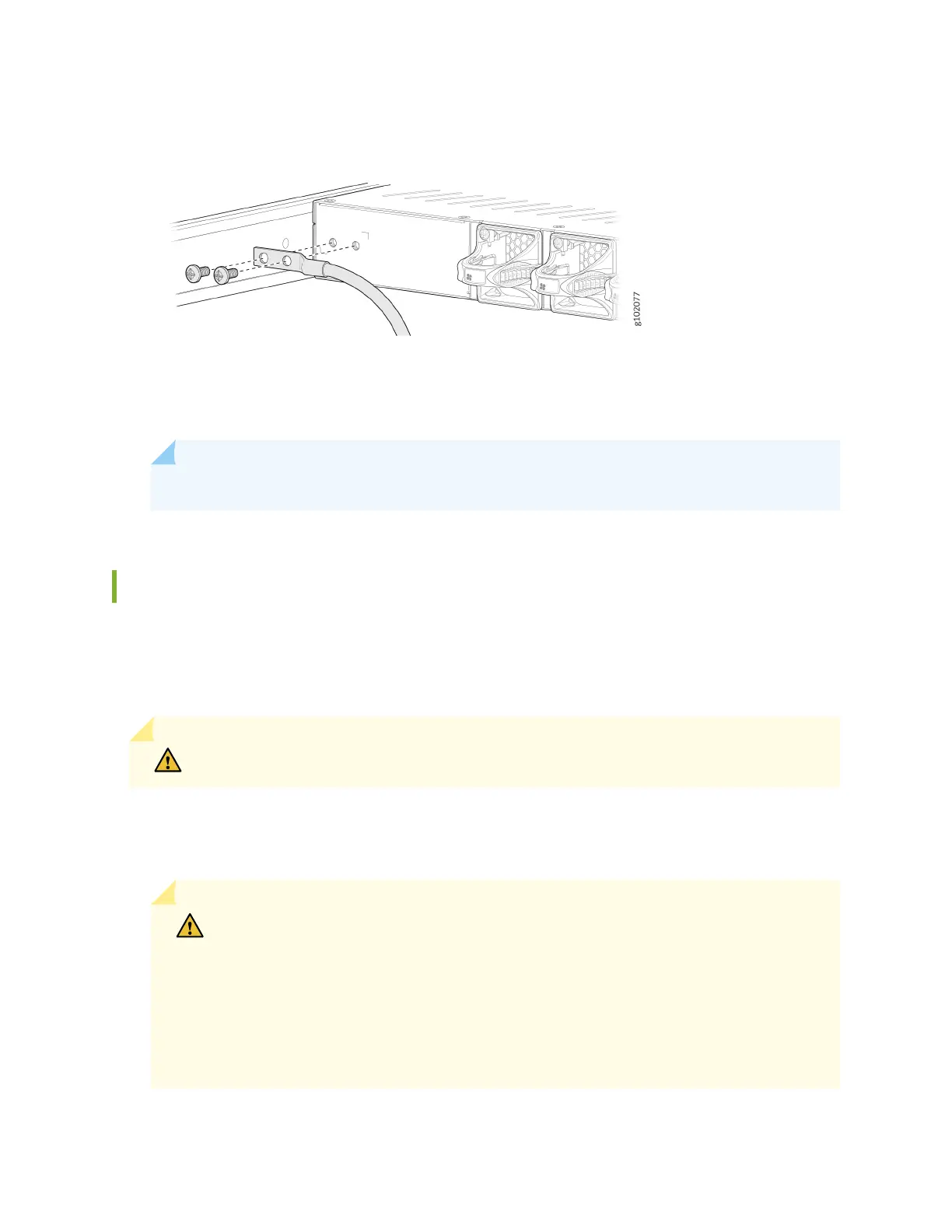
Figure 33: Connect the Grounding Cable to the SRX1600
7. Verify that the grounding cable does not touch or block access to the device components. Make sure
that it does not trail across the oor where people could trip over it.
NOTE: Ensure that the device is permanently connected to ground during operaon.
Connect AC Power to the SRX1600
The AC power supply units (PSUs) in an SRX1600 are hot-removable and hot-insertable eld-
replaceable units (FRUs). You can remove and replace the PSUs without powering o the device or
disrupng its funcons.
CAUTION: You must not mix AC and DC power supplies in the same chassis.
Before you begin to connect AC power to the device:
• Ensure that you have connected the chassis to an earth ground.
CAUTION: Before you connect power to the device, a licensed electrician must aach
a cable terminal to the grounding and power cables that you supply. A cable with an
incorrectly aached terminal can damage the device (for example, by causing a short
circuit).
To meet the safety and EMI requirements and to ensure proper operaon, you must
connect the chassis to an earth ground before you connect it to power. For
installaons that require a separate grounding conductor to the chassis, use the
57












 To Next Page