Fast Track to Rack Installaon and Power
SUMMARY
This procedure guides you through the simplest
steps to install your SRX1600 Firewall in a rack and
connect it to power. Have more complex installaon
needs? See "Install the SRX1600 in a Rack" on
page 45 .
IN THIS SECTION
Install the SRX1600 in a Rack | 2
Connect to Power | 4
Install the SRX1600 in a Rack
You can install the SRX1600 Firewall in a four-post rack or cabinet. We’ll walk you through the steps to
install an AC-powered rewall in a square-hole four-post rack.
Before you install, review the following:
• "SRX1600 Site Guidelines and Requirements" on page 33 .
• General Safety Guidelines and Warnings.
• "Unpack the SRX1600" on page 43 .
1. Wrap and fasten one end of the electrostac discharge (ESD) cable grounding strap around your bare
wrist, and connect the other end to a site ESD point.
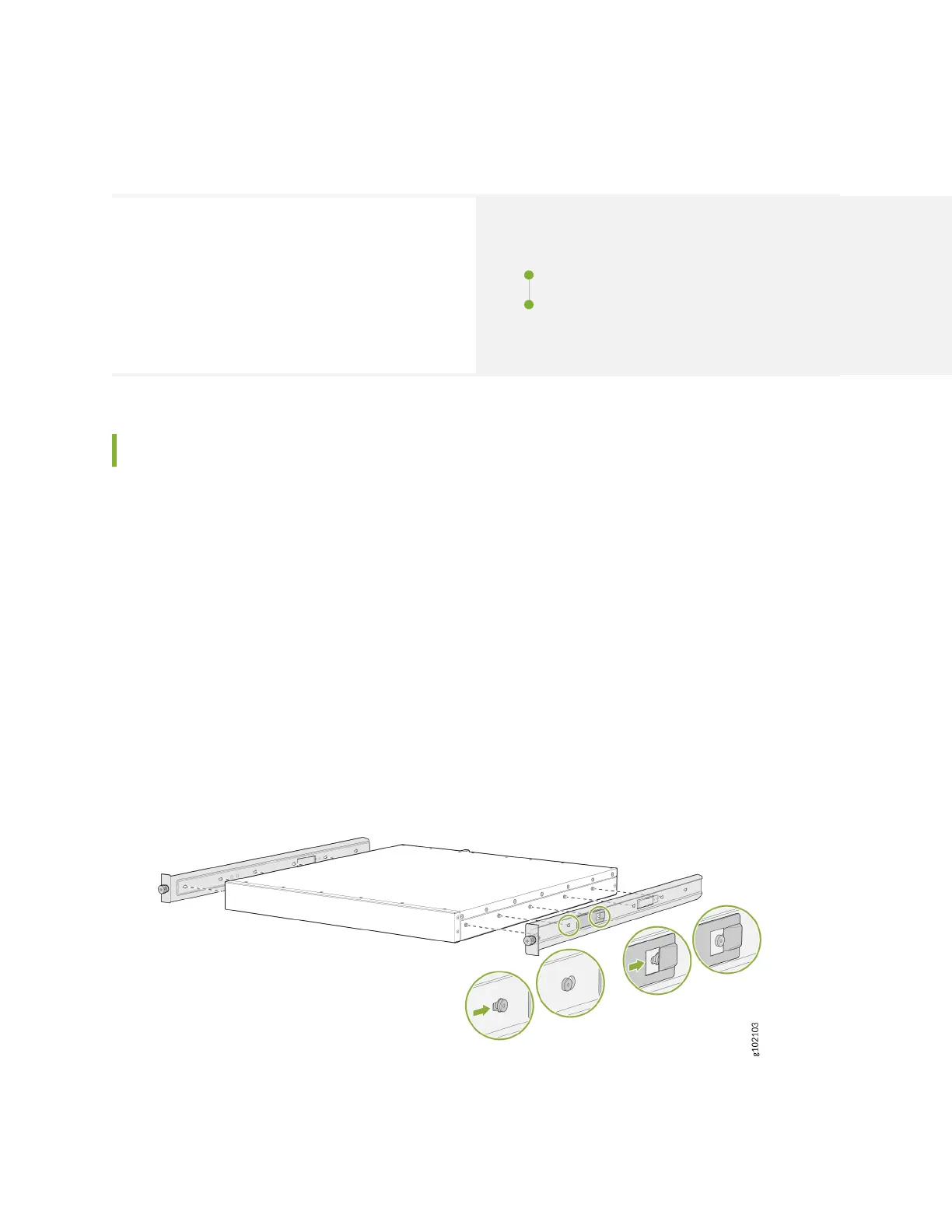
2. Aach the side-mounng brackets to the chassis. Align the keyholes of the mounng brackets over
the shoulder screws of the chassis and slide the mounng brackets towards the rear of the chassis.
3. Assemble the mounng rails by sliding the rear rails into the front rails.
2












 To Next Page