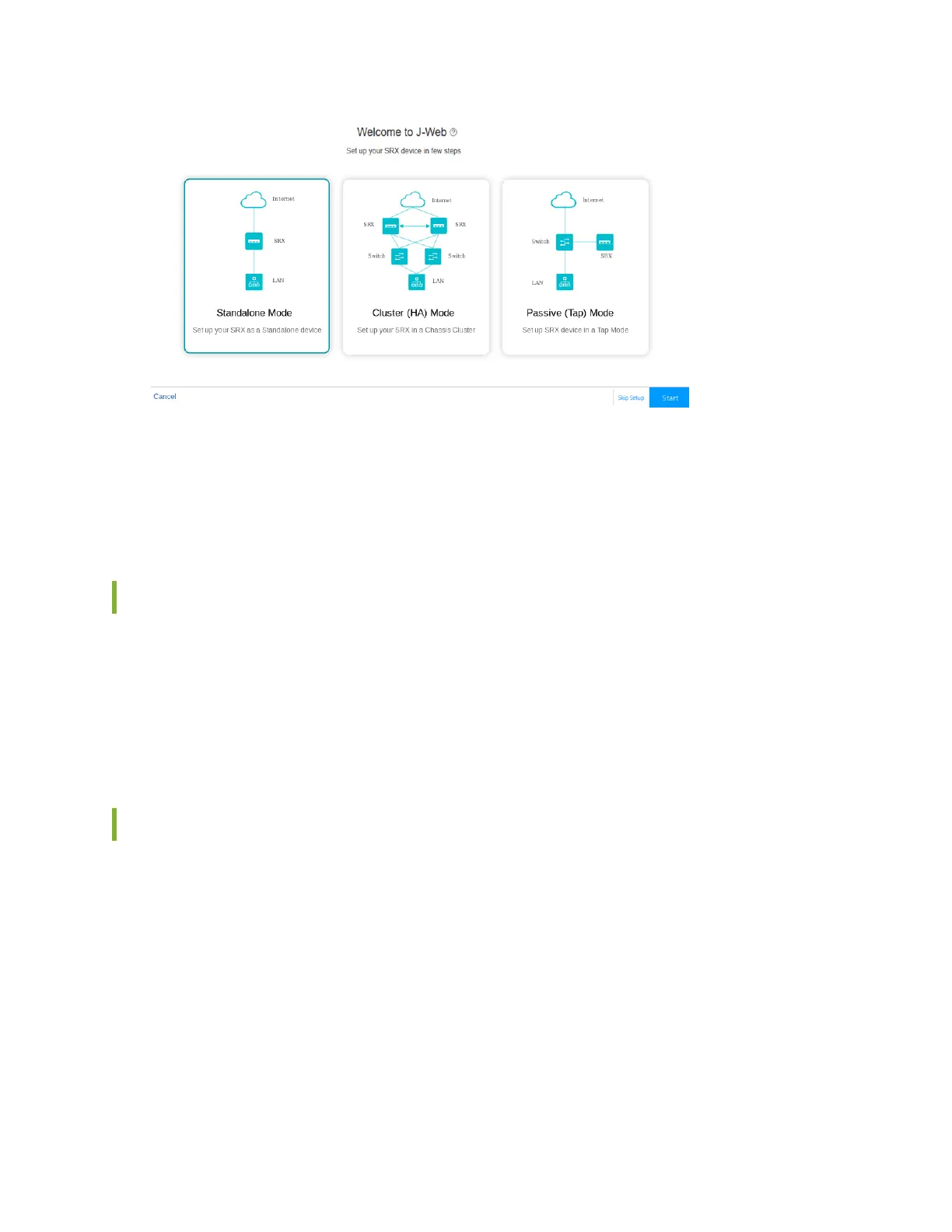
4. Select the setup mode that you want to use to congure the device and click Start.
The Setup Wizard page appears.
5. Follow the instrucons in Congure SRX Devices Using the J-Web Setup Wizard to congure your
device.
Congure the SRX1600 using Juniper Security Director Cloud
Juniper® Security Director Cloud is a cloud-based soware as a soluon (SaaS) portal that helps you
securely migrate your network to a Secure Access Service Edge (SASE) architecture.
Follow the instrucons in the Onboard SRX Series Firewalls to Security Director Cloud guide to
congure your device.
Access the CLI on the SRX1600
To access the CLI on your device:
1. Connect the management device to the serial console port as described in "Connect Your Device to a
Management Console" on page 63 .
2. Start your asynchronous terminal emulaon applicaon (such as Microso Windows HyperTerminal)
and select the appropriate COM port to use (for example, COM1).
3. Congure the serial port sengs with the following values:
• Baud rate—9600
• Parity—N
66












 To Next Page