protecve earthing terminal on the device chassis to connect to the earth ground. The
device gains addional grounding when you plug the PSU in the router to a grounded
AC power outlet. Use the AC power cord appropriate for your geographical locaon.
• Ensure that you have a power cord appropriate for your geographical locaon available to connect
AC power to the device.
• Read AC Power Electrical Safety Guidelines and Acon to Take Aer an Electrical Accident.
• Ensure that you have taken the necessary precauons to prevent electrostac discharge (ESD)
damage.
• Ensure that you have an ESD grounding strap.
• If not already installed, install the power supplies in the device.
To connect AC power to an SRX1600:
1. Wrap and fasten one end of the ESD wrist strap around your bare wrist, and connect the other end
of the strap to the ESD point on the device.
2. Ensure that you fully insert the power supplies into the chassis.
3. Locate the AC power cords shipped with the SRX1600; the cords have plugs appropriate for your
geographical locaon. See Table 16 on page 26 .
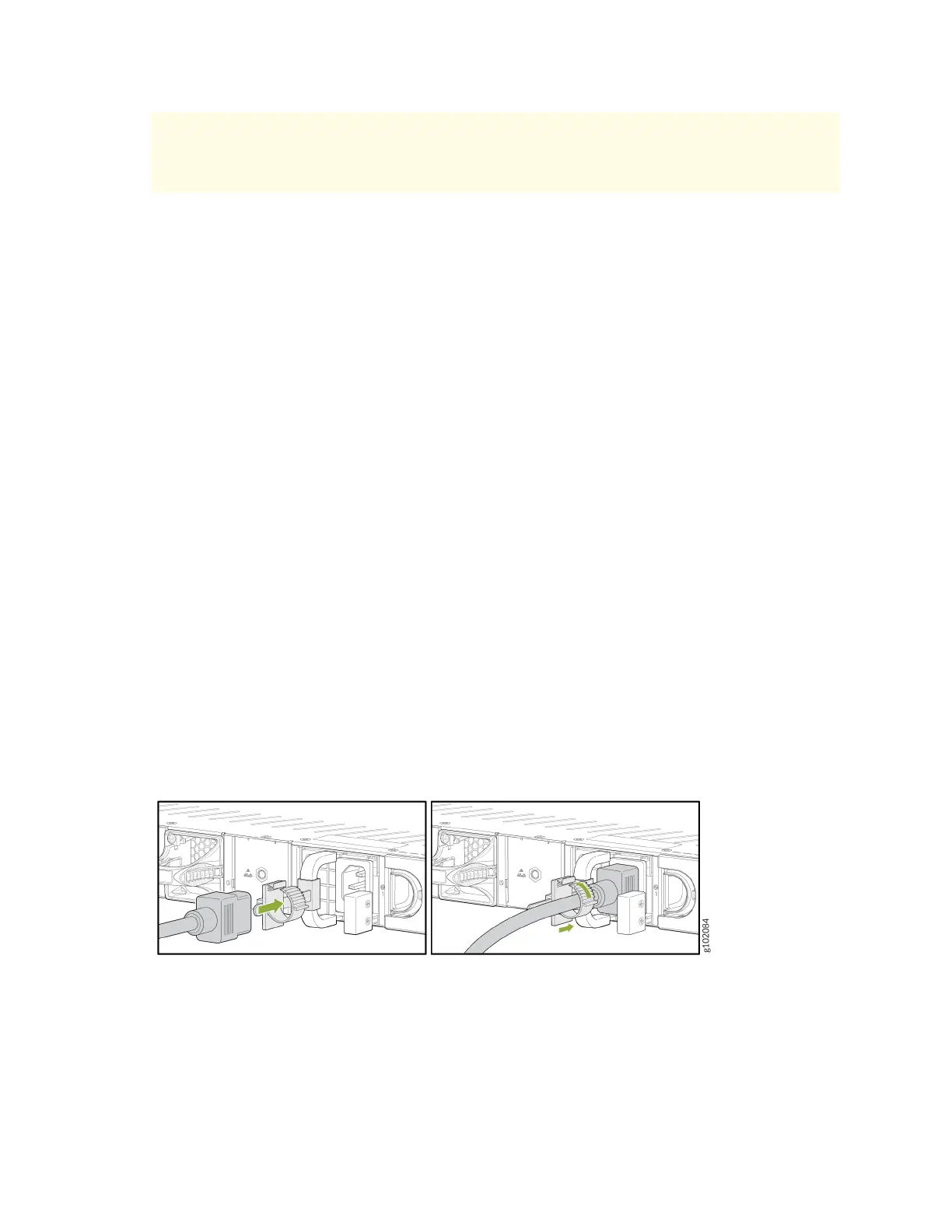
4. Insert the coupler end of the power cord into the AC power cord inlet on the AC power supply
faceplate.
5. Push the power cord retainer onto the power cord (see Figure 34 on page 58 ).
Figure 34: Connect AC Power Cord
6. Repeat step 4 and step 5 to insert the second power cord.
7. If the AC power source outlet has a power switch, set it to the o (0) posion.
8. Insert the power cord plug into an AC power source outlet.
58












 To Next Page