User Guide
Leviton D4200 LCD Ver 2.0 Architectural Lighting Controller Page 16 of 80
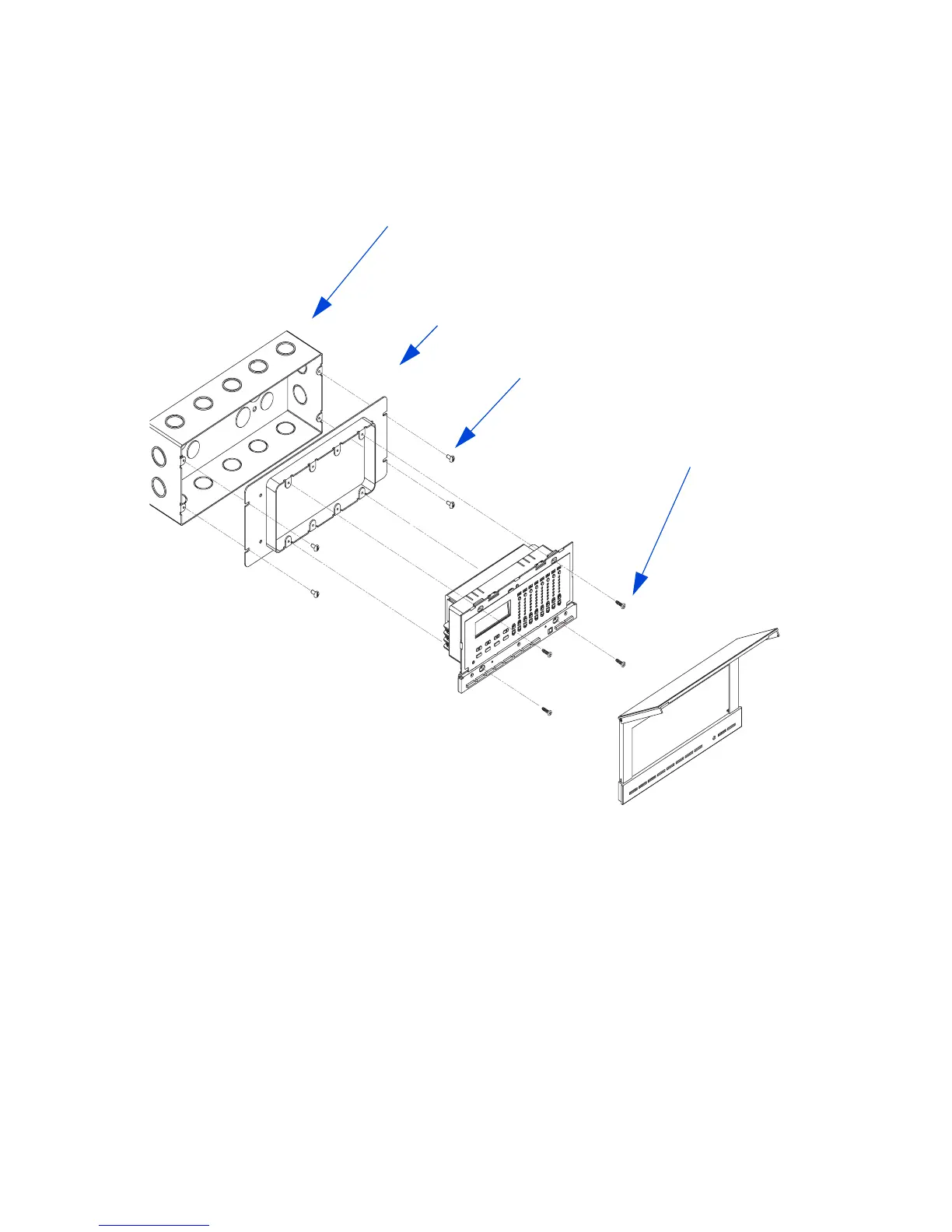
Figure 8 - Mounting Illustration
Step 4: Carefully position all wires to provide room in gang box for
D4200 LCD station. Mount the D4200 to raised cover
using the screws provided. Be careful and do not
overtighten the screws. See Figure 8.
Step 5: Snap faceplate back on. D4200 INSTALLATION IS
COMPLETE.
4 Gang, gang box (Raco 943)
4 Gang raised cover (Raco 823)
D4200 mountin



 To Next Page