User Guide
Leviton D4200 LCD Ver 2.0 Architectural Lighting Controller Page 44 of 80
Editing the Sequencer
To simplify the process, use the Sequencer table in Appendix A.
To edit the sequencer:
Step 1: Press the Menu/Cancel button.
Step 2: Press the Up and Down buttons until EDIT
SEQUENCER? flashes on the LCD display.
Step 3: Press the Select/Save button.
The Event number flashes.
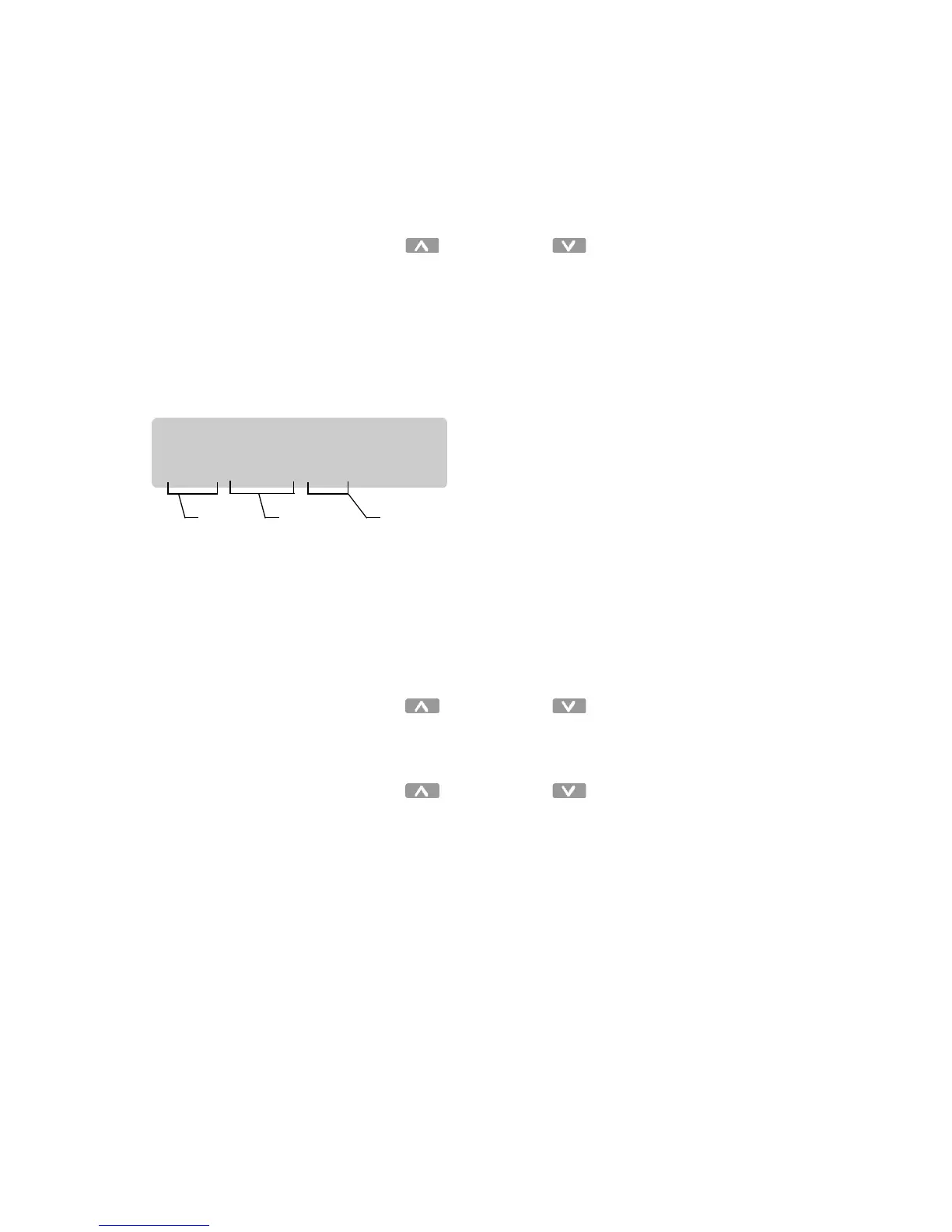
The sequence Events are displayed in the following
format:
• STOP indicates the end of the sequence and the sequencer is
disabled after a STOP Event is executed.
• LOOP indicates the sequencer will immediately restart the
sequence and will run continuously.
• Events after a START or LOOP command are not executed.
Step 4: Press the Up and Down buttons to scan
through the possible Events.
Step 5: Press the Select/Save button to select an Event.
Step 6: Press the Up and Down buttons to change the
value.
Note: Press
Clear
to change the value to
SKIP
.
• STOP
• LOOP
• GOTO _ _
• SKIP
• Scene (With Delay Time)
• MAX
• OFF
SEQUENCER:
E01: STOP 01s
Event
number
Scene or
command
Time until
next step



 To Next Page