Diagnostic information 2-17
4036-307, -308
843.00 Scanner failure
843.01 Failure
Step Action and Question Yes No
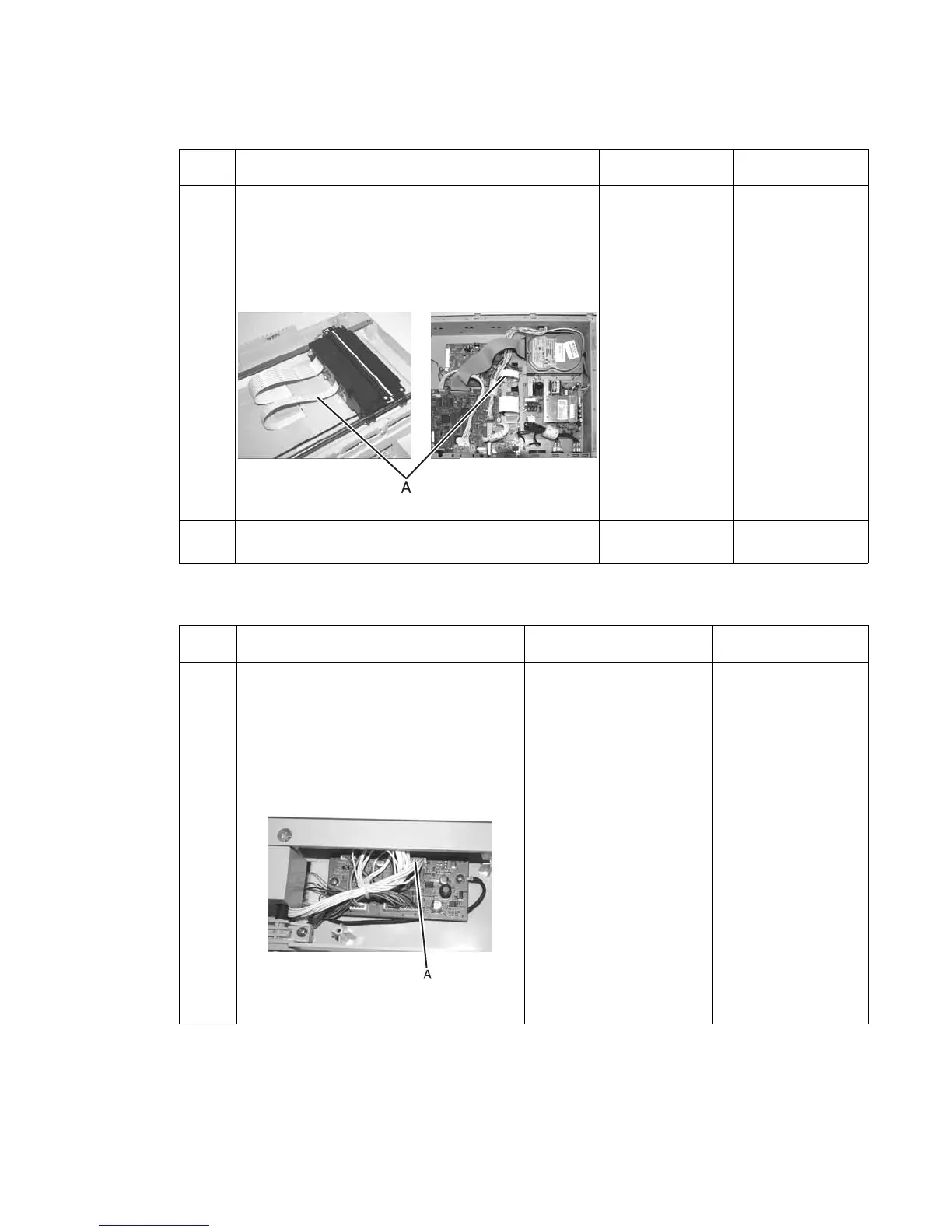
1 Check the flatbed motor cable (A).
1. Remove the flatbed glass. See “Flatbed cover
with glass removal” on page 4-28 for more
information.
2. Remove the bottom plate to expose the cable.
See“Bottom plate removal” on page 4-35 for
more information.
Is either end of the cable loose?
Reseat flatbed
motor cable
Go to step 2
2
Does the flatbed motor cable have any visible
damage?
Replace flatbed
motor cable
Replace flatbed
optical unit
Step Action and questions Yes No
1 Check the ADF FF to motor/distribution
cable.
1. See the “ADF motor/distribution
board removal” on page 4-11 to
locate the ADF FF to motor/distribution
cable.
2. Disconnect and reconnect the ADF FF
to motor/distribution cable connection
(A).
3. Reassemble scanner and power it on.
Does the error recur?
Replace the ADF optical
unit
Done



 To Next Page