4. LG Network Storage Web Menu Use (for LG
Network Storage administrators)
98
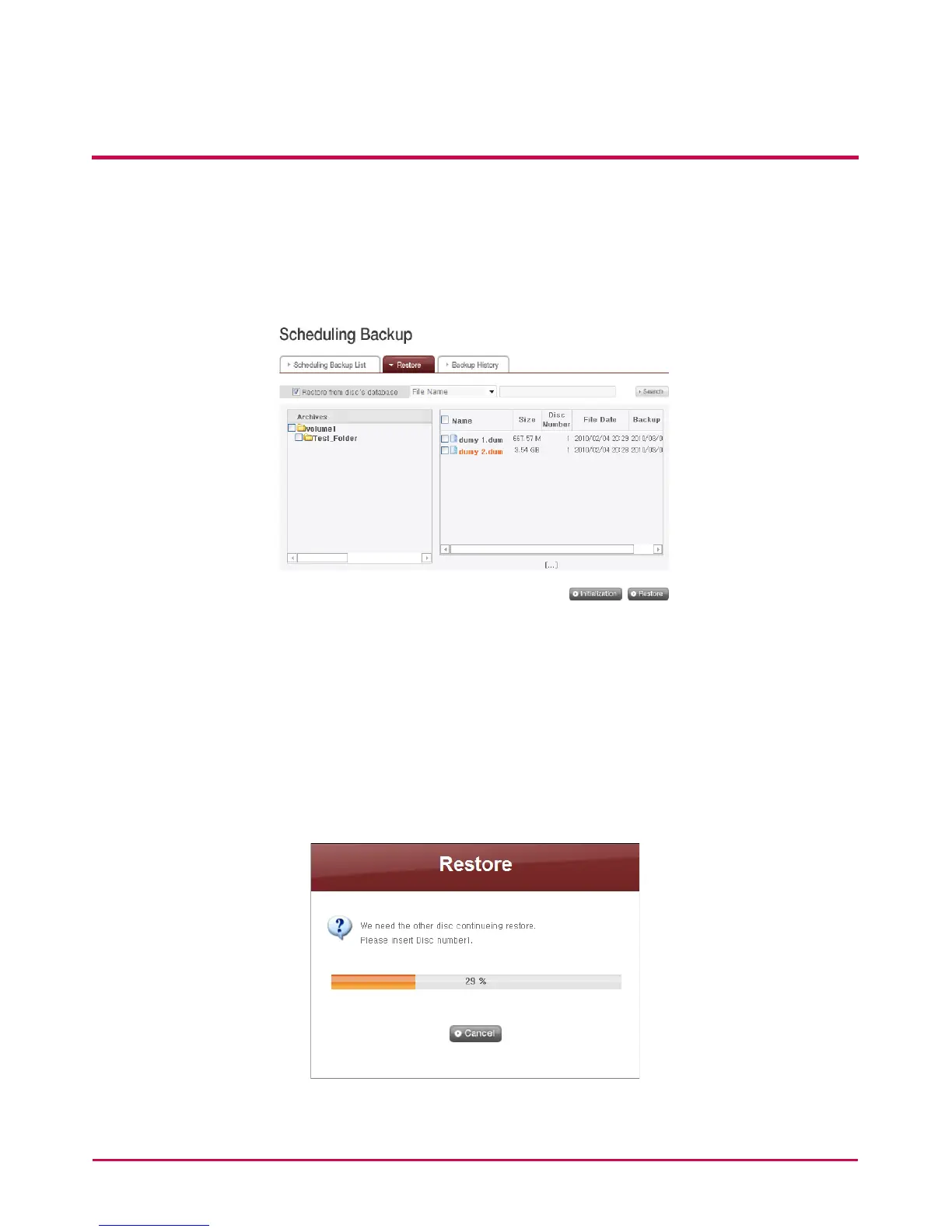
Put a check on the ‘Restore from Disc’s Database’ check box on the ‘Restore’ menu to load
the backup schedule database from the disc. Click ‘Conrm’ button when a warning that
ask for an agreement pops up.
You will see what’s in the database in the disc on the bottom. File name in red means that
there is a le that has been divided and backed up due to the insucient space in the disc.
Finally, insert the backup disc and click ‘Restore’ button.
1 When a screen below pops up, insert the disc of the corresponding number(Disc No. 1
that has been backed up rst in the case below).
Restoration will begin automatically once the disc is inserted.
2 The process below can be repeated in accordance with the number of the discs



 To Next Page