Windows Software Reference (Single Chamber Mode)
8-17
9. Stop the measurement manually at any time.
Adding Annotations
Annotations can be added at any time during a continuous measurement. These
annotations will appear as a separate data column in the resulting .csv file. When
converting the .csv file to .kml format using the included converter (described in
the 8100-405 instruction manual), you will be prompted to process file
annotations. A separate .kml file is created for these file annotations, which appear
as placemarks when imported into Google
®
Earth.
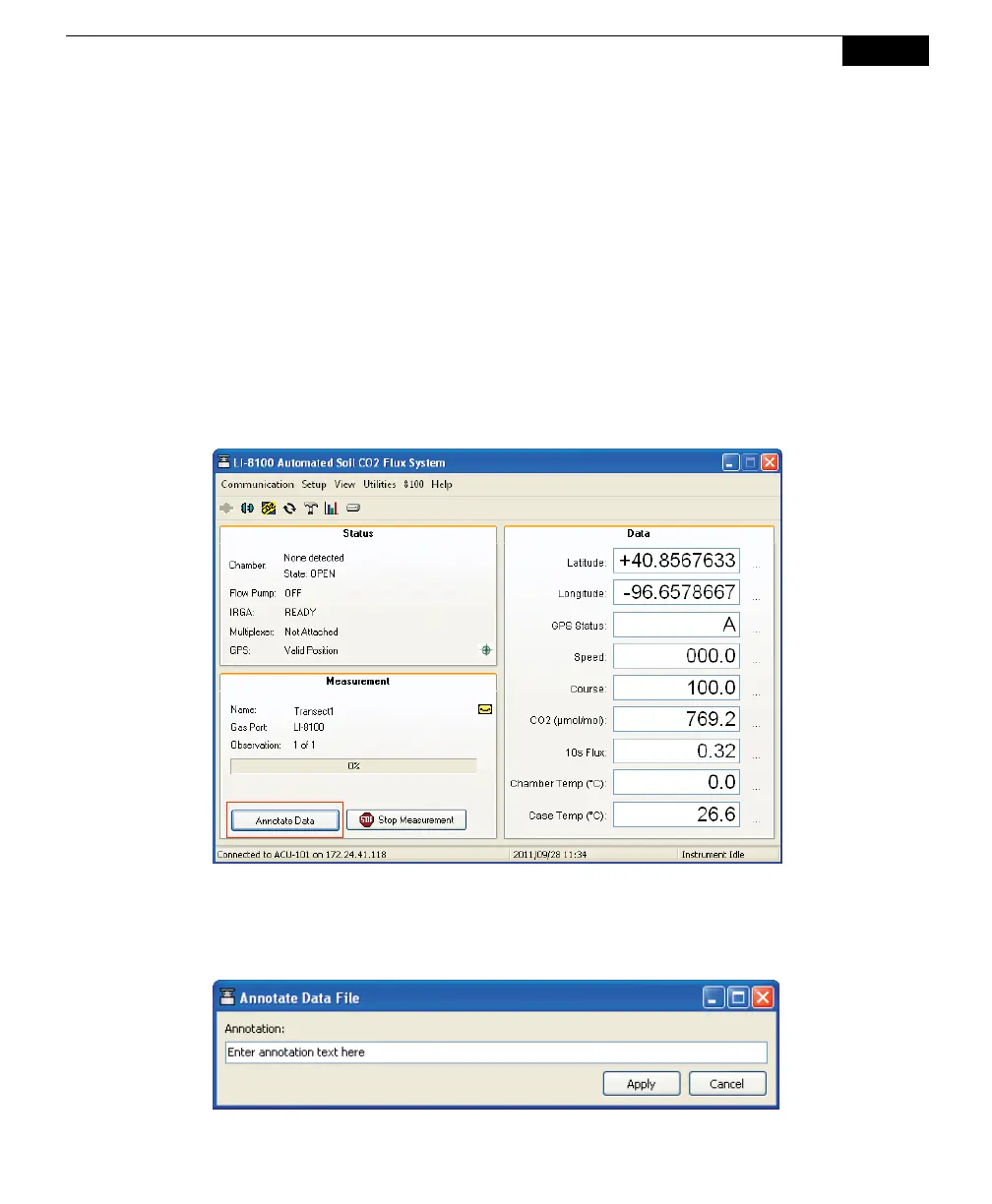
After the measurement has been started, click on the Annotate Data button in the
Main window (below).
You can enter annotation text in the resulting Annotate Data File box (below).
Annotations appear as a separate data column in the .csv file, with a time stamp
corresponding to the time at which the Apply button is pressed.



 To Next Page