12-8
Maintenance
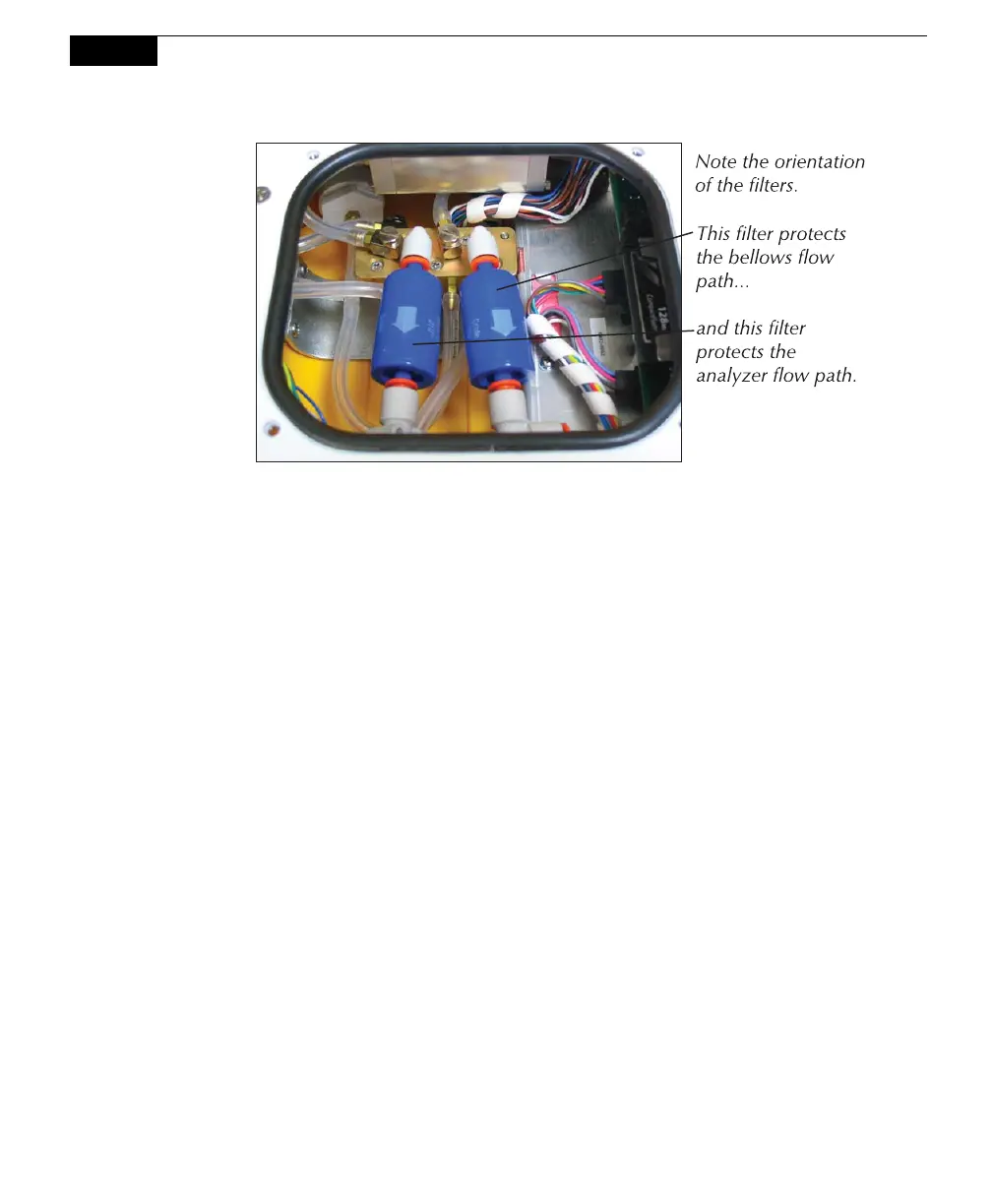
Remove the air filters by pressing the orange part of the quick-connect fittings
toward the white part of the connector and pulling the filter out. Insert the
new filters as oriented in the photo above.
Fuses
If your LI-8100A fails to turn on when powered up, and you are confident that the
battery is fully charged, there is a possibility that a fuse has blown. There is a fuse
inside the 6400-03 battery; instructions for testing the battery and replacing the fuse
are given below at 6400-03 Batteries.
A second fuse is located inside the Auxiliary Sensor Interface, which protects the
unit from overcharges due to improper connection of an external power supply. To
check this fuse, simply loosen the four screws on the Auxiliary Sensor Interface
cover and remove the cover.



 To Next Page