10-86
Using the LI-8150 Multiplexer
GPS Longitude Decimal degrees, hemisphere (+) east or (-) west
GPS Status A = Valid position, V = NAV receiver warning
Speed Speed over ground, 0000.0 to 1851.8 km/h
GPS Course True course over ground, 000.0 to 359.9 degrees
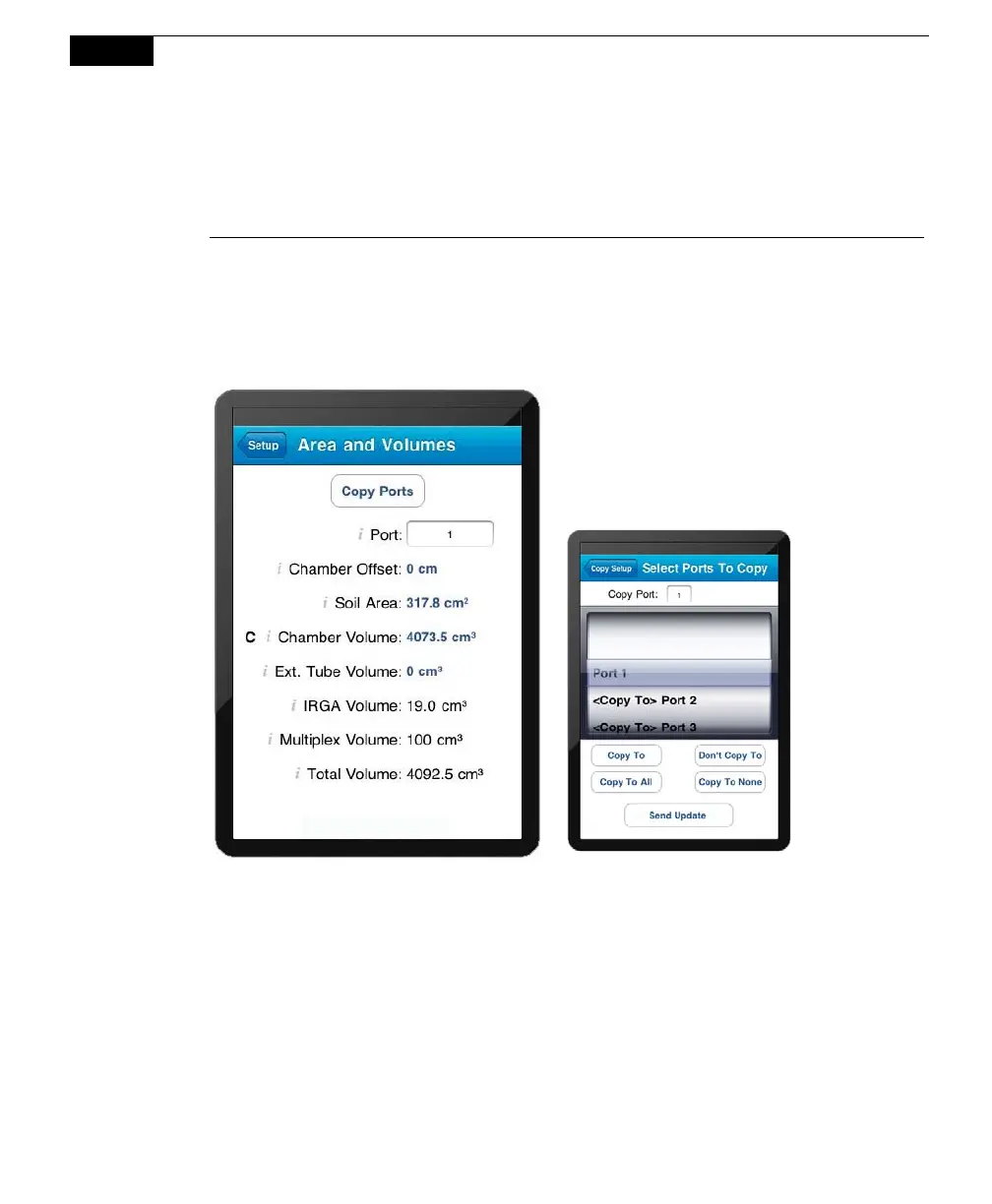
Area and Volumes
Opens the Area and Volumes page, where you can set the chamber offset, and
choose the default soil area and chamber volume values, which determine the total
system volume of air.
The IRGA Volume and Total Volume
values are computed and displayed after
the Chamber Offset, Soil Area, Chamber
Volume, and Extension Tube Volume
values are entered.
After you have defined a measurement protocol for a single port, you can copy that
configuration to as many other ports as desired. After you have defined the
parameters in this window, tap Copy Ports, and then enable the other ports to
which you want to copy that definition.
Choose the Source Port whose definition you want to copy. Enable the ports to
copy to individually, or tap Copy to All to enable all other ports. Note that if the
Chamber Offsets and/or Treatment Labels vary between soil collars, you will need
to enter them individually. Tap Send Update to copy the port settings.



 To Next Page