Using the LI-8150 Multiplexer
10-47
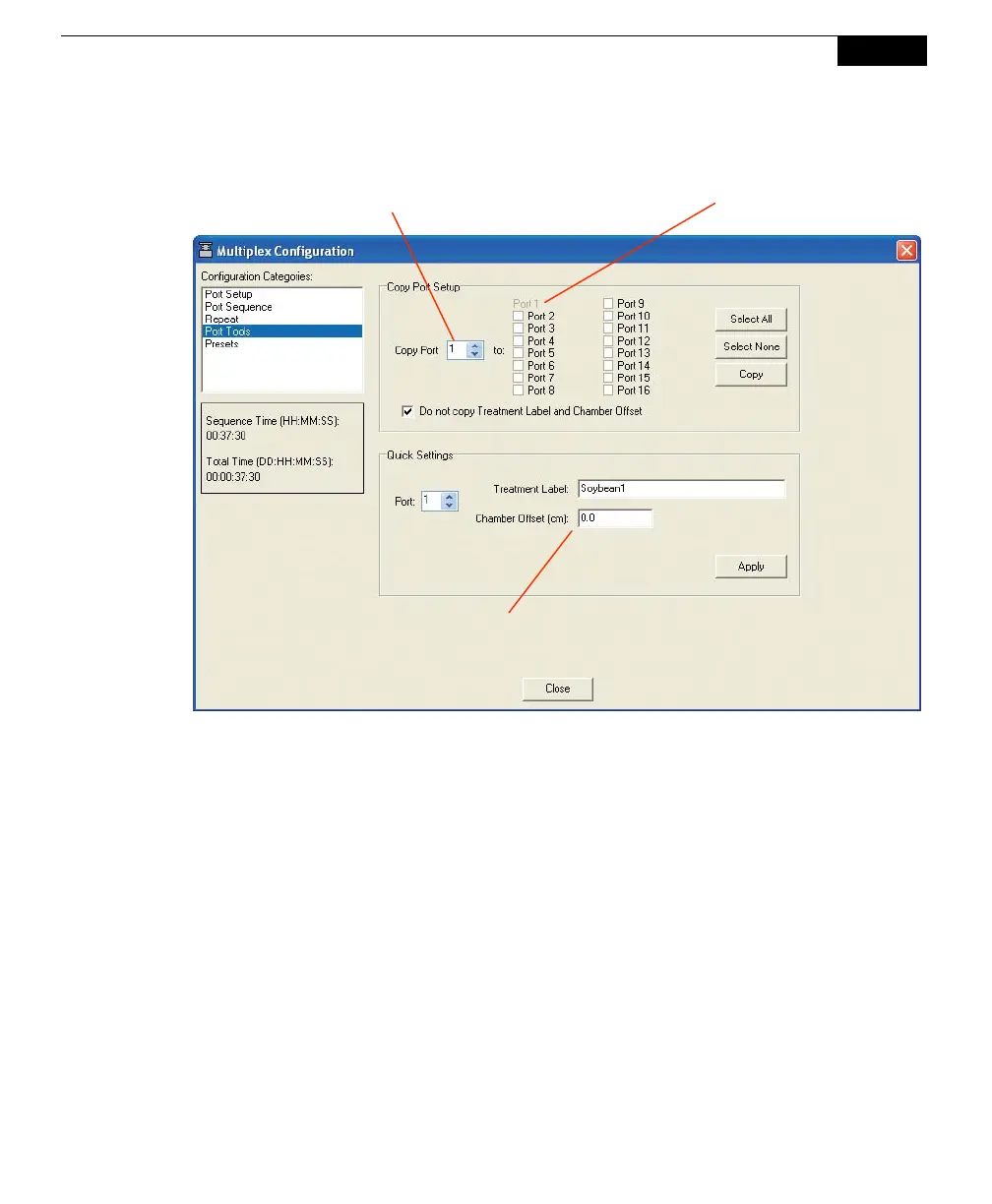
Choose the port whose protocol has been previously defined (#1 in the example
above), and then choose the ports to which you want to copy this protocol. Click
Select All to choose all ports, or Select None to disable all check boxes. Click
Copy when finished.
Note that in most instances you will not want to copy the Treatment Label and
Chamber Offset values to other ports; they generally vary between chambers.
Enable the ‘Do not copy Treatment Label and Chamber Offset’ check box to
prevent the Copy Port’s Treatment Label and Offset values from being copied to the
other ports.
The Quick Settings area functions as a shortcut for entering Treatment Labels and
Chamber Offset values for each port, when you do not copy them as described
above. Use the Port up/down arrow selector to choose the port, enter a Treatment
Label and Chamber Offset value, and then click Apply. Repeat for additional ports.
This simply prevents you from having to return to the Observation tab and enter
Treatment Labels and Chamber Offsets for each port.
If Treatment Labels and/or Chamber
Offsets vary between ports, choose
the port here, enter Treatment Label
and Chamber Offset, and click Apply
Choose the port whose
configuration you want
to copy here…
and choose as many ports as
desired here to copy to



 To Next Page