10-80
Using the LI-8150 Multiplexer
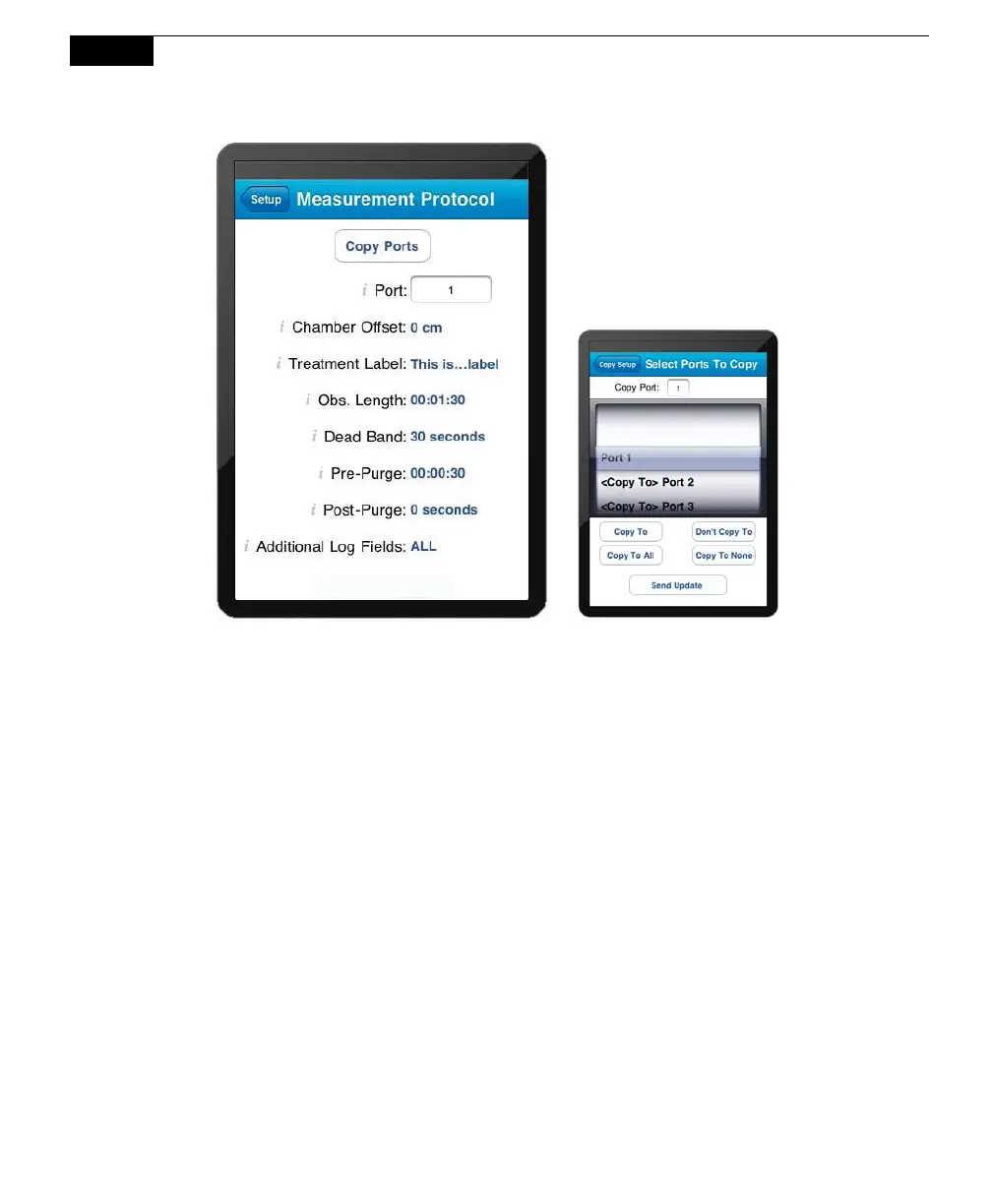
After you have defined a measurement
protocol for a single port, you can copy
that configuration to as many other ports
as desired. After you have defined the
parameters in this window, tap Copy
Ports, and then enable the other ports to
which you want to copy that definition.
Choose the Port whose definition you want to copy (#1 in the example above).
Enable the ports to copy to individually, or tap Copy to All to enable all other ports.
Note that if the Chamber Offsets and/or Treatment Labels vary between soil collars,
you will need to enter them individually. Tap Send Update to copy the port
settings.
Chamber Offset
The Chamber Offset is the distance (in cm) between the soil surface and the top of
the soil collar, and is dependent upon the depth that the collar is inserted into the
ground (discussed in Section 2, Initial Setup). The soil CO
2
flux measurement
requires an accurate estimate of the Total System Volume. The LI-8100A software
uses the Chamber Offset and the Soil Area values to calculate the volume of air
inside of the soil collar. This value is, in turn, added to the Chamber Volume,
Multiplex Volume and Extension Tube Volume (if present) to obtain the Total
Volume. Measuring the Chamber Offset is described in Section 2, Using Soil
Collars.
Treatment Label
The Treatment Label can be up to 30 characters in length; it can be prompted for
and is included in the data record.



 To Next Page