18
Holiday Classic Owner’s Guide
What It Does:
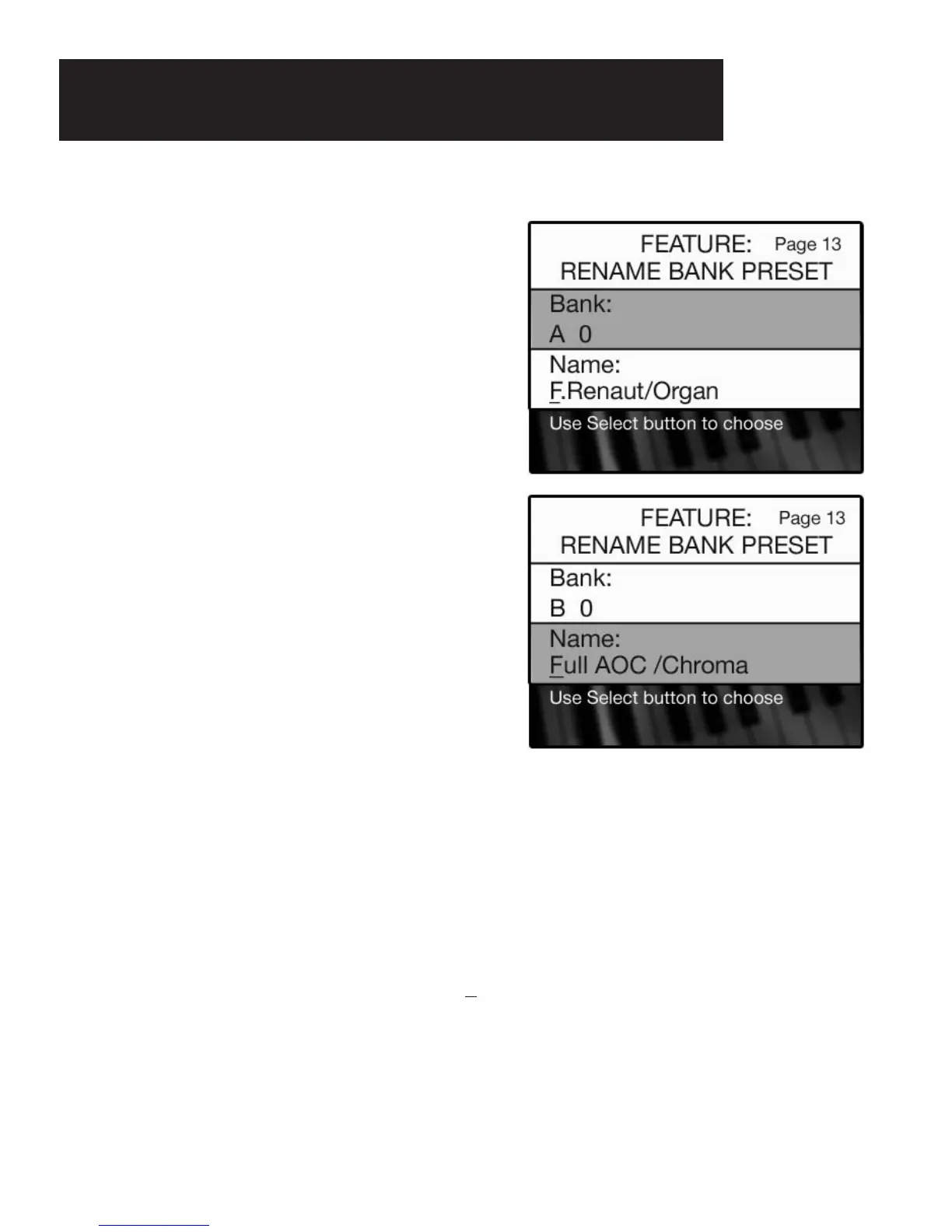
The RENAME BANK PRESET feature can be used to put your own descriptive name on your customized BANK
PRESETS
, and display them on the COLOR DISPLAY when used.
The name given in the example of
BANK B - 0, ORGAN AOC /CHROMA,indicates that the AOC ORGAN sound
is on the upper keyboard. The name to the right of the slash mark,
CHROMA, indicates that a CHROMATIC
HARMONICA is the sound assigned to the lower keyboard, to the right of the split point.
5. Assign a new name to your presets using the lower keyboard keys, which will now access letters,
numbers, and symbols like those of a typewriter.
A
keyboard overlay for the lower keyboard was provided. Place the overlay on the lower keyboard to make
locating the letters easy and fast. The first F# key (marked on the overlay with the up-pointing arrow) is the
Shift key for upper case.
You will notice a line under the letter F in the word F
ULL displayed on the screen. This is the cursor. The
cursor represents the location where your typing will occur. Begin typing the title you want. After each cor-
rectly typed letter press the first lower keyboard A# key (marked on the diagram with a >) to advance the
cursor to the next space.
The last A# key (marked on the diagram with a -) is the ERASE or DELETE key
for correcting any typing mistakes or creating a blank space.
The title can be up to 16 characters in length.
When you wish to rename a preset in the B bank, press
the number button (1-10) that you wish to rename.
In the case of preset
0, press any of the numbered
buttons that may be on, turning them off.
4. When the desired bank letter and preset number are
displayed in the
BANK section of the screen, press the
SELECT button. The NAME section of the screen will
become highlighted.
How It Works:
1. Press and hold the FEATURE (CLEAR) button.
2. Press and release either the
BANK A or BANK B button.
Release the FEATURE (CLEAR) button.
The
BANK section of the screen will display the A bank.
3. When you wish to rename a preset in the A bank, press
the number button (1-10) that you wish to rename.
In the case of preset 0, as shown to the right, press any
of the numbered buttons that may be on, turning them
off.
Rename Bank Preset






 To Next Page