79
Feature Pages
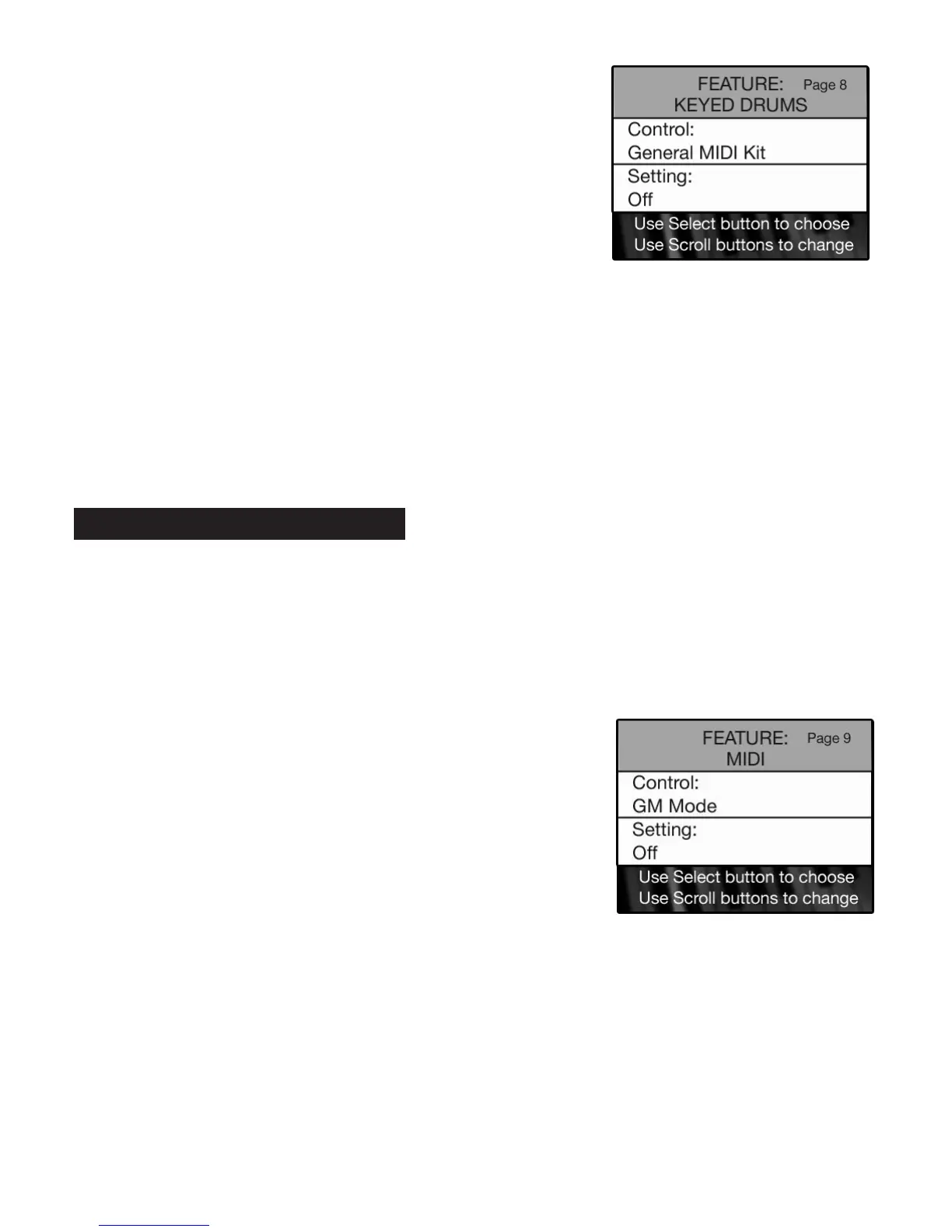
•Press the SELECT button to highlight the CONTROL section of the screen.
•Press either
SCROLL button to display the settings: MAIN KIT or GENERAL MIDI KIT.
•Press the SELECT button to highlight SETTING section of the screen.
•Press either SCROLL button to display the settings: OFF or ON.
With a style playing, play a No Chord (N.C.) and play a drum solo along with the beat of the
style.
Press the lighted
FEATURE(CLEAR) button to implement the selections/settings made and return to the
POWER-UP screen.
PREVIEW:
MIDI FEATURE PAGE controls the MIDI features on the Holiday Classic. MIDI (Musical Instrument Digital
Interface) is an industry standardized method for allowing other MIDI equipped devices to communicate
with one another.
You will never need to use this section to fully enjoy your Holiday Classic. This feature is only for those
familiar with MIDI capabilities and want to use this instrument as a receiver or source for sounds.
You will
enjoy your Holiday Classic without ever using this feature.
GM MODE ON: Holiday Classic may be used as a sound source for producing Standard MIDI Files along
with a computer and appropriate software.
LOCAL OFF: Turns off the keyboards and pedals, so be careful.
•
Press the
SELECT button to highlight the CONTROL section of the screen.
•Press either
SCROLL button to display the settings: GM MODE or LOCAL.
•Press the SELECT button to highlight SETTING section of the screen.
•Press either
SCROLL button to display the settings: OFF or ON.
Press the lighted
FEATURE(CLEAR) button to implement the selections/settings made and return to the
POWER-UP screen.
How To Use It:
•Press the Feature (Clear) button and then press the bottom
SCROLL button repeatedly to highlight FEATURE: MIDI, as
illustrated to the right.
9. MIDI
How To Use It:
•Press the Feature (Clear) button and then press either SCROLL
button repeatedly to highlight FEATURE: KEYED DRUMS, as
illustrated to the right.






 To Next Page