30
Holiday Classic Owner’s Guide
9. Press either SCROLL button. You will see a confirming message and then the display will return to its
power up condition.
To cancel the load presets procedure press the
FEATURE (CLEAR) button at any point during the process.
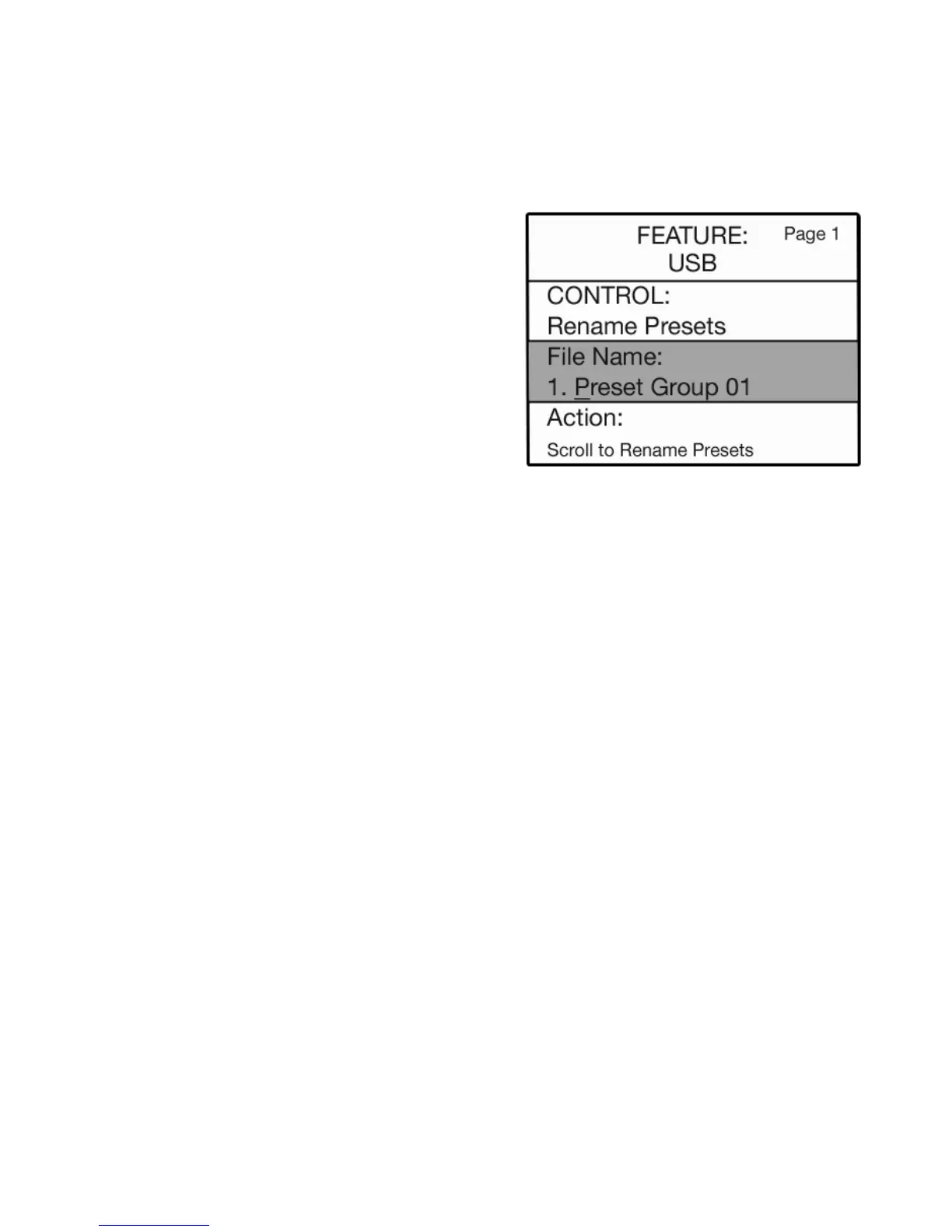
RENAME PRESETS
7. Press either SCROLL button to select from the banks of presets you saved on the USB MEMORY STICK.
8. Use the lower keyboard alphabet overlay and type the new name you wish to give the presets.
See page 27 for the full description of naming presets using the lower keyboard.
9. When finished typing, press the
SELECT button to highlight the ACTION section.
10. Press either
SCROLL button. You will see a confirming message and then the display will return to its
power up condition.
To cancel the rename presets procedure press the
FEATURE (CLEAR) button at any point during the process.
How To Use It:
Use the RENAME PRESETS feature to title Preset Groups that you did not title during the SAVE PRESETS
procedure. Use it to title Preset Groups with recognizable, descriptive names to help you know what you
saved.
How It Works:
1. Insert the memory stick on which you saved presets
into the
USB PORT.
2. Press the
FEATURE (CLEAR) button.
3. If not already displayed, press the top
SCROLL button
to display the
USB screen.
4. Press the
SELECT button to highlight the CONTROL
section of the screen.
5. Press the top
SCROLL button until this section reads
CONTROL: RENAME PRESETS.
6. Press the
SELECT button to highlight the FILE NAME:
section of the screen.






 To Next Page